Hey there, @cindy2000. I recognize how direct deposit issues can affect your team's pay. Let’s sort this out to get everything back on track for your employee.
When a direct deposit fails, the rejected amount will be credited back to your company’s payroll account within 3-5 banking days.
To resolve the employee's unreceived paycheck, you'll need to void the original paycheck, update the employee's bank account, recreate the paycheck, and send a new direct deposit to ensure timely payment.
Here's how to void the paycheck:
- Navigate to the Employees menu, then choose Edit/Void Paychecks.
- Set the Show paychecks through/from dates to the paycheck date that needs to be voided, then press Tab on your keyboard.
- Select the check-in question and click Void.
- Type YES and hit Void.
- Agree to the terms and conditions by ticking the checkbox.
- Repeat steps 1-5 for any additional paychecks to be voided.
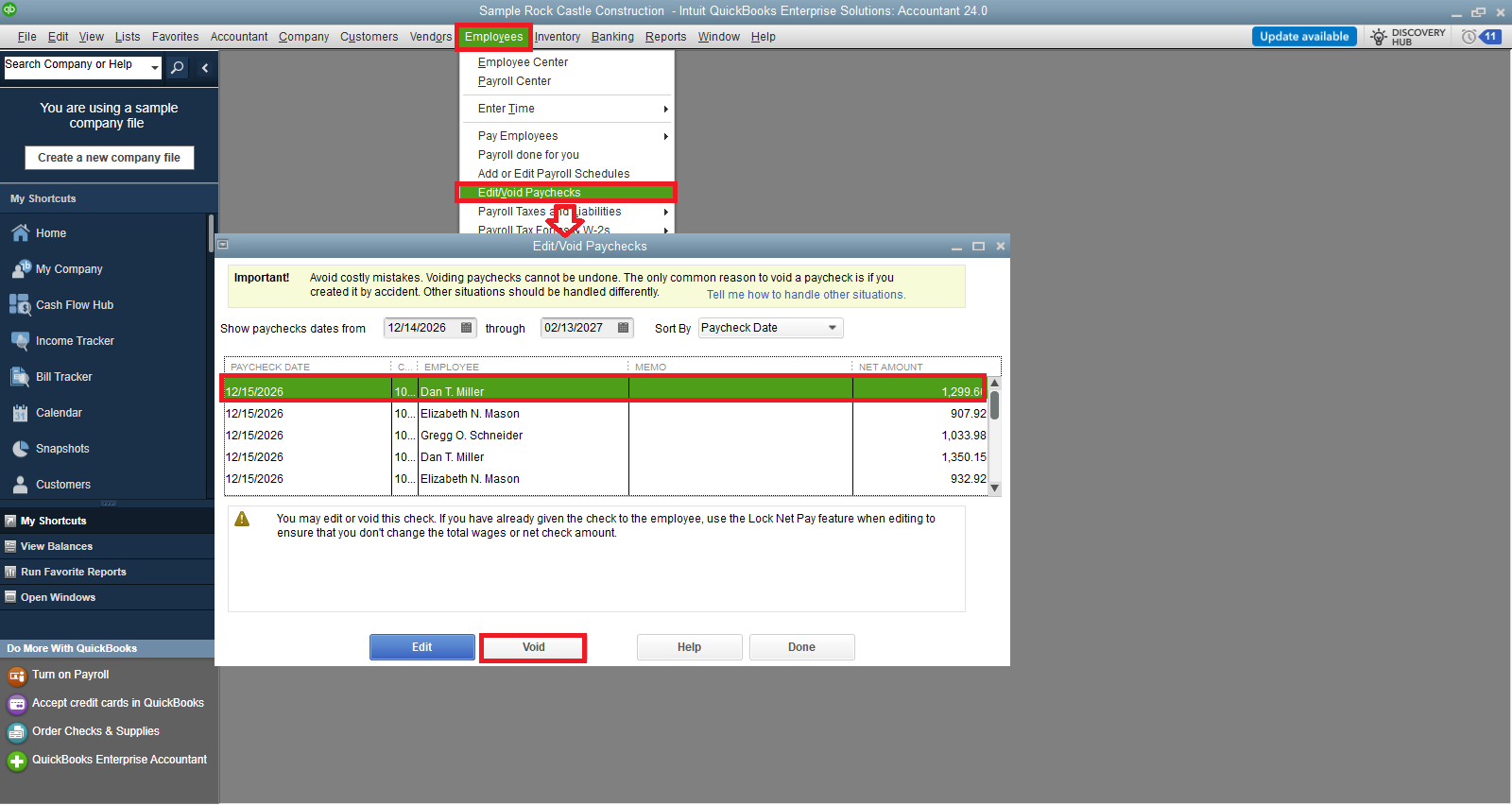
Next, update the employee's bank account information:
- Go to Employees and choose Employee Center to open your employee list.
- Select the employee's name.
- Open the Payroll Info tab and click the Direct Deposit button.
- In the Direct Deposit window, hit Use Direct Deposit for [employee's name].
- Choose to deposit into one or two accounts and enter the relevant bank details (Bank Name, Routing No., Account No., and Account Type).
- Click OK to save, and type in your direct deposit PIN if prompted.
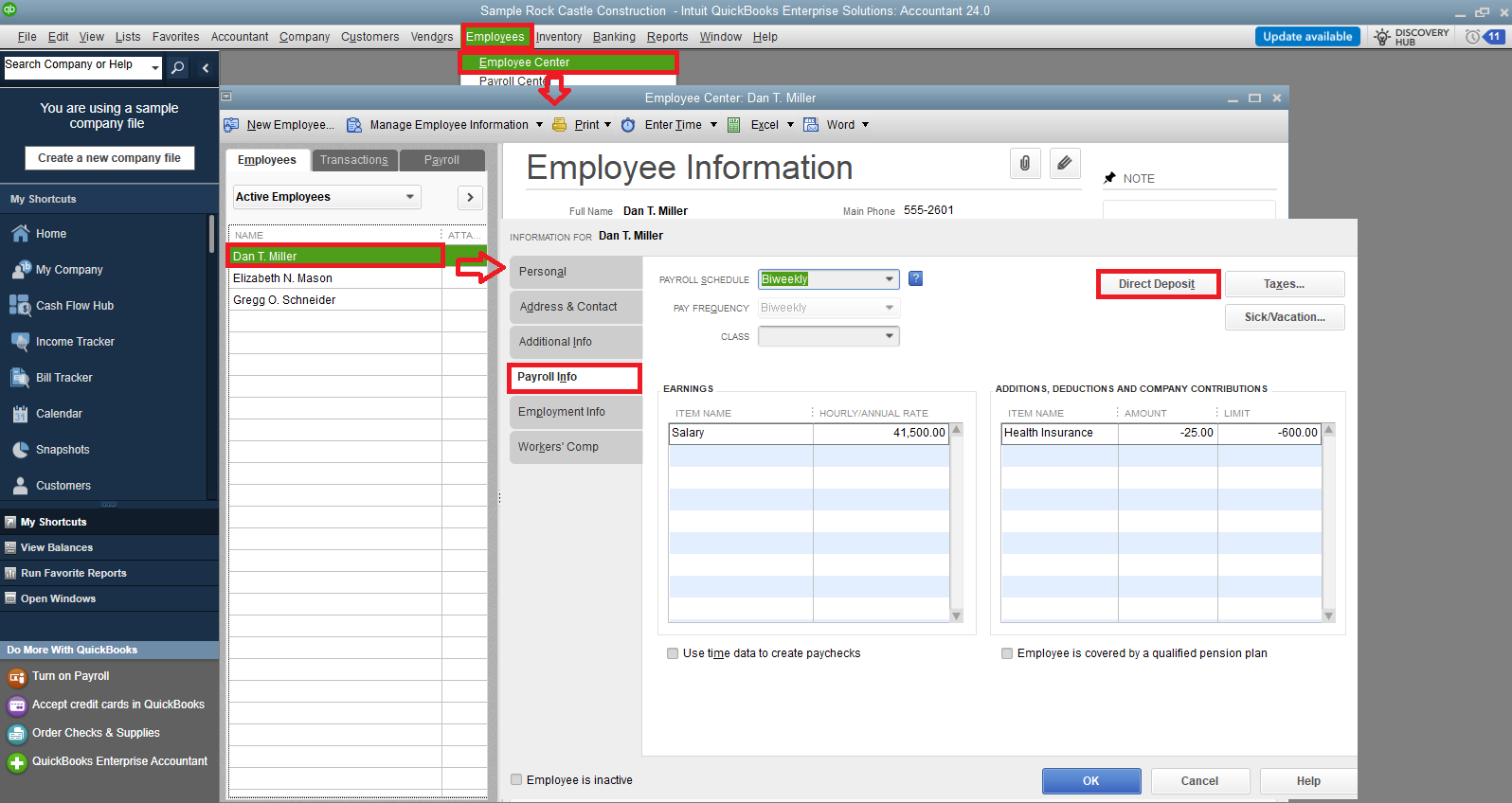
Before creating a new paycheck, remember to edit the bank account to avoid deposits going to the old account:
- Open the paycheck and head to the Paycheck Detail window.
- Uncheck the Use Direct Deposit option on the paycheck details.
- Click Save, then Save & Close.
- Reopen the check and select Use Direct Deposit.
- Hit Save.
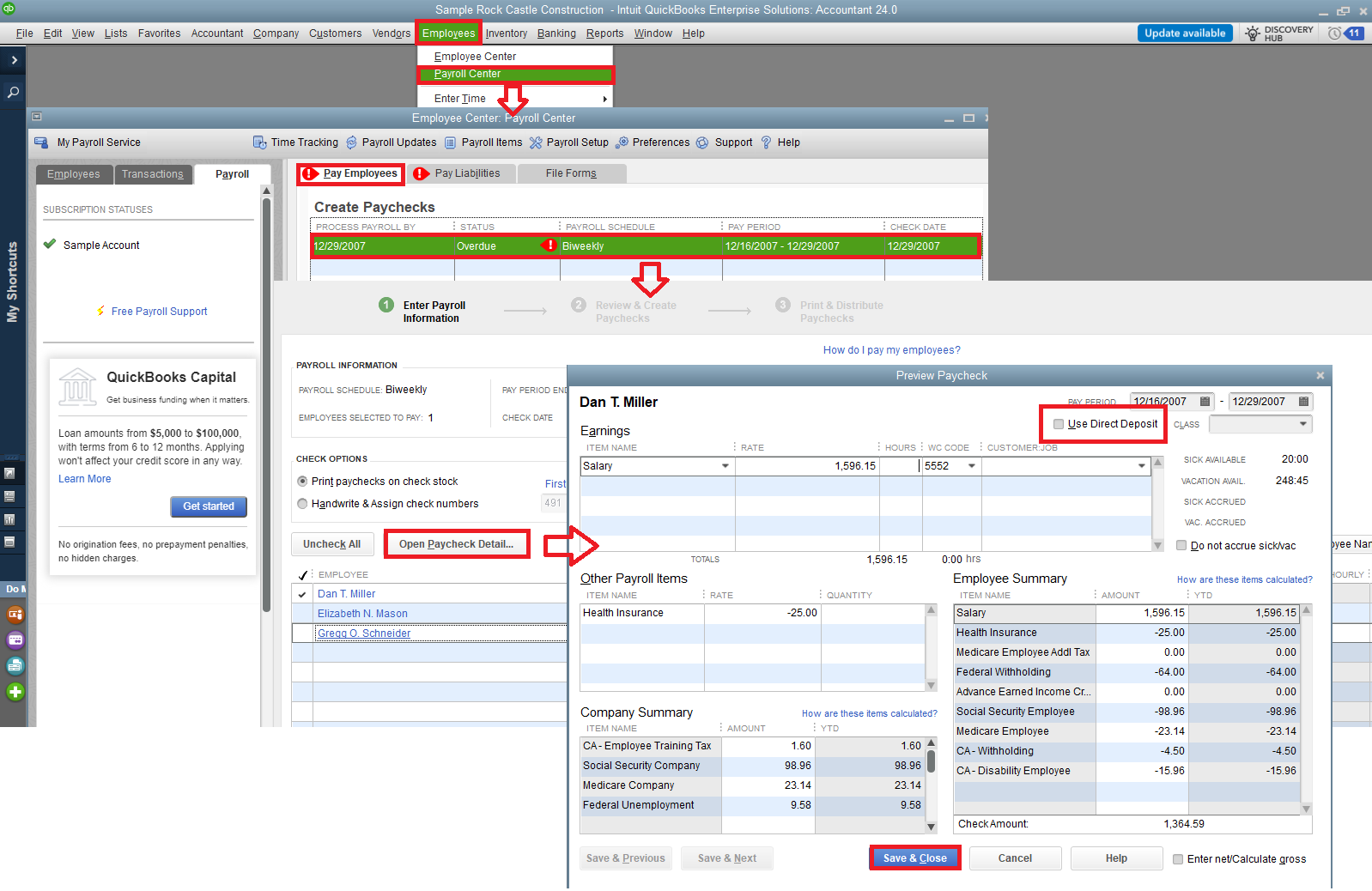
Finally, recreate and resend the paychecks.
Following these steps will help you quickly resolve the payroll issue and ensure your employees receive their payments without further delay. If you have any questions or need assistance with this process, feel free to reach out. Take care and have a wonderful day!


