Turn on suggestions
Auto-suggest helps you quickly narrow down your search results by suggesting possible matches as you type.
Showing results for
Get 50% OFF QuickBooks for 3 months*
Buy nowI am missing a step and need help, please.
I set up a "Reimbursement" Payroll item, so that I could make an "Employee Advance" that could be paid through the payroll system and not have taxes taken out, as Payroll Expenses (QBO automatically chose this).
I set up the deduction in his profile, which will hit the other current asset account.
Is there a way to code the payroll item so that it will tie directly in with the Employee advance, in the other current asset account, so that the original payment (on his paycheck) and the deductions (on each paycheck) will all hit this account? This way, I will not have to make any JE's and it all comes up on the report for employee advances.

Hello there, @texansgal01.
Good thing that you've already created a Reimbursement item tied to your Other Current Asset account. I have a clarification regarding the setup in the latter part of my response, especially that you don't want to affect the taxes.
In regard to the Employee Advance item that you want to create within the payroll system, we can tie it up to the Other Current Asset account you've created by changing it in the Payroll Settings.
However, please note that we can't make it non-taxable since all the available pay types that can be assigned to that item in the Payroll system will always affect taxes.
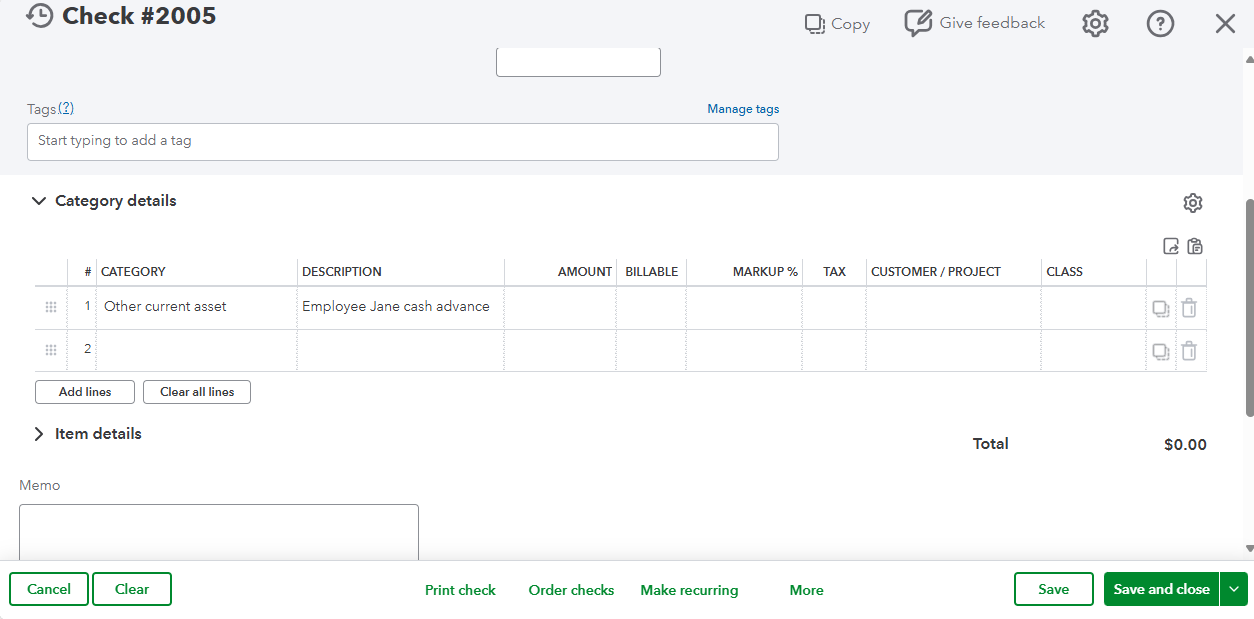
As a workaround, you can issue your employee a regular check and utilize the Other Current Asset account you created in the Category details section. You can also add a description in the description field stating Employee Advance.
You may refer to this screenshot:
Additionally, I'd like to clarify that your Reimbursement item in the Payroll system should be an Other after-tax deductions type, so it will not affect the taxes. You can check the sample below:
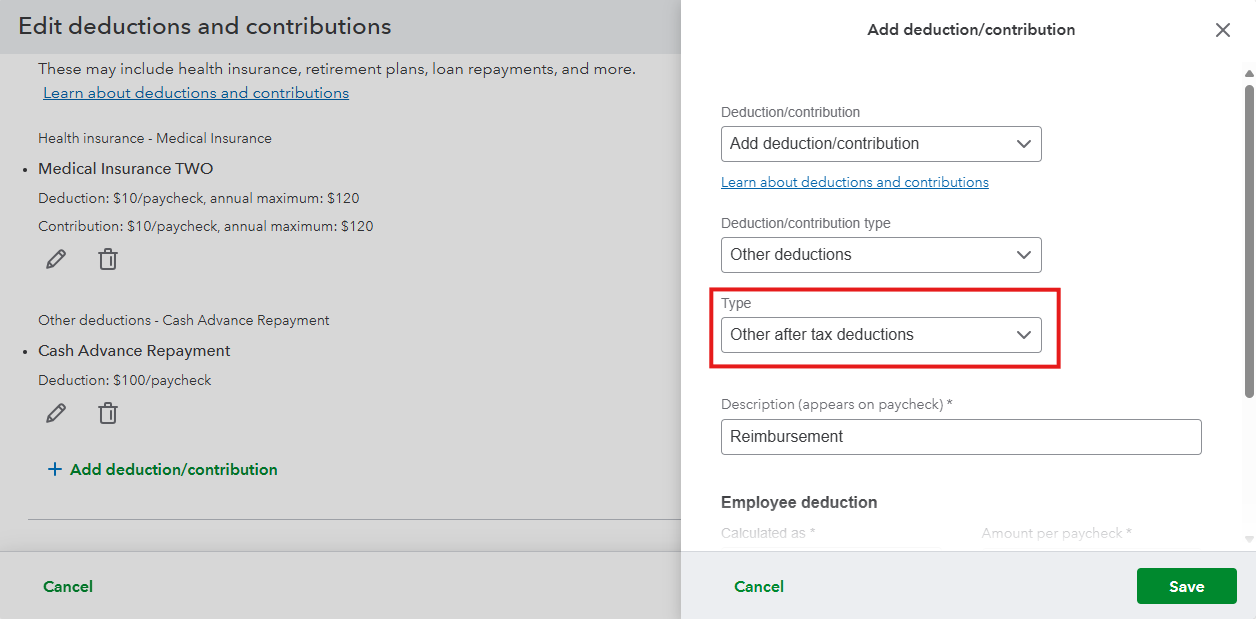
From there, you'll be able to exclude these deductions from taxes.
Feel free to reply to this post if you need further assistance.
Hi, @texansgal01.
Just checking in to see if the solution we shared worked for you.
Did it fix the issue, or are you still having trouble?
Happy to help if you need any more assistance.


You have clicked a link to a site outside of the QuickBooks or ProFile Communities. By clicking "Continue", you will leave the community and be taken to that site instead.
For more information visit our Security Center or to report suspicious websites you can contact us here

