You can add a new pay type directly to each employee's profile in QuickBooks Online, plateauanimalhh.
Here’s how to do it:
- Go to the Payroll menu and select Employees.
- Select the employee you want to add the new pay type for by clicking on their name.
- You'll see the Additional pay types section on their profile page.
- Click +Add to create one.
- Enter the details needed and click Save.
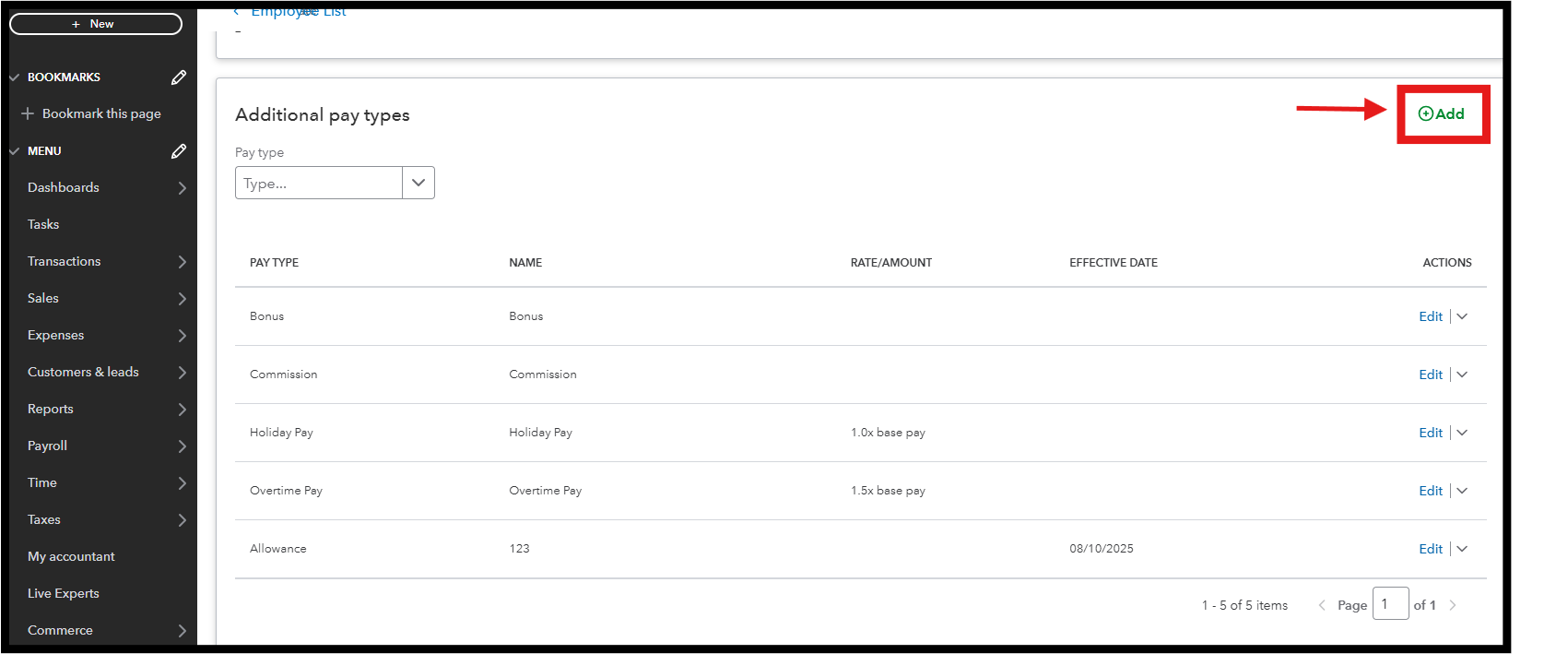
Please note that the pay type you add is specific to that employee only. You'll need to repeat this process for each employee who requires that pay type.
For more in-depth information about adding or changing pay types, check out this reference: Add or change pay types.
Consider exploring QuickBooks Payroll to elevate your payroll processing. The time-tracking features and quicker direct deposits could significantly benefit your business.
If you have any further questions about managing your employees or payroll-related concerns, feel free to reply in this thread. We are here to help you succeed, plateauanimalhh.


