You can modify future payroll to record PTO for your salaried employee in the employee's profile, @cdunn2. We'll walk you through the process to resolve your inquiry.
To begin, these are the steps:
- Go to My apps and then click on Payroll.
- Select Employees.
- Locate the salaried employee that you wish to modify and add PTO for future payroll and then click on it.
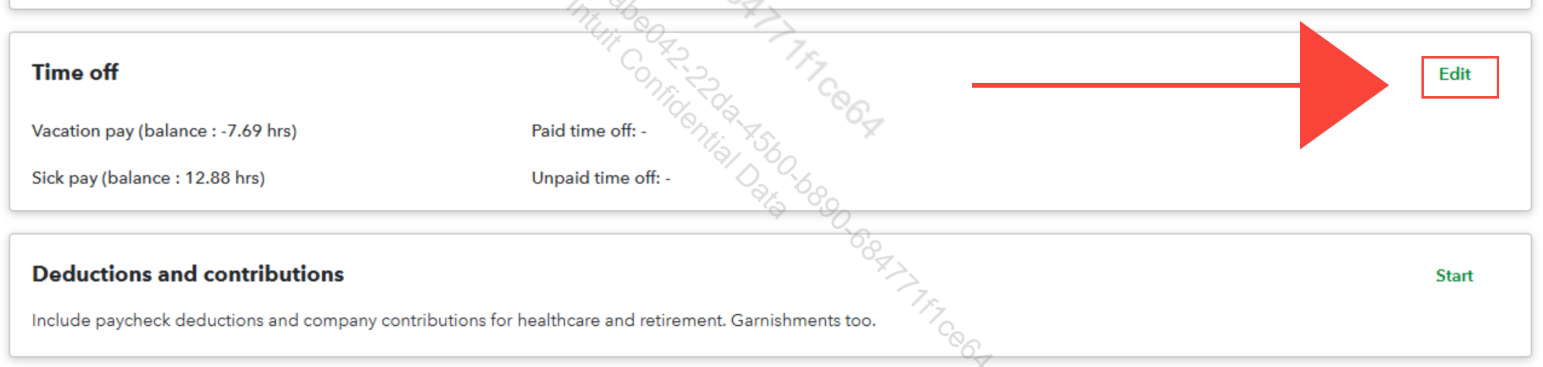
- Go to the Time off section and then click Edit.
- Enter the needed details and then once done, click Save.
For visual reference see the image below.
You can also check this page for more information: Set up and track time off in payroll.
We encourage you to revisit this thread if you have other questions or need assistance performing a specific task in QuickBooks. As always, we'll make sure to respond as soon as possible.


