Get 50% OFF QuickBooks for 3 months*

Buy now
cancel
Showing results for 
Search instead for 
Did you mean: 
Announcements
mcharlan
Level 1

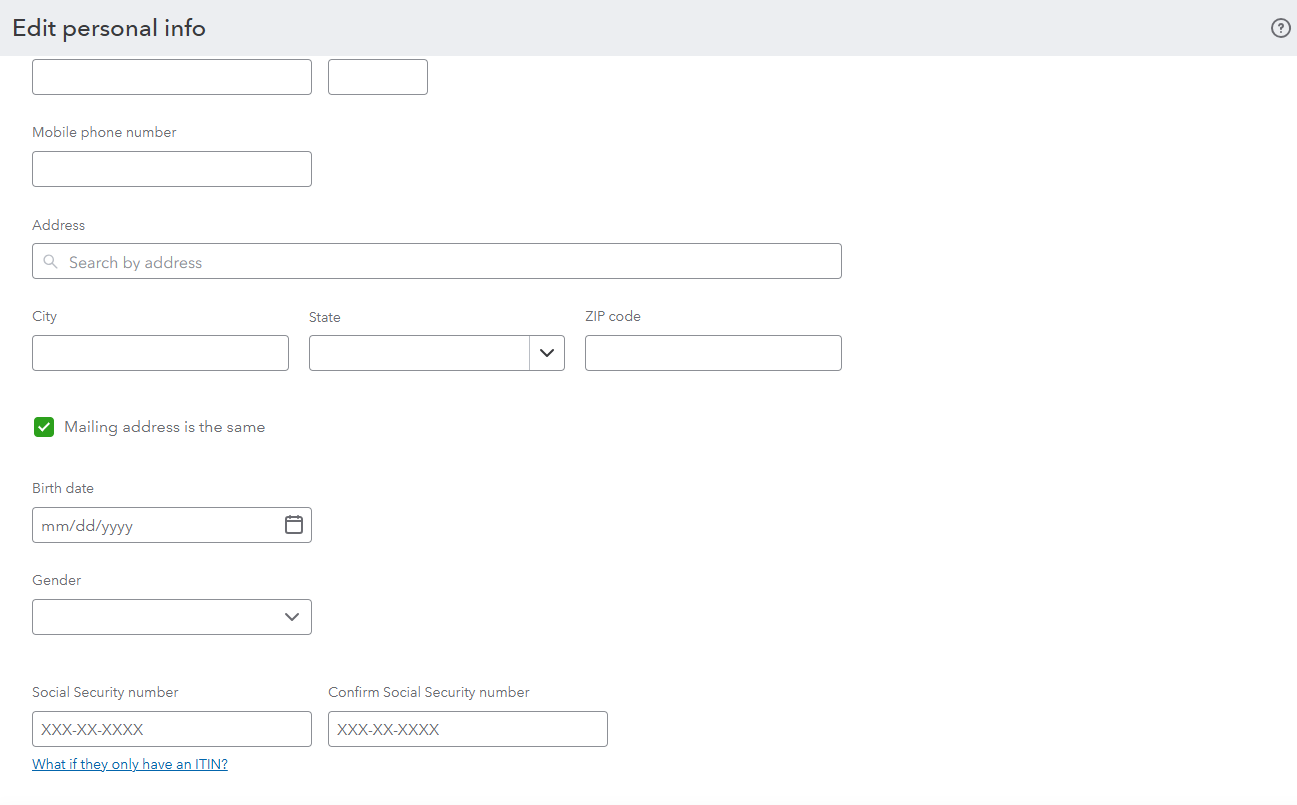
How do I make changes after the Employee has been entered, such as SSN, date of birth, etc.

 
1 Comment 1
ShangY
QuickBooks Team

How do I make changes after the Employee has been entered, such as SSN, date of birth, etc.

You can make changes to your employee’s information by going to their Personal Info, @mcharlan
 

Here’s how:
 

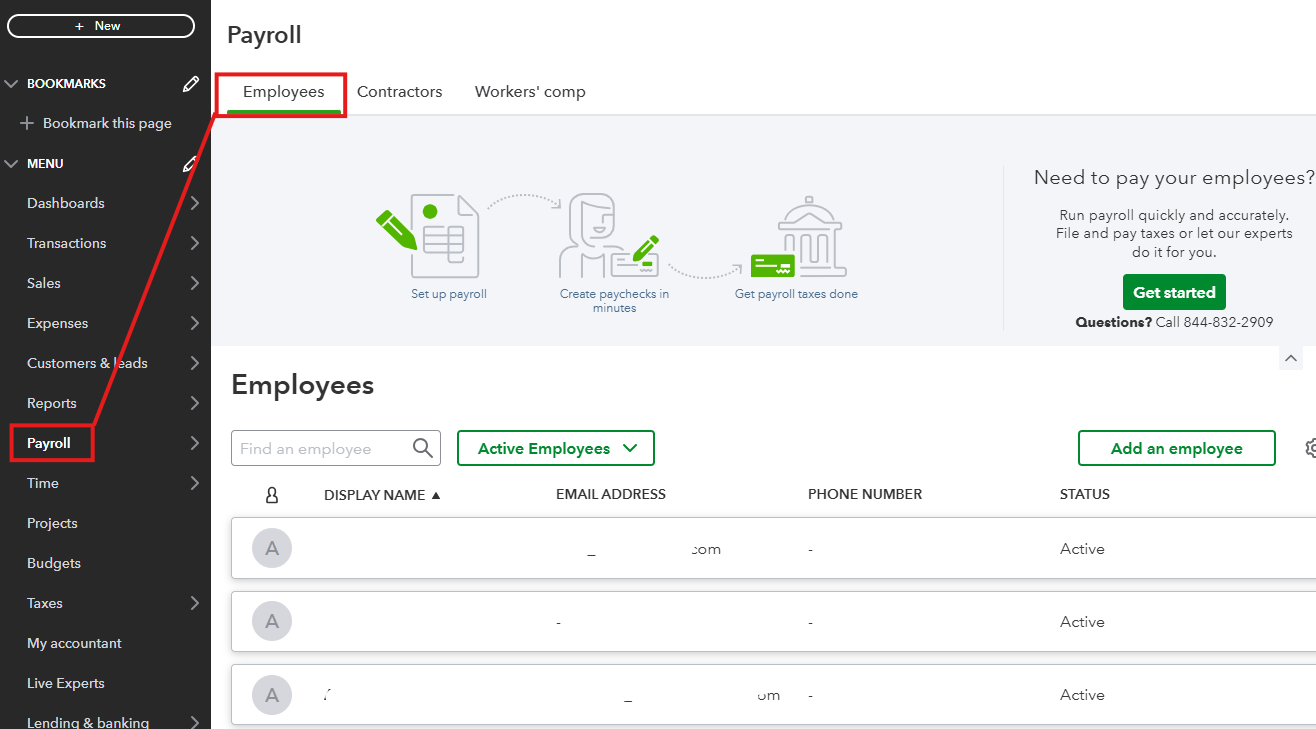
1. Open the Payroll menu.
2. Click on Employees.
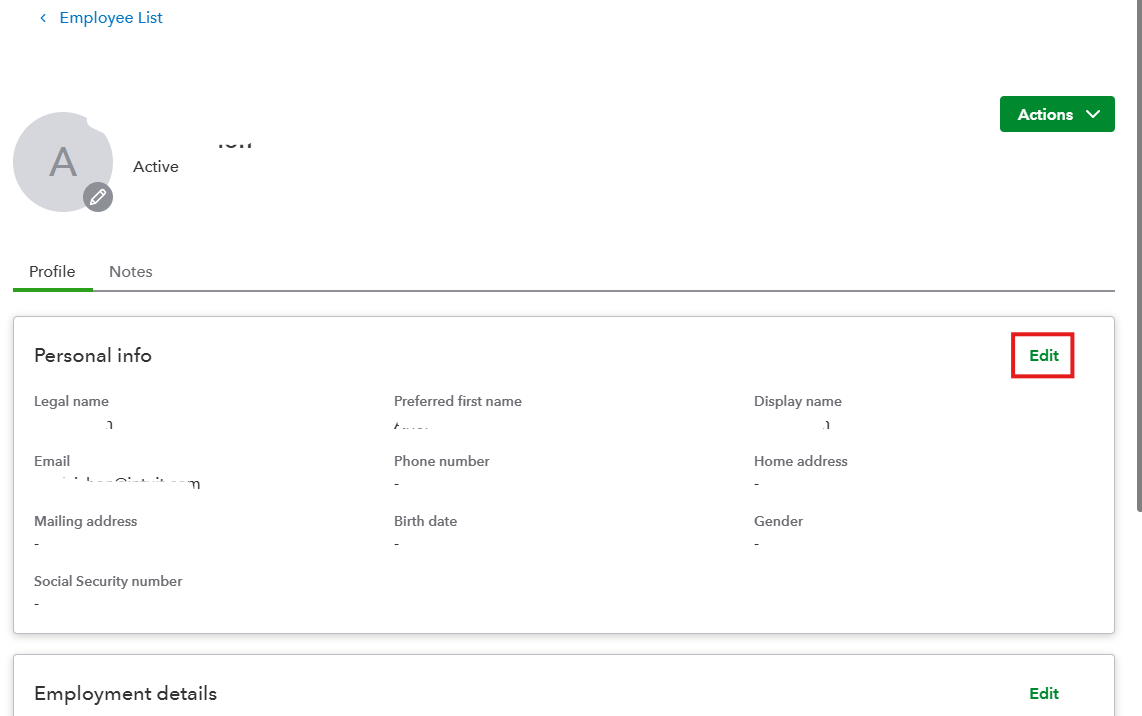
3. Select the employee from the list.
4. In the Personal Info section, hit Edit.


If you wish to assign pay schedule to your employees, check out this guide: Set up and manage payroll schedules.
 

If you have any questions or need help, please let us know. Have a good one.

Need QuickBooks guidance?
Log in to access expert advice and community support instantly.

Need to get in touch?

Contact us