You can add a modifier so you can set them up as a customer, Estateimaging.
Since identical names are not allowed, a good workaround is adding a middle name, middle initial, suffix, or other modifier to slightly distinguish similar names.
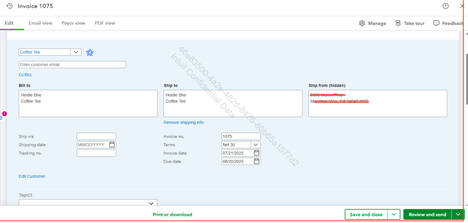
To invoice an inactive employee in QBO, assign them a unique name, temporarily reactivate them as a customer, and then create and send the invoice. Here's how:
- Select + New, then Invoice.
- Choose a customer from the Add customer dropdown.
- Ensure all their information is correct, especially their email address.
- Review the Invoice date, Due date, and Terms. Update the dates or terms if necessary.
- For each line item on the invoice, select a product or service from the dropdown. To add more line items, click Add product or service.
For more details on how to send invoices, check the provided link.
Also, here are a couple of helpful support articles related to managing customers in QuickBooks Online that you may want to bookmark:
Don't hesitate to drop a comment below if you have other questions regarding the invoice.


