Missing trips would lead to underreporting your business mileage and expenses. Let's work together to resolve the tracking issue that you're experiencing, andreal-c21affil.
I will also share more details to share to avoid this from happening again and make sure alll business trips moving forward are recorded.
Aside from the location and low battery factors, this can also be caused if you have the Do Not Disturb (iOS) feature activated in your mobile settings. When Do Not Disturb is turned on, it can force the QBSE app to close in the background. This prevents the app from running and recording trip miles.
Here's an article from the Apple support site on how to turn it off: https://support.apple.com/en-us/HT204321.
For Android users, having background activity disabled for the QBSE app can also prevent trips from being tracked. Please note that when restricted, the app will only track trips when it's open and active on your screen. Since Android devices and operating systems vary, use Google's steps to make sure QuickBooks can run in the background.
Additional details about these troubleshooting steps are thoroughly discussed in these articles:
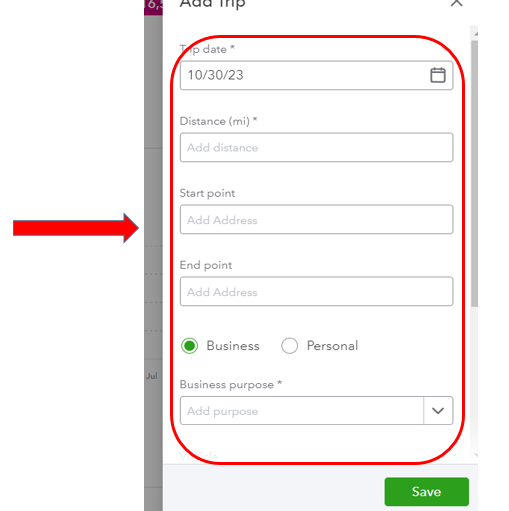
In the meantime, let's manually add the missing trips to make sure everything is recorded in your account. Here's how:
- Go to the Miles menu.
- Click Add trip in the upper-right hand corner.
- Type in all the required details.
- When you're done, click Save.

Just in case you need more resources when tracking mileage, I have these additional articles to share with you:
Don't hesitate to keep us posted if anything else comes up while using the mileage tracking app, andreal-c21affil. The Community is always here to provide additional guidance and help.


