Turn on suggestions
Auto-suggest helps you quickly narrow down your search results by suggesting possible matches as you type.
Showing results for
Get 50% OFF QuickBooks for 3 months*
Buy now
Hi Jenni14, I understand why the location isn’t showing for your iPhone user employees.
GPS tracking for employees after clocking in can be enabled through the Location settings. If your Company's Location Tracking setting is set to Optional, Android users may allow GPS tracking while iPhone users choose to opt-out.
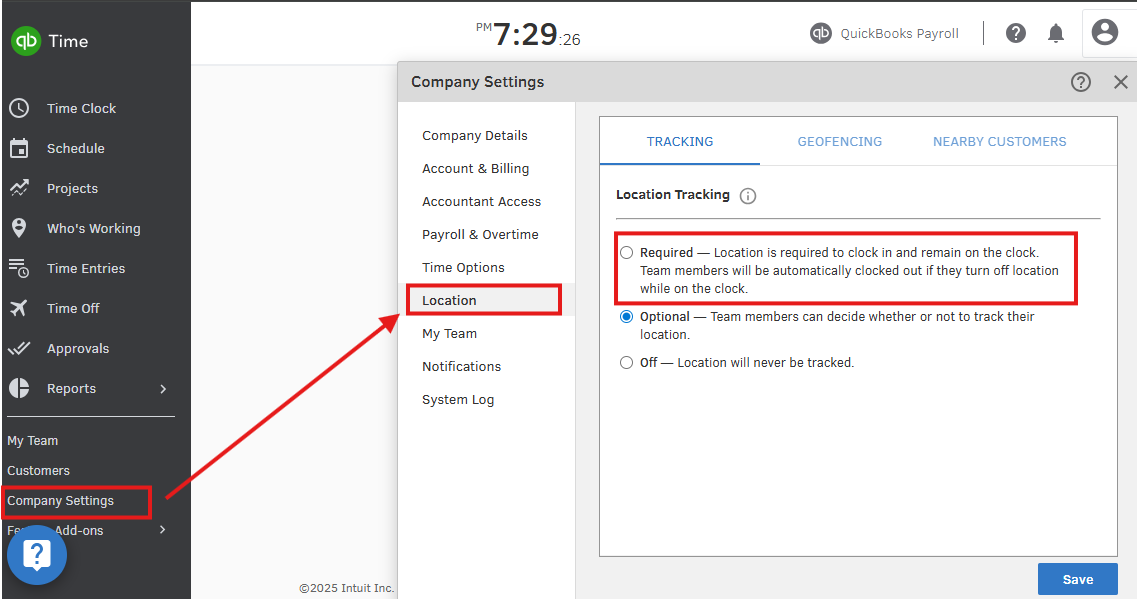
To ensure all employees' locations are tracked while clocked in, set Location Tracking to Required in your Company Settings. Here's how:
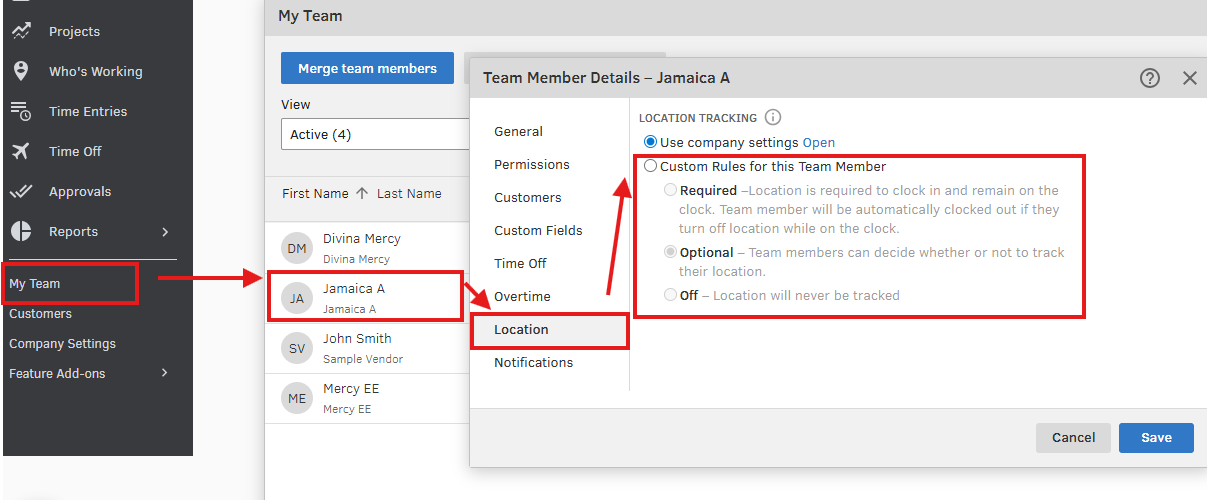
Alternatively, you can keep Location Tracking set to Optional and require it for specific employees only. Here’s how:
Your employees must keep location tracking enabled on their mobile devices while clocked in. Otherwise, they will be clocked out automatically. For more details, you can refer to this article: GPS tracking and geofencing FAQs for employers.
Let us know if you need further assistance. We’re here to help.
Hi @jenni14,
I just wanted to follow up to check if the resolution we provided helped resolve your issue.
Please let us know if everything is now working as expected or if you're still experiencing any problems.
We'll be glad to assist further if needed.


You have clicked a link to a site outside of the QuickBooks or ProFile Communities. By clicking "Continue", you will leave the community and be taken to that site instead.
For more information visit our Security Center or to report suspicious websites you can contact us here


