Get 50% OFF QuickBooks for 3 months*

Buy now
cancel
Showing results for 
Search instead for 
Did you mean: 
Announcements
Simplify payday and set payroll to run automatically on QuickBooks.Explore QuickBooks Payroll
NatSmiddy
Level 1

Need to retrieve W-2 from 2020

Hello,
My state government lost my tax documentation from 2020 and is demanding that I furnish them with all relevant documentation or else they will double-charge me for 2020 state taxes. In order to show them that the withholdings on my 2020 tax return are legitimate, I need to be able to supply my 2020 w2. The personal computer that once housed that document died, so I need to retrieve the record from Intuit. How do I do that?
Sincerely,
Nat the frustrated taxpayer

2 Comments 2
RhoiceW
QuickBooks Team

Need to retrieve W-2 from 2020

I understand you're frustrated about getting your 2020 W-2, especially since the computer that held that information is no longer working, Nat. When you process your W-2 within QuickBooks Online, the system stores your payroll tax forms in the Archived section. If you previously archived your 2020 W-2, you will be able to find it there.
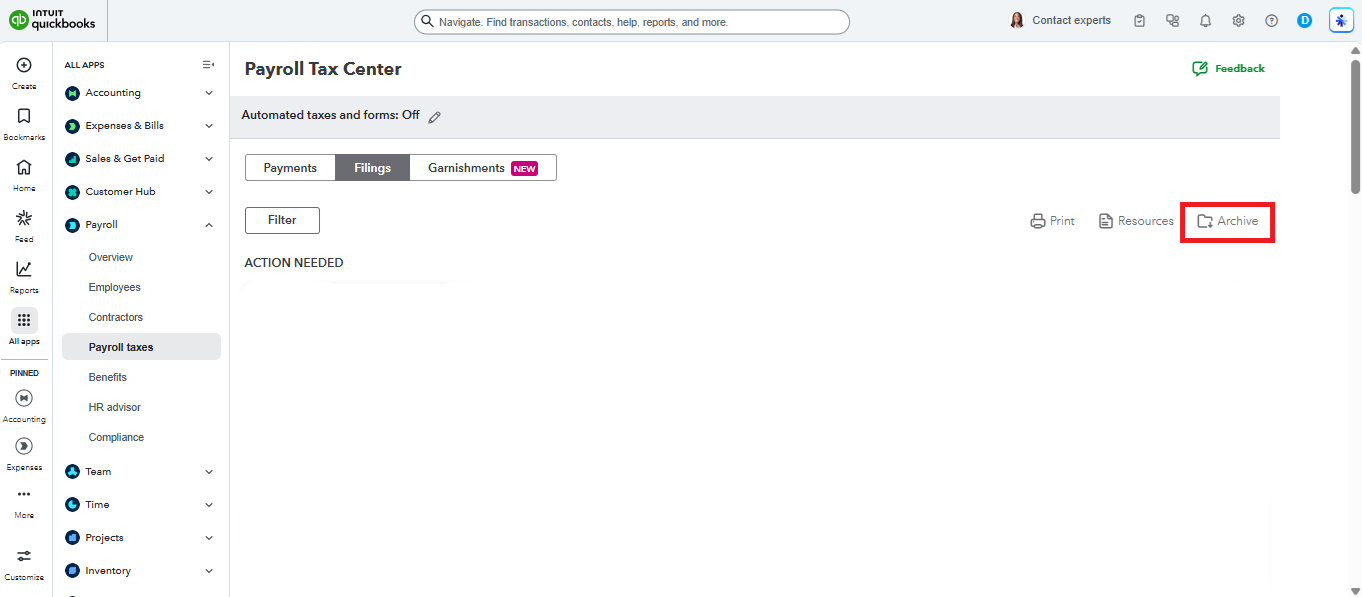
 

However, if you're unable to find it, I suggest contacting our QuickBooks Online(QBO) Support team. They have the ability to pull up your archived forms and provide you with a copy.


To reach out to them, click the Help (?) button and select the Search tab. From there, type in Contact Us, then click the Contact Us button at the bottom of the page. You can choose either Callback or Chat to speak with a representative.


If you did not process the form through QuickBooks, I suggest reaching out to the IRS to request a copy.


Don't hesitate to reply here if you need anything else. We're here to help.

RhoiceW
QuickBooks Team

Need to retrieve W-2 from 2020

Hello Nat,


I just wanted to follow up to check if the resolution we provided helped resolve your issue. Please let us know if everything is now working as expected or if you’re still experiencing any problems.


We’ll be glad to assist further if needed.

Need QuickBooks guidance?
Log in to access expert advice and community support instantly.

Need to get in touch?

Contact us