Turn on suggestions
Auto-suggest helps you quickly narrow down your search results by suggesting possible matches as you type.
Showing results for
Get 50% OFF QuickBooks for 3 months*
Buy nowHelp! I am trying to open my payroll tab to pay my liabilities that are due today. QB desktop opens just fine and takes me to my reminders and then to the Checkbook register. When I try to open the payroll or employee tabs or dropdown choices, it shuts down Quickbooks. I have restarted and shut down my computer several times with no change. Is there a known glitch with Enhanced Payroll??
Solved! Go to Solution.

I was on the phone with support for quite a while. They did call me as promised. After several attempts, it is working now. We ran a file repair from tool hub and it is currently working. I hope it works for payroll tomorrow.
It's unusual, ImaBassetcase. Let me make it up to you by ensuring you're able to pay liabilities in QuickBooks Desktop (QBDT).
As of the moment, we have an ongoing investigation about being unable to access the payroll or employee tabs, and QuickBooks get shuts down. Our software engineers are working diligently to identify the root cause of the problem. We assure you that we are taking all necessary steps to get this rectified as soon as possible.
For now, I recommend contacting our support team. This way, you'll be added to the list of affected users and receive status updates through email or SMS. For a faster transaction, provide this investigation number to our representative (INV-88303). Here's how:
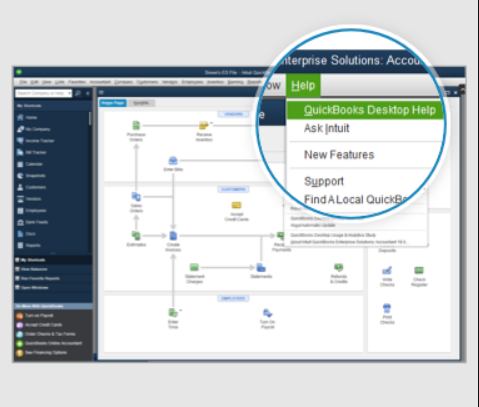
You might want to visit these resources to learn more about managing payroll liabilities in QBDT:
Your patience and understanding are greatly appreciated as we work to address the issue. We look forward to providing you with the best possible experience in the future, ImaBassetcase. If there's anything else that I can do for you, just tag my name in the comment section. Take care!
I was able to pay liabilities by going through the Home page menu and selecting it there. Thank Goodness.
I was on the phone with support for quite a while. They did call me as promised. After several attempts, it is working now. We ran a file repair from tool hub and it is currently working. I hope it works for payroll tomorrow.


You have clicked a link to a site outside of the QuickBooks or ProFile Communities. By clicking "Continue", you will leave the community and be taken to that site instead.
For more information visit our Security Center or to report suspicious websites you can contact us here


