Hello there.
I'll share information on how you can see the Paid Time off balances of your employees in the report.
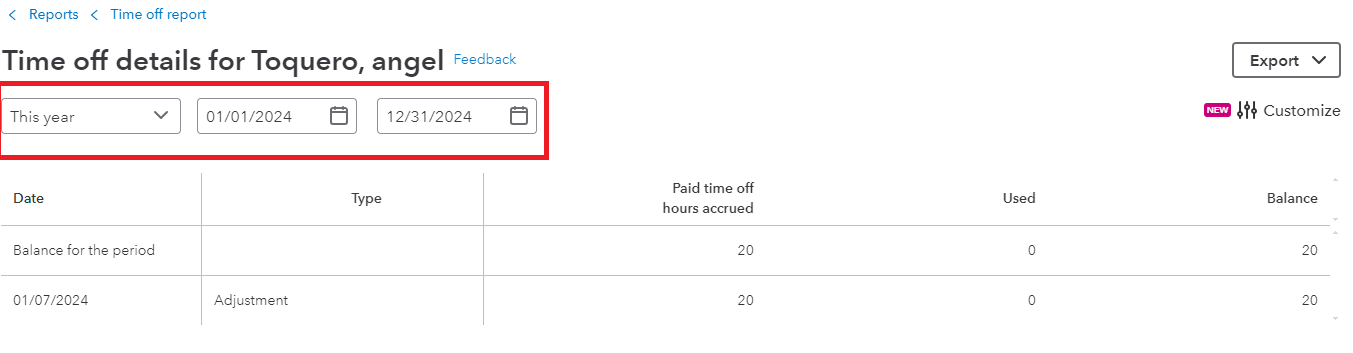
Yes, you're right that there's no way to filter the date range when you open the Vacation and Sick Leave report. However, you can customize the date range from when you manually click each name of the employees on that report.
Follow these steps to do so:
- Go to the Reports menu.
- Enter Vacation and Sick Leave in the search field.
- Click the name of your employee so you'll be routed to the Time off details of that employee.
- Then, you can customize the date from the previous year to see the time off balances.
On the other hand, if you want to combine all your employee's details and time-off balances from last year, you'll want to export the report to Excel and customize it from there.
I'm attaching these links to learn more about managing reports in QuickBooks:
Tag me if you have follow-up questions. I'm always here to assist you.


