
Hello QuickBooks users, and thanks for joining us. We want to ensure you feel confident and prepared to start this new year with success. This guide breaks down what payroll taxes are, who pays them, and to make sure that you stay compliant.
This guide focuses specifically on QuickBooks Online. To help you manage everything, we've broken down the key requirements for a smooth start to the new year.
What are payroll taxes?
Both employees and employers pay payroll taxes, which fund social insurance programs like Social Security, Medicare, and Unemployment Insurance. Accurate withholding, depositing, and reporting of these taxes to the IRS are crucial. In contrast, only employees pay income taxes.
Payroll Taxes:
- Paid by both employees and employers.
- Fund social insurance programs, such as Social Security, Medicare, and Unemployment Insurance.
- Require precise withholding, depositing, and reporting to the IRS.
Income Taxes:
- Paid only by employees.
- Are progressive, meaning the tax rate increases with higher income levels. Rates are set by tax brackets, which depend on an individual's income level and filing status (e.g., single, married).
Who pays payroll taxes?
In general, employers and employees pay payroll taxes. However, the responsibility does vary depending on different factors.
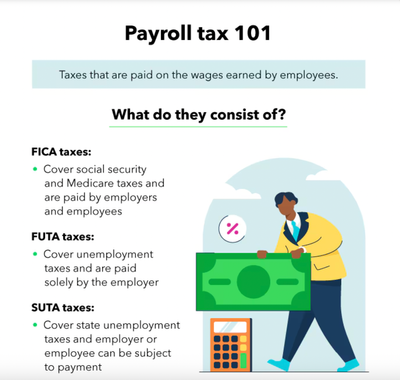
FICA: Both employees and employers pay their share. Depending on the worker’s classification, you, as the business owner, may pay half or none at all. For example, a traditional employee who receives a W-2 form—you each pay half of the 15.3% (7.65%)
FUTA: The business owner pays the full amount without assistance from the employee. The tax rate is 7% on the first $7,000
SUTA: The payer is dependent on the state requirements. For example, states like New Jersey require the employer and employee to pay SUTA taxes.
*You, the employer, are responsible for depositing the withheld taxes from employees’ wages along with your share of FICA taxes to the Internal Revenue Service (IRS). You can do this electronically through EFTPS (Electronic Federal Tax Payment System).
How to calculate federal income tax withholding?
Federal income tax withholding can be calculated using one of two methods.
1. The first method requires you to determine the correct percentage of taxes to withhold from an employee's gross pay. To do this, you will need the employee's Form W-4 and their gross pay amount.
2. Alternatively, the Wage Bracket Method simplifies the process by using pre-calculated tables from the IRS. This method determines the withholding amount based on the employee's filing status, pay frequency, gross pay, and other relevant information.
How to see my employee’s wage base limits in QuickBooks Online?
1. Go to Reports Icon image of the Reports menu., then Standard reports
2. In the Payroll section, select Payroll Tax and Wage Summary or search it directly from the search field.
3. From the dropdown menu, select This Year, then Apply.
4. Select the tax type you want to see the wage base for.

When to file federal tax deposits?
FICA and income tax deposits: You are required to pay FICA and federal income tax withheld either monthly, semiweekly, or the next day, depending on your predetermined tax deposit date.
FUTA tax deposits: You’ll only pay FUTA taxes (unemployment taxes) to the IRS on a quarterly basis. Due dates of April 30, July 31, Oct. 31 and Jan. 31 (for the fourth quarter of the previous calendar year).
Understanding this process is essential. Get the classification right, file on time, and use tools like the EFTPS to pay electronically to avoid tax penalties!


