You can still cancel or edit your payroll if it hasn't been submitted yet, @RMJENTERPRISE2024. But in your case, you have the option to void it or create a new one instead.
Here's how to void a paycheck:
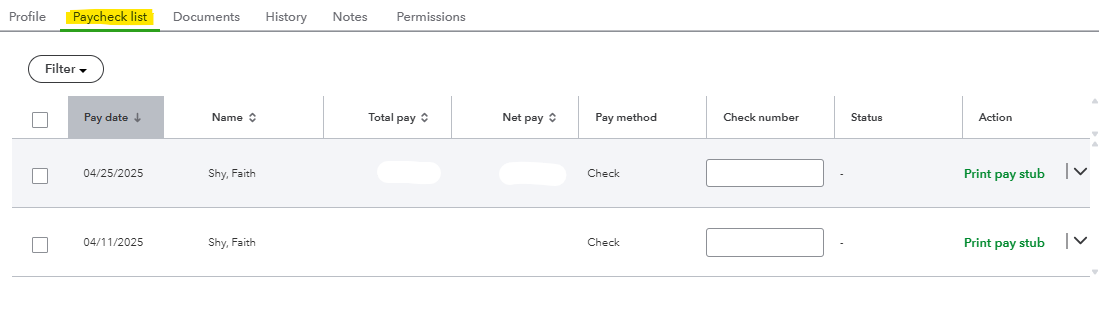
- Go to Employees, then to the Paycheck list section.
- Choose the paycheck you want to void.
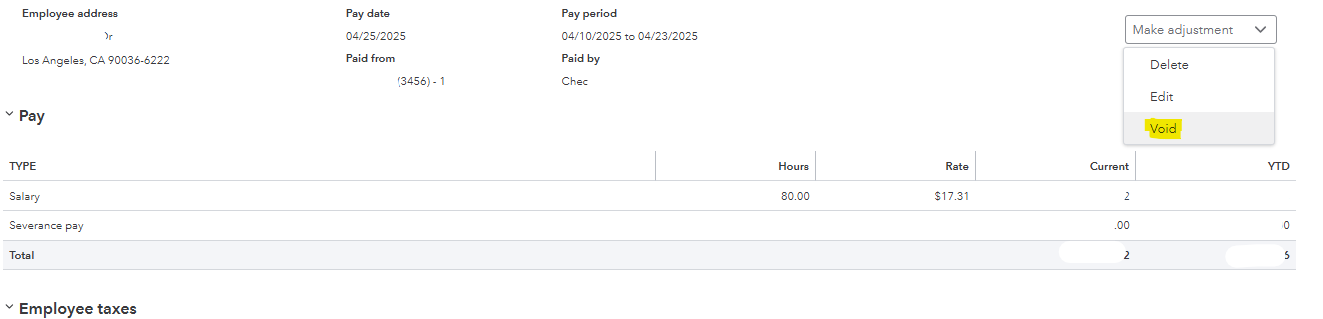
- Select Void from the Make adjustment drop-down.
- A prompt will appear. If you agree with the terms, click Void Paycheck.
Please note, your ability to edit, delete, or void a paycheck will depend on your payroll processing time. Refer to the screenshot below.

Additionally, you may find this guide useful for future reference: Create a payroll summary report. It provides a clear overview of total payroll, including employee taxes and contributions.
If you have any further questions or need assistance with managing your payroll, feel free to ask. I'm here to help and will respond as quickly as possible. Have a great day!


