Turn on suggestions
Auto-suggest helps you quickly narrow down your search results by suggesting possible matches as you type.
Showing results for
Get 50% OFF QuickBooks for 3 months*
Buy nowTo begin with, I use Quickbooks Desktop Enterprise not the online version.
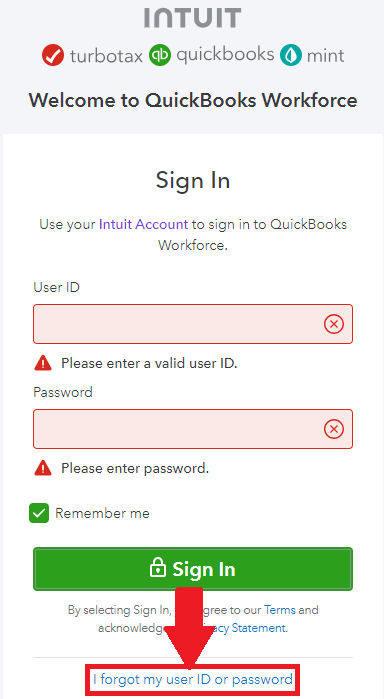
I need to send a Workforce invite to an employee that has changed her email address. When she tries to sign in, the message is:
She doesn't get any kind of message that allows her to reset her account. As the administrator, I'm not sure how to fix this. I go to the invite page and it doesn't give me any indication as to what I need to 'fix'. All of the instructions for resending on this site are based on the online solution and not desktop. Any suggestions you can provide are greatly appreciated.
Thanks,

Welcome to the Community, lauram02. I appreciate your detailed information.
If their Workforce account is already active, you won't need to invite them. In the event your employee still has access to their phone number and/or email address that are linked with the Workforce account, they can recover it by selecting the I forgot my user ID or password option on their Workforce sign in page.
In the event your employee is able to get back into their account, they can update the email on file.
Here's how:
If your employee isn't able to get into their account and continues seeing a "We can't sign you in." message, I'd recommend getting in touch with our Customer Care team. They'll be able to pull up the account in a secure environment, conduct further research, and create an investigation ticket if necessary.
They can be reached while using QuickBooks.
Here's how:


Be sure to review their support hours so you'll know when agents are available.
If there's any questions, I'm just a post away. Have an awesome Tuesday!
When are they ever going to get this fixed?
Hello, @LDO.
I’ve seen that you’ve posted twice on the Community page. My colleague already addressed this issue with the error message you’ve encountered and got it sorted out for you.
You can visit the link to view her recommendation: https://quickbooks.intuit.com/learn-support/en-us/employees-and-payroll/re-workforce-error/01/135998...
Please don’t hesitate to get back to us if you have any other questions or concerns about Payroll-related tasks. We’re always here to help. Take care always.
No your colleague didn't fix this issue. Sending people to a technician is not fixing the problem.


You have clicked a link to a site outside of the QuickBooks or ProFile Communities. By clicking "Continue", you will leave the community and be taken to that site instead.
For more information visit our Security Center or to report suspicious websites you can contact us here


