Hello there, @Atas2020.
Accidentally added transactions from the register shouldn't be a worry for you. We have the steps on how to fix those entries in QuickBooks Online. I'm happy to share them with you.
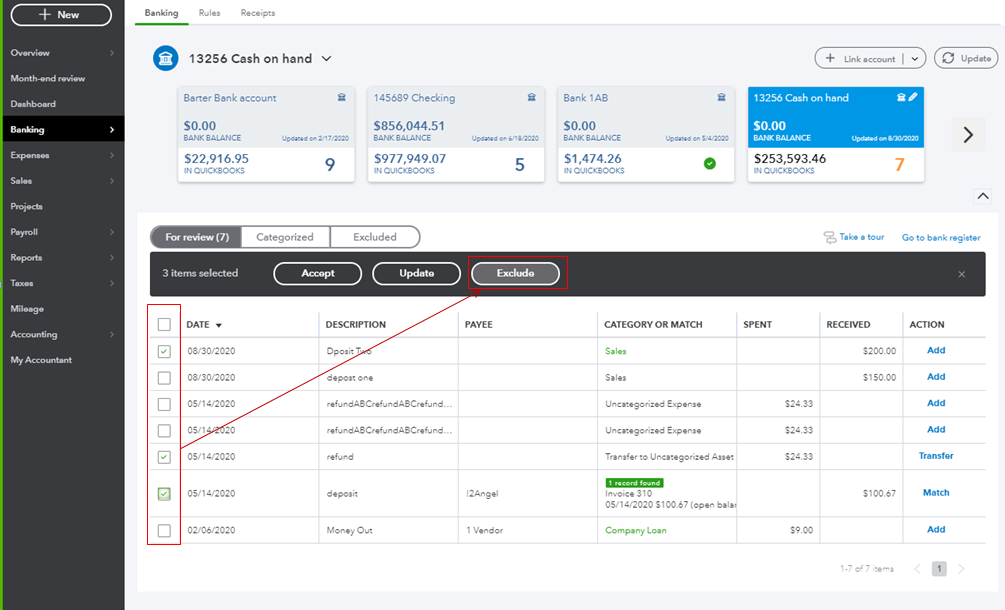
First, undo the process from the Categorized column, then excluded these transactions from the Banking page.
- Click on Banking at the left pane, then select Banking.
- Look for your account from the result.
- Go to the Categorized column, then select the transactions from there.
- Tap Undo.
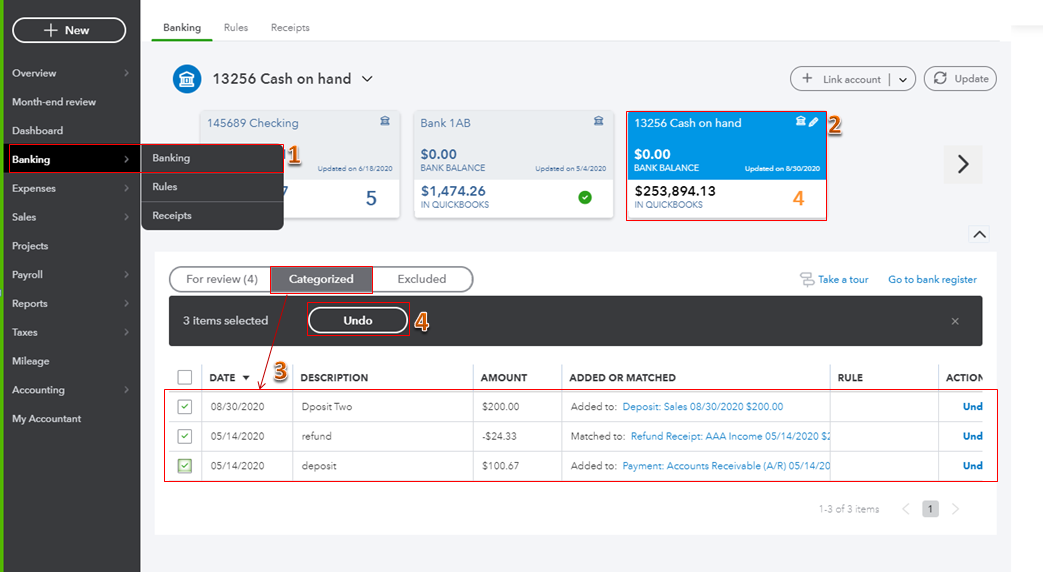
Once done, exclude them from the For review column if you want to delete them from your records.
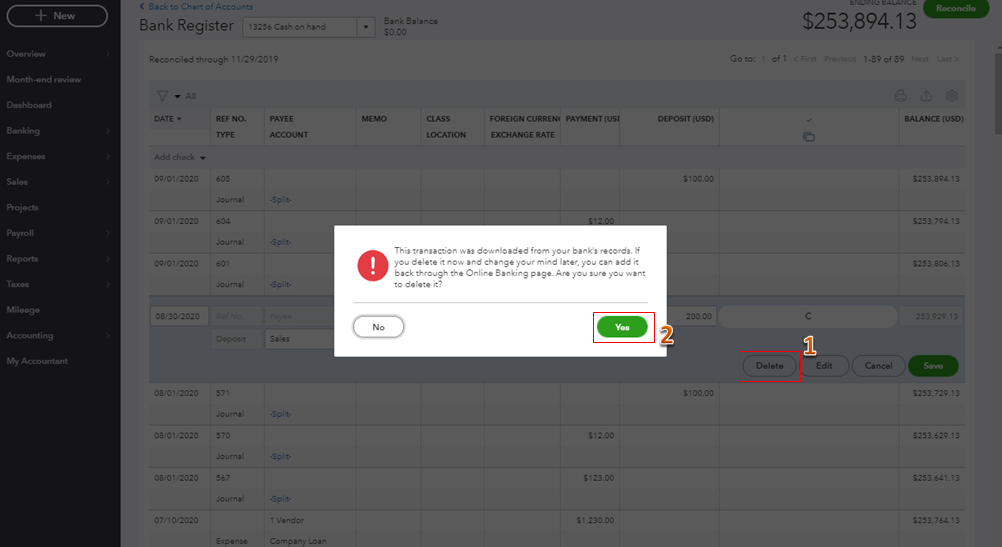
Also, you can remove them from the register itself.
- Tap on the transaction from the list, then select Delete.
- Hit Yes to confirm the action.
To learn more about reviewing and managing banking transactions in QuickBooks, feel free to read the details from this link: Categorize and match online bank transactions in QuickBooks Online.
By the time you reconcile your account, you can also read this article as you guide: How to Reconcile an Account in QuickBooks Online.
I'm a few clicks away to help if you have any other questions. Just add a comment below. Have a great day!


