Turn on suggestions
Auto-suggest helps you quickly narrow down your search results by suggesting possible matches as you type.
Showing results for
Get 50% OFF QuickBooks for 3 months*
Buy nowWhen entering a bill or invoice, the Billable box is checked automatically if a Job is selected. Is there a way to stop doing that? I do not wany the billable box checked ever.

Hello there, @sherylrazorback.
I'll help you remove the check for billable box as default in QuickBooks Desktop.
Here's how:
Let me also share this article that you can use for reference in case you need to edit your items and your employee’s hours:
Let me know if you have questions about managing invoices and bills in QuickBooks Desktop. I'm always here to help. Have a great day.
Hi Ethel,
Thanks for your reply. I went in to the preferences and that box is not checked. It is unchecked but if we cost anything to a job, the billable box automatically checks itself.
Thanks,
Sheryl
Hello sherylrazorback,
Thank you for responding! I would like for you to verify something for me. Are you able to manually uncheck it, and if so, could you let me know what happens afterward?
I will be looking forward to your comments! See you in a few,
Same here! I have both boxes unchecked. I can manually uncheck the billable box on each invoice, but I don't want to have to do that. I import from bill.com and I would have to go uncheck every invoice I import. There has to be a way to stop this on vendor invoices assigned to a job.
I can see how this would be a great help to have this functionality when importing your bills in QuickBooks Desktop (QBDT), Tracey. I suggest submitting a feedback form to our product engineers. Our team will review this and would implement this feature in the future.
Here's how:
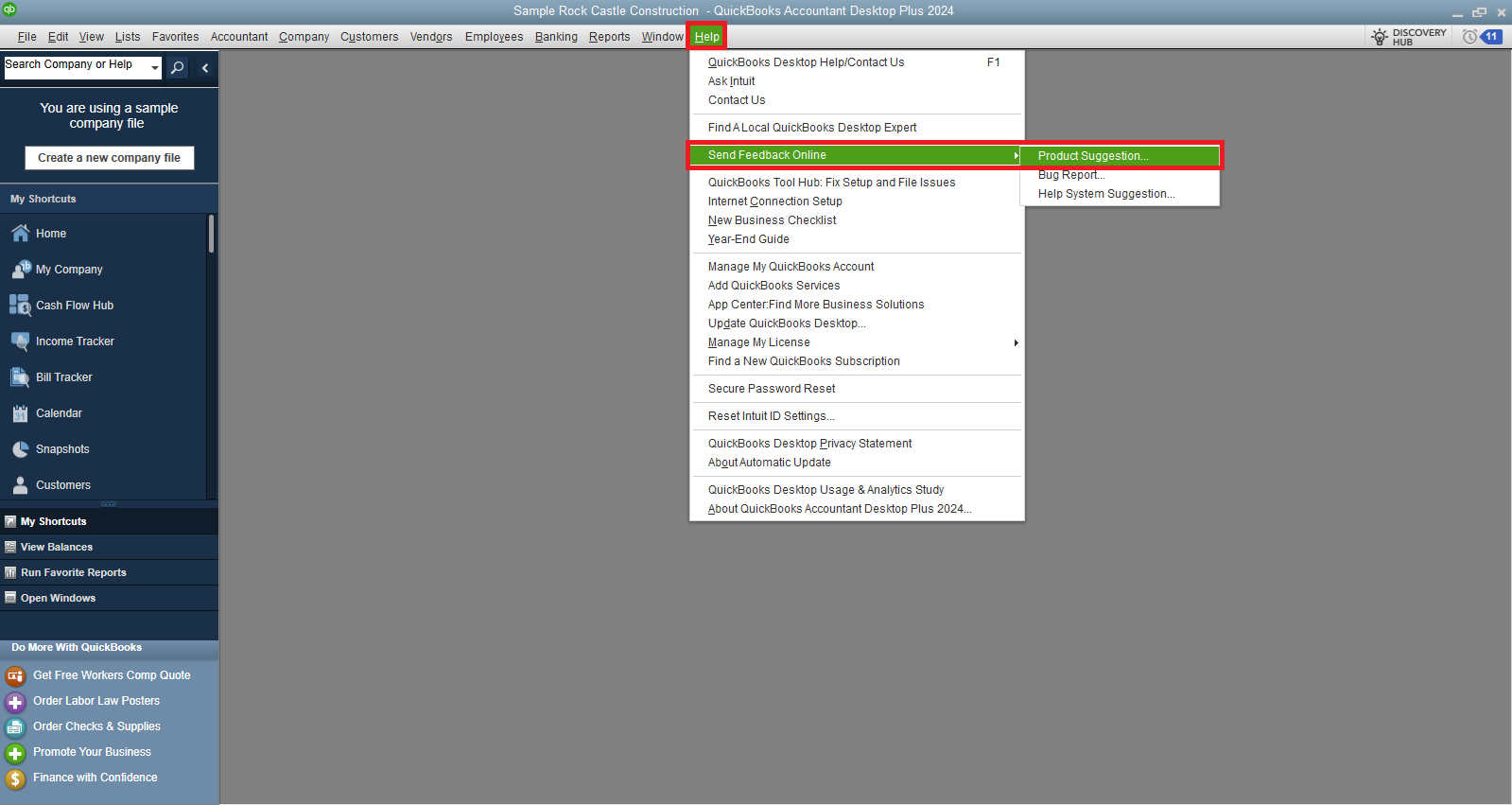
While our team is still checking, I recommend manually unchecking the box for billable items if it's marked as checked.
Check out this article for guidance on paying bills using a check, credit card, or cash: Pay bills online from QBDT.
If there's anything else I can assist you with or if you have more questions, please don't hesitate to ask.


You have clicked a link to a site outside of the QuickBooks or ProFile Communities. By clicking "Continue", you will leave the community and be taken to that site instead.
For more information visit our Security Center or to report suspicious websites you can contact us here


