Yes, you can manage and track vacation and sick pay for full-time employees in QuickBooks Online Payroll without using QuickBooks Time, teecpa60.
Here’s how you can set it up:
- Go to the Employees menu and choose your employee.
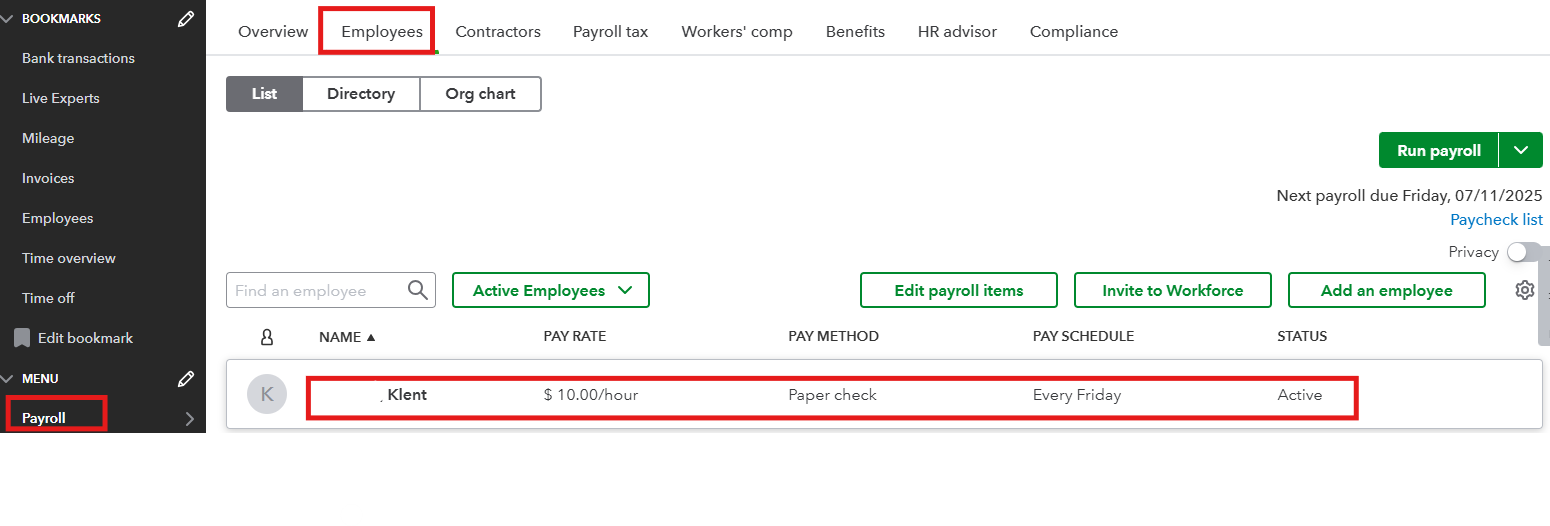
- From Time off, select Start or Edit.

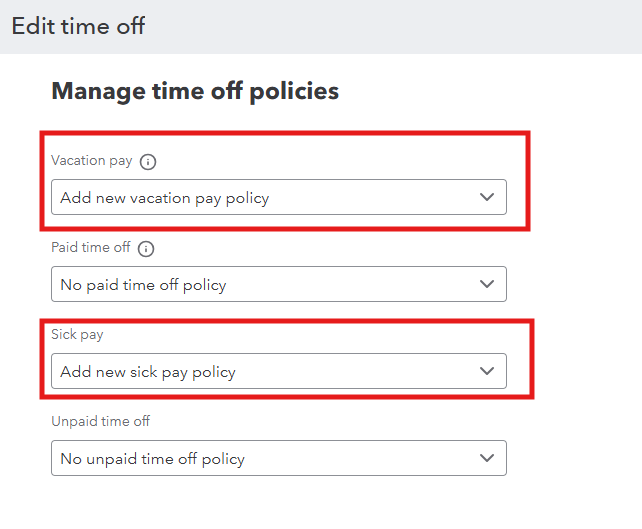
- Select Add new [time off pay] policy from the dropdown ▼ menu to add a policy for:
- Vacation Pay
- Paid time off
- Sick Pay
- Unpaid time off
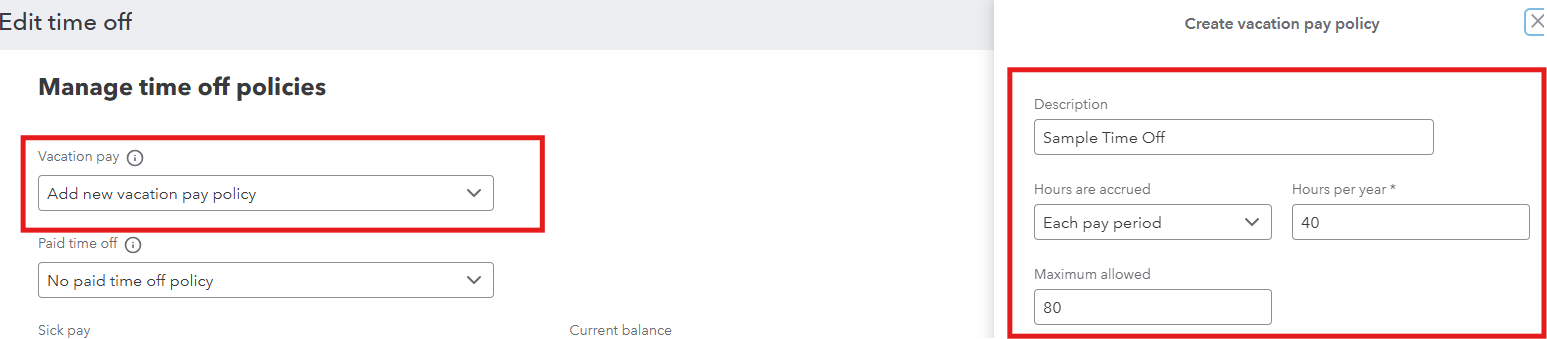
- Complete the on-screen fields to create your policy, then select Save.
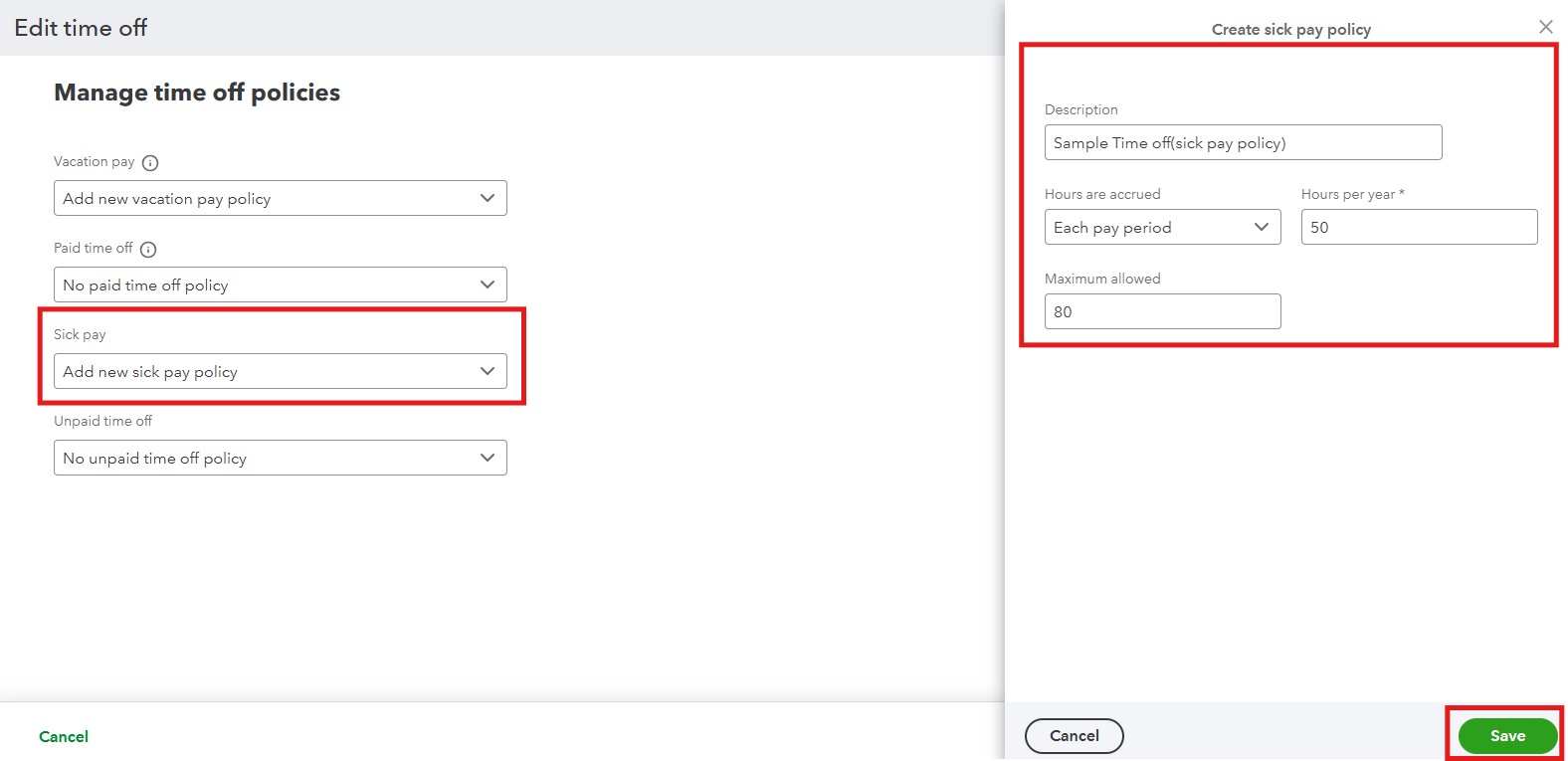
- When finished, select Save.
- The policy you created will be available to all of your employees. Select this policy for your other employees or create a new one for them.
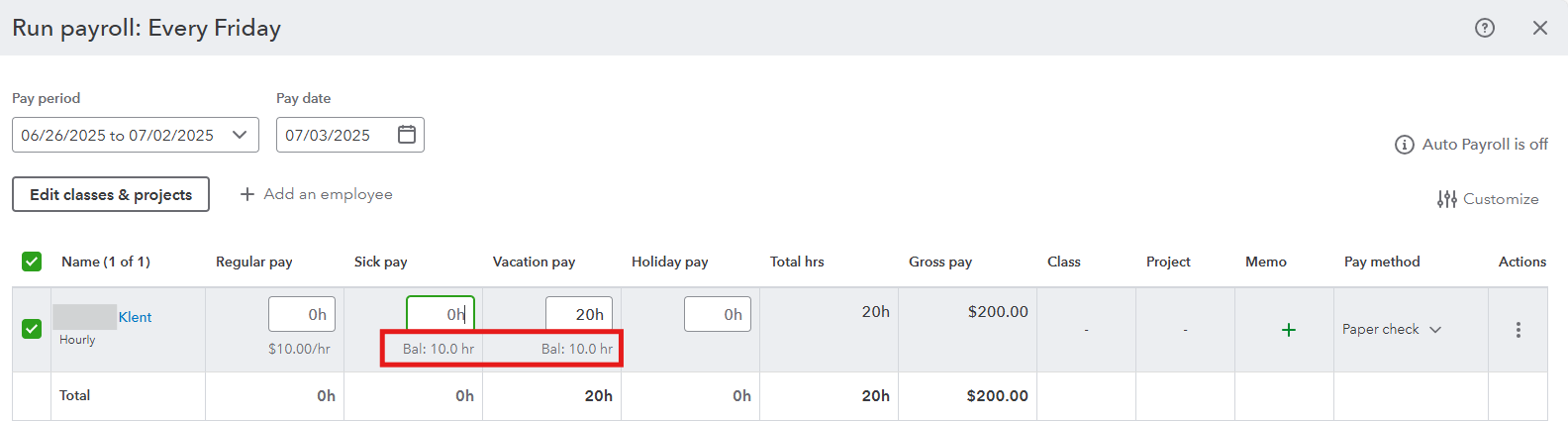
Then, the current balance will show when you run payroll for that employee. For detailed guidance about the process, see this article: Set up and track time off in payroll. It also contains steps on how to update your policy’s accrual period and current balance.
To enhance your payroll process, consider Exploring QuickBooks Payroll. Our experts will guide you every step of the way, from entering essential employee information to preparing accurate tax forms. With their assistance, you’ll gain valuable insights and skills to manage your payroll effectively.
Drop me a comment below if you have any other concerns or follow-up questions about tracking time off. I'm here to help.


