SALE EXTENDED 70% OFF QuickBooks for 3 months*   Ends 12/8

Buy now
cancel
Showing results for 
Search instead for 
Did you mean: 
Announcements
Simplify payday and set payroll to run automatically on QuickBooks. Explore QuickBooks Payroll
ceo20
Level 1

Can someone email me the steps to create department budgets that roll up to a consolidated budget for the entire company?

 
2 Comments 2
ClarenceCort_B
QuickBooks Team

Can someone email me the steps to create department budgets that roll up to a consolidated budget for the entire company?

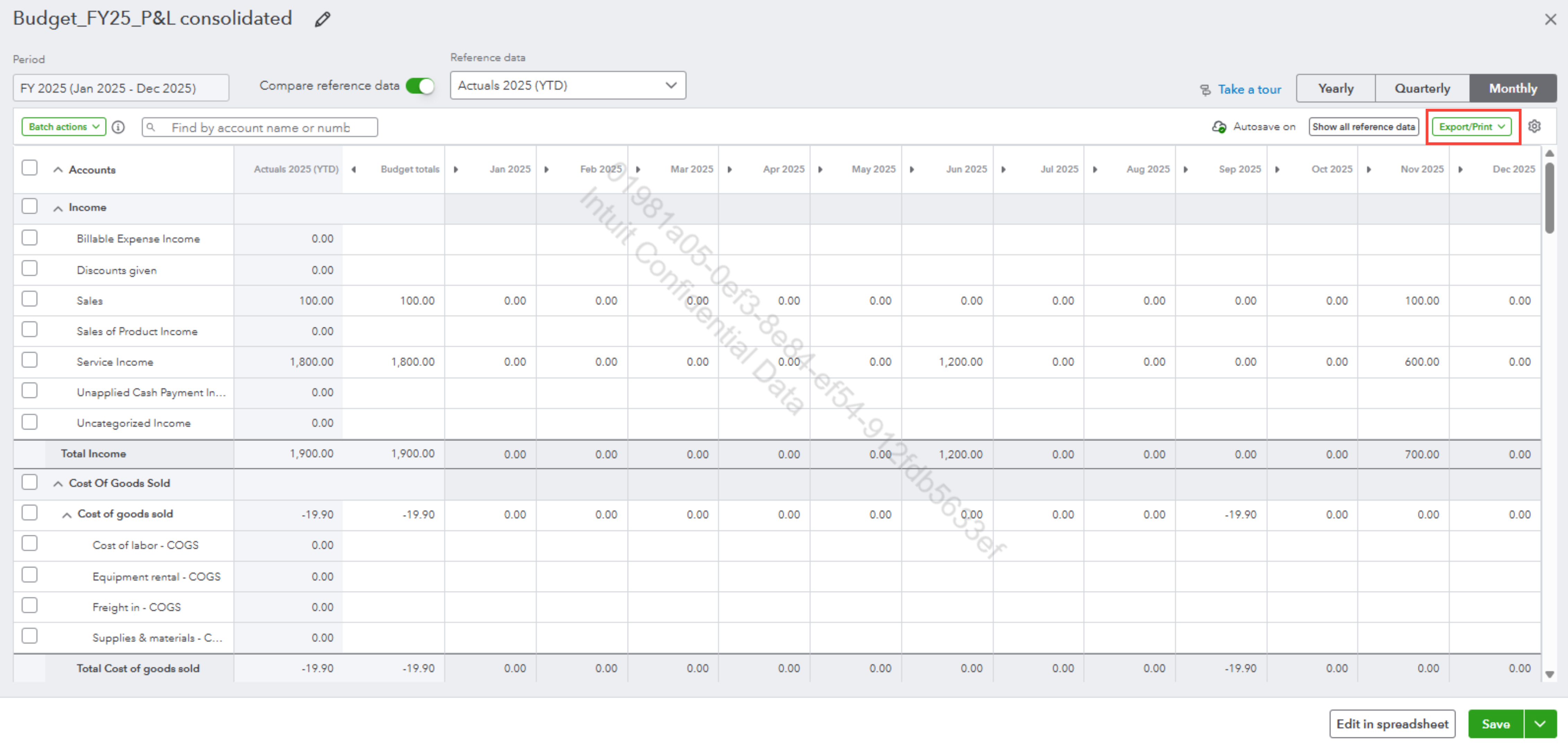
Hello there, ceo20. At this time, QuickBooks Online (QBO) does not support the ability to automatically roll up department budgets into a consolidated company budget. As a workaround, you can export budget reports, which you can manually consolidate in Excel.


Here’s how to export a Budget report to Excel:


  1. Navigate to the Reports tab in QuickBooks.
  2. Under Financial planning, choose Budgets, then select the desired report.
  3. Click Export.


image.png


For an easier and automated way, we suggest using third-party apps designed for budgeting and financial management. These tools work well with QBO, making the process more efficient.


If you need help exporting budgets, feel free to reach out by clicking the Reply button. We’re here to help.

ClarenceCort_B
QuickBooks Team

Can someone email me the steps to create department budgets that roll up to a consolidated budget for the entire company?

Hi, @ceo20

I just wanted to follow up to check if the resolution we provided helped resolve your issue. Please let us know if everything is now working as expected or if you’re still experiencing any problems.

We’ll be glad to assist further if needed.
Need QuickBooks guidance?
Log in to access expert advice and community support instantly.

Need to get in touch?

Contact us