Hi there, @bridget. Welcome to the Community.
While you can create a role to restrict access by location, it's important to note that this restriction currently applies only to Sales. Expense access cannot be restricted by location at this time.
Since you've already set up locations for your offices, here's how to create location-based roles for Sales so each team sees only what's relevant to them.
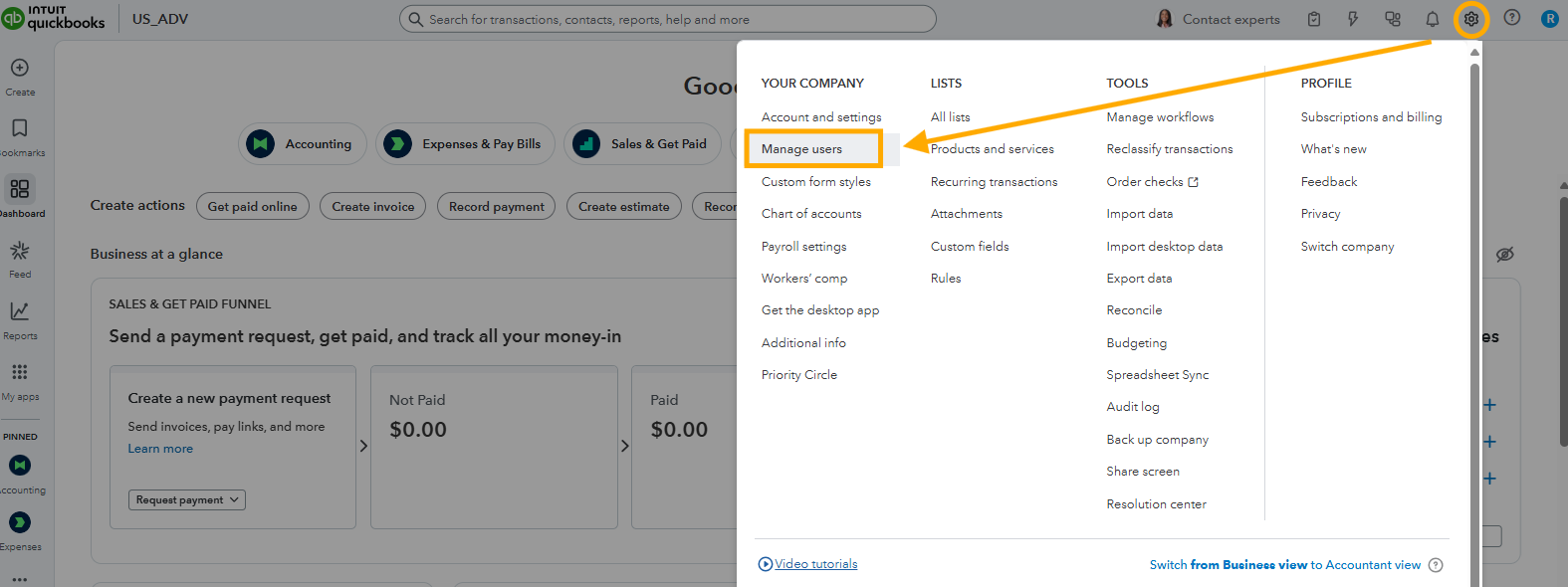
- Go to the Gear icon, then click Manage users.
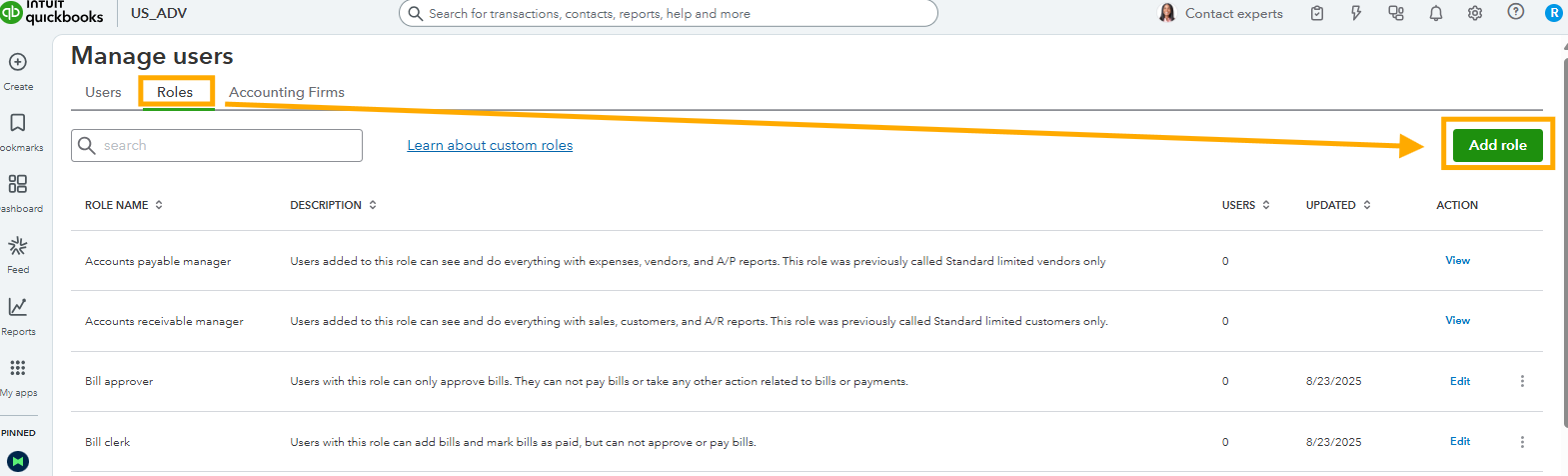
- Select the Roles tab, then "Add role"
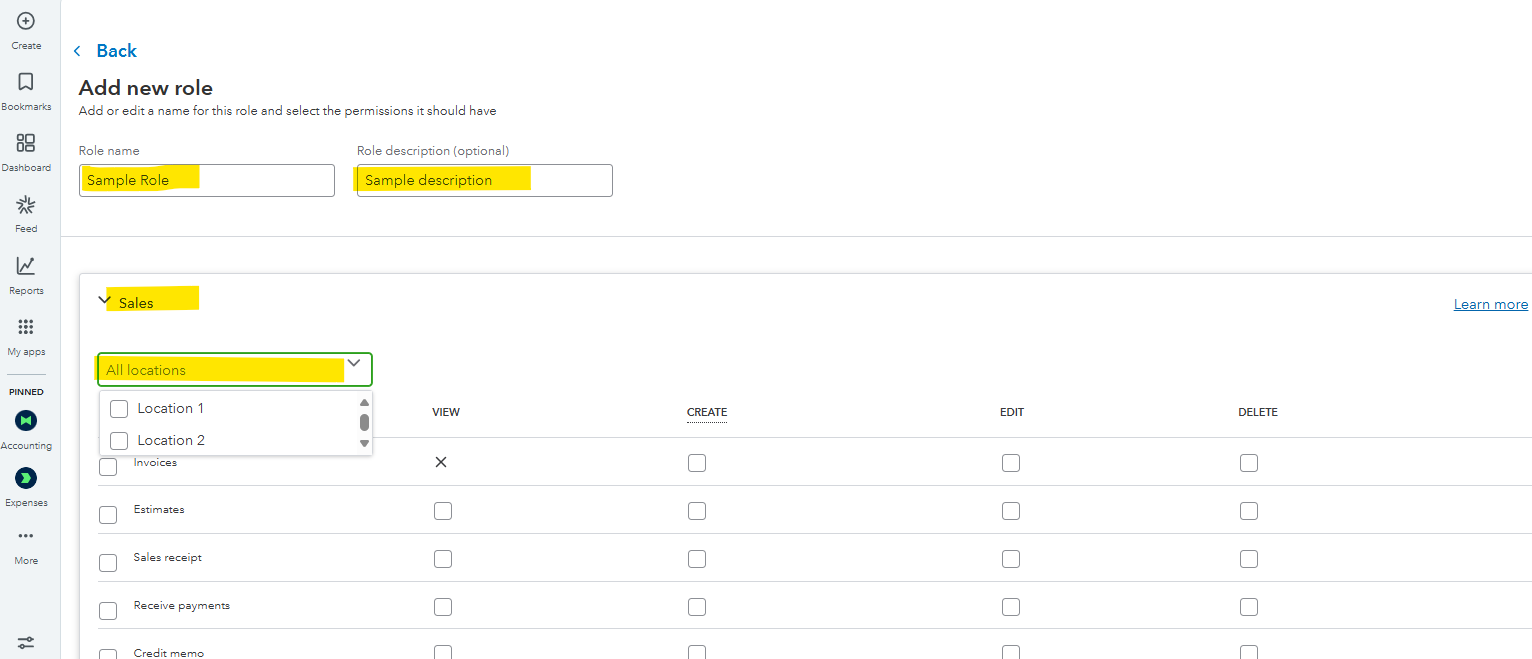
- Enter a "Role name" and "Role description"
- Select Sales.
- From the "All locations" dropdown menu, select your desired locations.
- Configure what your user can access.
- Select Save Role.
You can visit this article to learn more about creating roles in QuickBooks Online: Add and manage custom roles in QuickBooks Online Advanced and Intuit Enterprise Suite.
If you have more QuickBooks-related questions, don't hesitate to click the Reply button.


