There's a way that would let you export invoice data to Excel, alegnainc172017.
While a native function to export invoices with line item details is unavailable, you can run and customize the Sales by Customer Detail report to get the information you need.
Here's how:
- Go to the Reports menu and type in Sales by Customer Detail in the Search bar.
- Select a date in the Report period section.
- Click Column if you want to add more columns, such as Item description and Cost amount.
- Click Filter and use the following filters: Transaction Type, Equals, and Invoice.
- You can also click Group by if you want to change the grouping by Customers, Transaction type, or Product/Service.


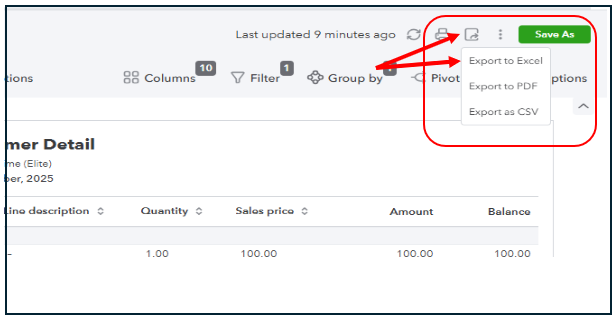
After getting the data you need, click the Export button in the upper-right-hand corner and choose Export to Excel.
Feel free to ask follow-up questions or post new inquiries if you need anything else.


