Welcome to the Community, @mary192.
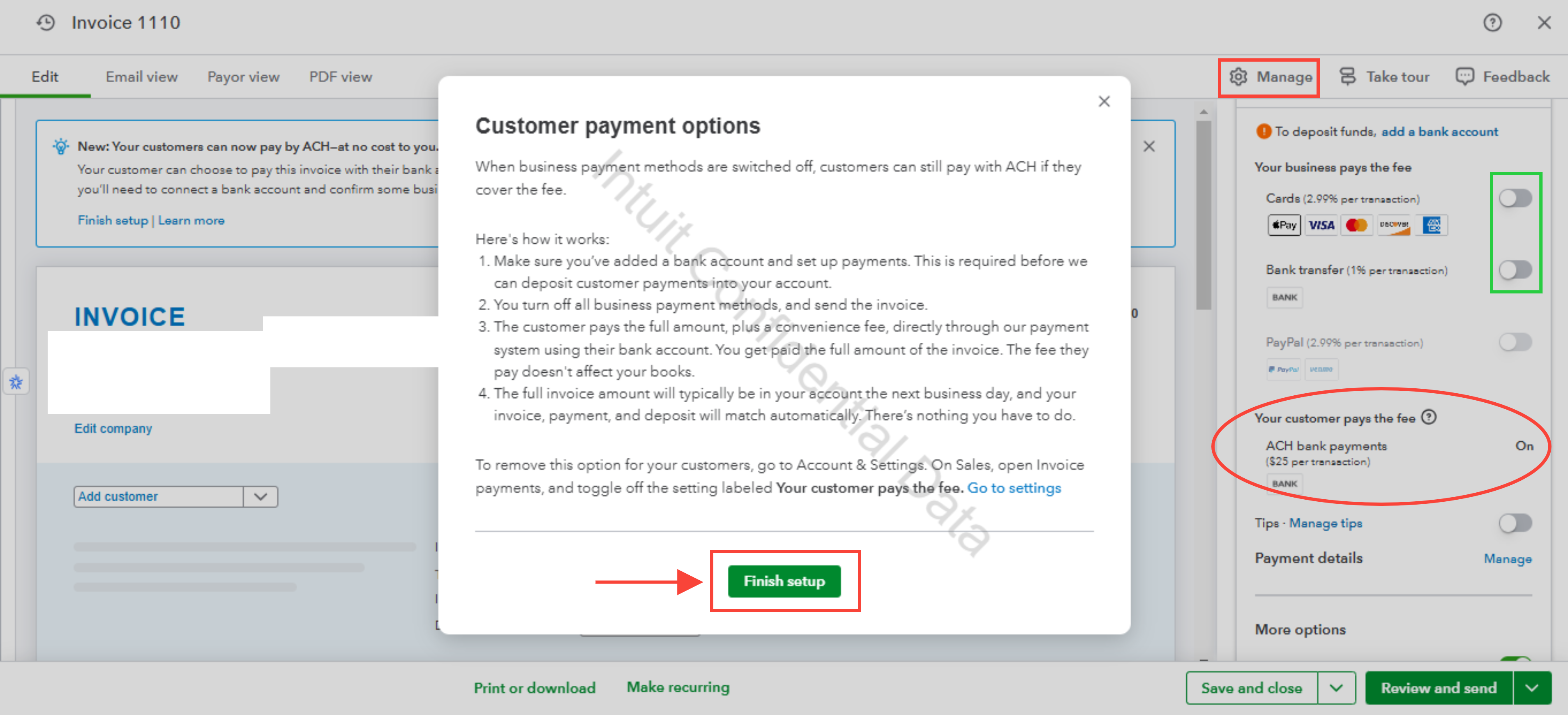
If you’re using QuickBooks Payments, you can pass the processing fee to your customer through the Your customer pays the fee feature found on the Invoice.
Here’s how:
- Go to the + Create icon and select Invoice under the Customers column.
- Click Manage, then choose Payment options.
- Disable all payment methods at the top (Bank transfer, Credit Card, PayPal, Venmo).
- This will enable the ACH bank payments method in the Your customer pays the fee section.
- Select Finish setup if you haven't already.
- Once done, click Review and send.
If you’re using a different payment method, such as credit card, you can manually add a service fee to invoices.
For more questions, leave a message by clicking the Reply button below.


