Hello there, Jlamb.
To change a transaction from a deposit to an expense, if you have manually entered the transactions, you can edit them manually. If it came from the bank, you'll need to exclude and manually reimport the transaction.
Before we begin, is the deposit you're referring to the one that shows a positive sign in the Transaction tab? If so, for the manually entered transaction.
Here's how:
- Go to Transactions.
- Check the specific transaction, then hover your cursor over the amount to change it to a negative sign.
- Click Save.

For the transaction downloaded in QuickBooks, it depends on the financial data shared by your bank, which we cannot edit manually. To do this, we need to exclude the transaction first. Here's how:
- Go to the Transactions menu.
- Locate the specific transaction and check the box for the transaction that you want to exclude.
- Click the Exclude button, then select Apply.
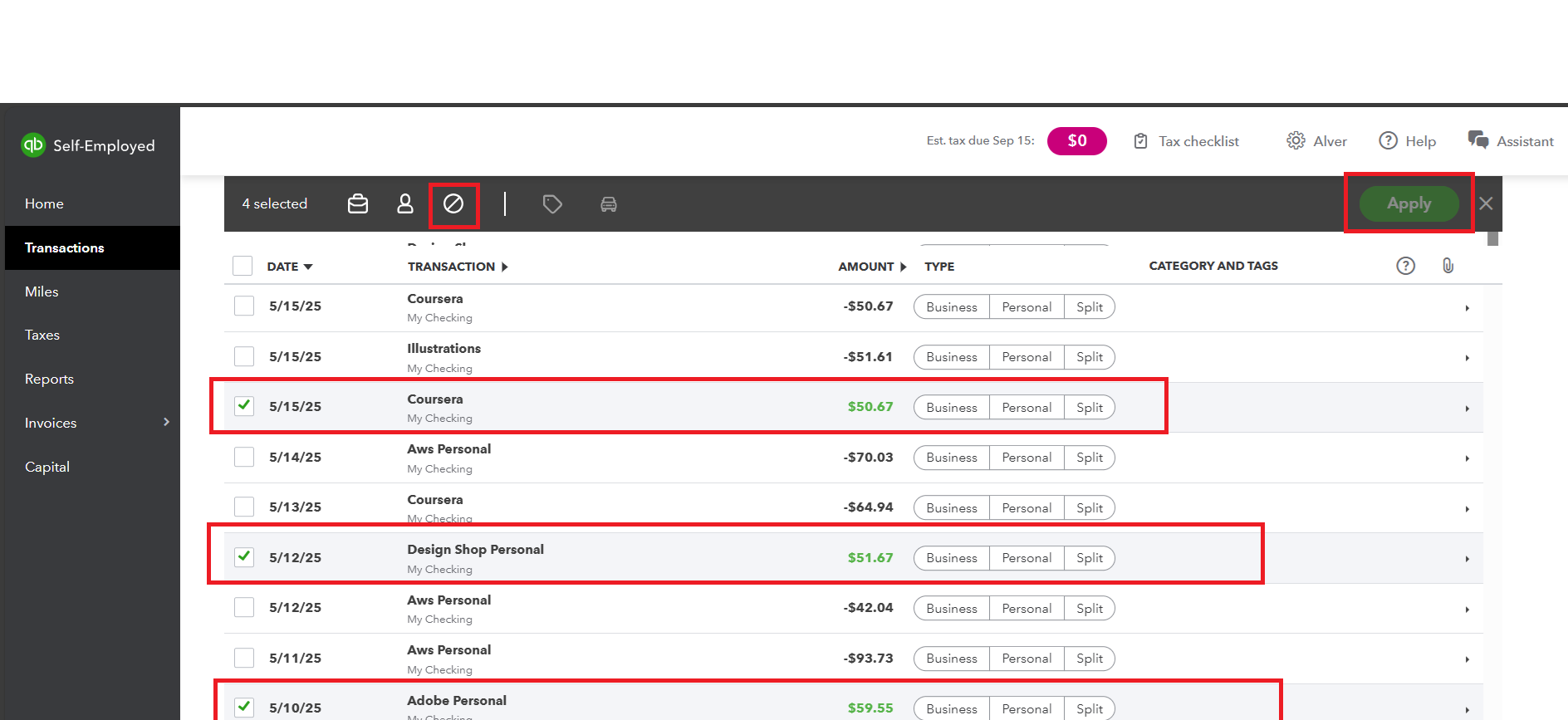
After completing the process, download the bank transaction again and select the transaction that was incorrectly recorded as a deposit. Before manually importing it to QuickBooks, review the amount to ensure it is correct.
You can utilize the Reply button below if you have any other issues or concerns with your transaction in QuickBooks.


