To edit a recurring invoice, we can do it directly in the Recurring Transactions option, 4boy. Let me assist you further.
Here's how:
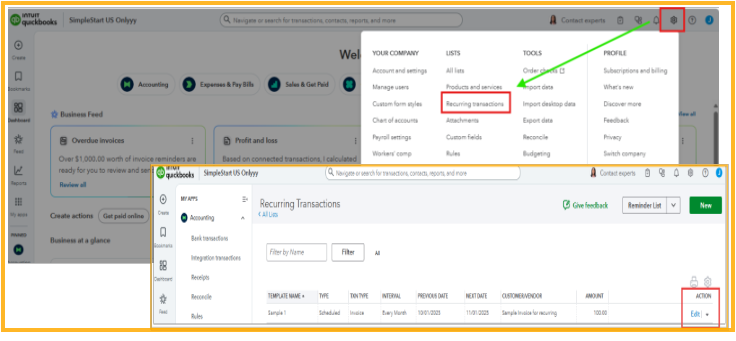
- Go to the Gear icon, then select Recurring Transactions.
- Locate the recurring invoice template for your customer.
- Click Edit under the Action column.
- Make the necessary changes, and when finished, select Save Template.
For more detailed information on how to modify a recurring transaction template, please refer to this article: Edit a recurring template.
I’ll ensure this conversation remains open for any future updates and discussions.


