BLACK FRIDAY SALE 70% OFF QuickBooks for 3 months*   Ends 11/30

Buy now
cancel
Showing results for 
Search instead for 
Did you mean: 
Announcements
Work smarter and get more done with advanced tools that save you time. Discover QuickBooks Online Advanced.
Billing115
Level 1

How do I merge two general ledger accounts into one account?

 
2 Comments 2
CharmieH
QuickBooks Team

How do I merge two general ledger accounts into one account?

I'll show you how to merge two general ledger accounts in QuickBooks Online (QBO), Bill.


Before we start, please read the prerequisites for merging accounts in QBO:


  1. If you're merging accounts that have reconciliation reports: 
    • The account being merged won't keep its reconciliation history
    • Save those reports first so you don’t lose them
    • The transactions will remain on the merged account and stay reconciled
  2. If both account registers have an opening balance equity transaction:
    • Delete the transaction with the most recent date before merging
    • The older transaction becomes the opening balance of the newly merged account


Once you have reviewed the prerequisites and are ready to proceed, follow these steps to merge the accounts:
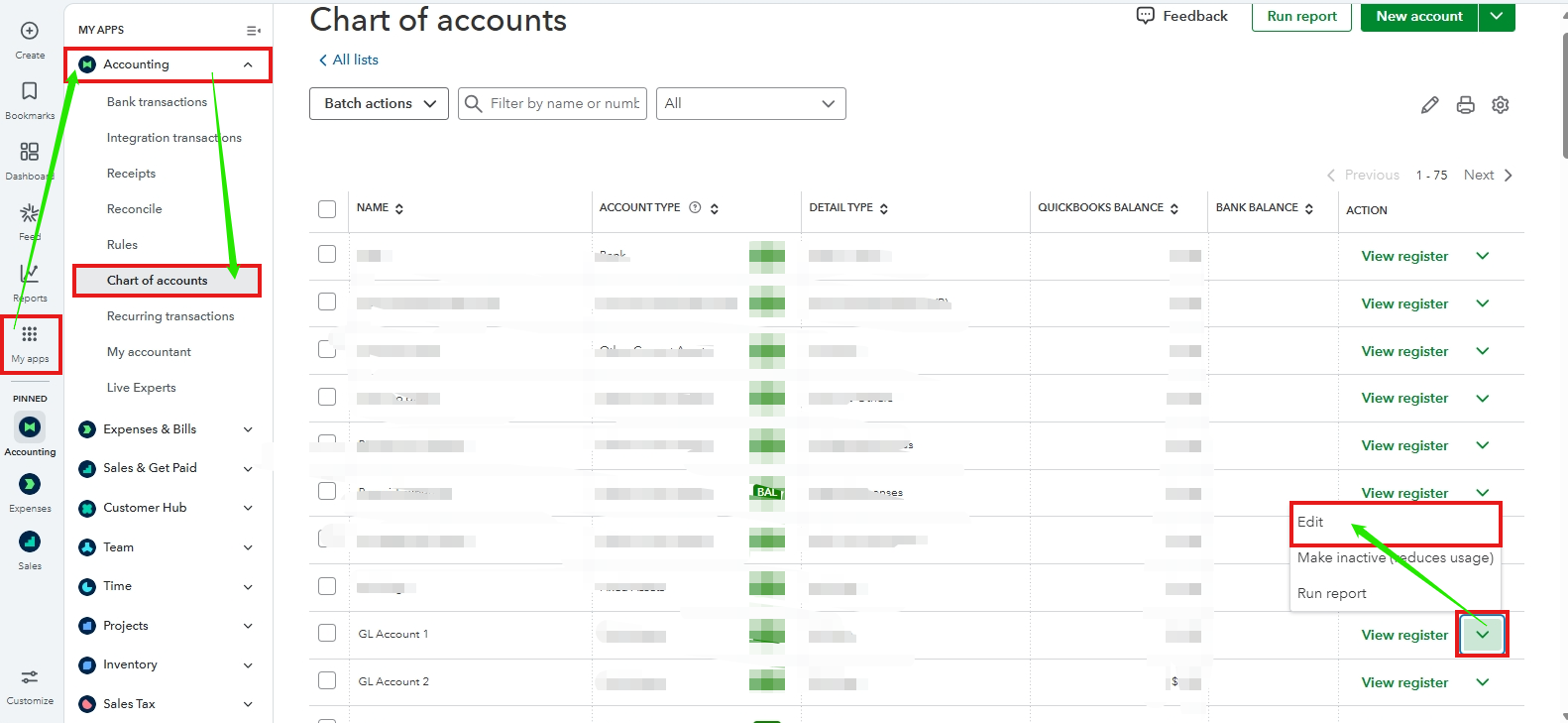
 

  1. Go to My Apps, then select Chart of accounts.
  2. Locate the account you want to keep. Select the dropdown icon next to View register, then click Edit.
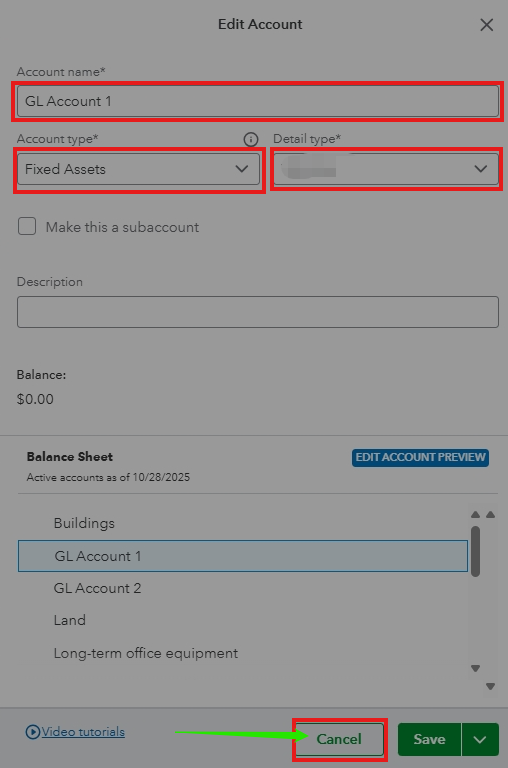
  3. Take note of the Account nameAccount type, and Detail type of the account, then click Cancel. These must be identical between the accounts you want to merge.
  4. Return to the Chart of accounts.
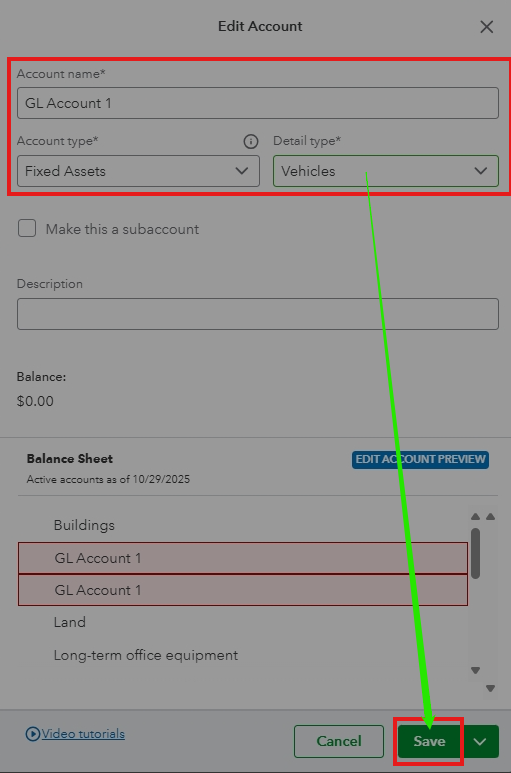
  5. Locate the duplicate account you plan to merge (the one you won't keep). Select the dropdown icon next to View register, then click Edit.
  6. Change the Account name and Detail type to match those of the account you intend to keep, then click Save.
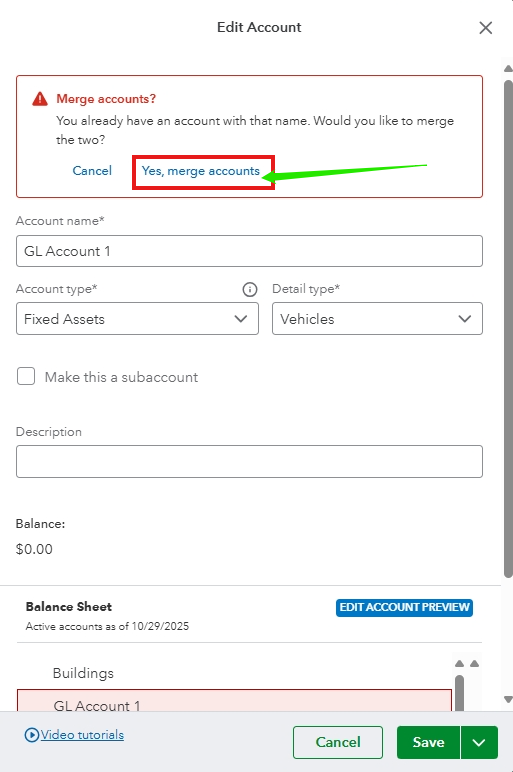
  7. Confirm the merge by selecting Yes, merge accounts.


Now, the system will move the past transactions from the duplicate to the account you want to keep. Please note that this procedure is permanent and cannot be undone.


If you have additional questions, add a comment below.

CharmieH
QuickBooks Team

How do I merge two general ledger accounts into one account?

Hi, Bill.


I'm following up to see if the solution we provided worked for you. Did it resolve your issues, or are you still experiencing difficulties?


We'll be glad to assist further if you need any more help.

Need QuickBooks guidance?
Log in to access expert advice and community support instantly.

Need to get in touch?

Contact us