Greetings, @peter141. You can use the Exclude option to remove the duplicate items from your pending transactions.
Here’s how:
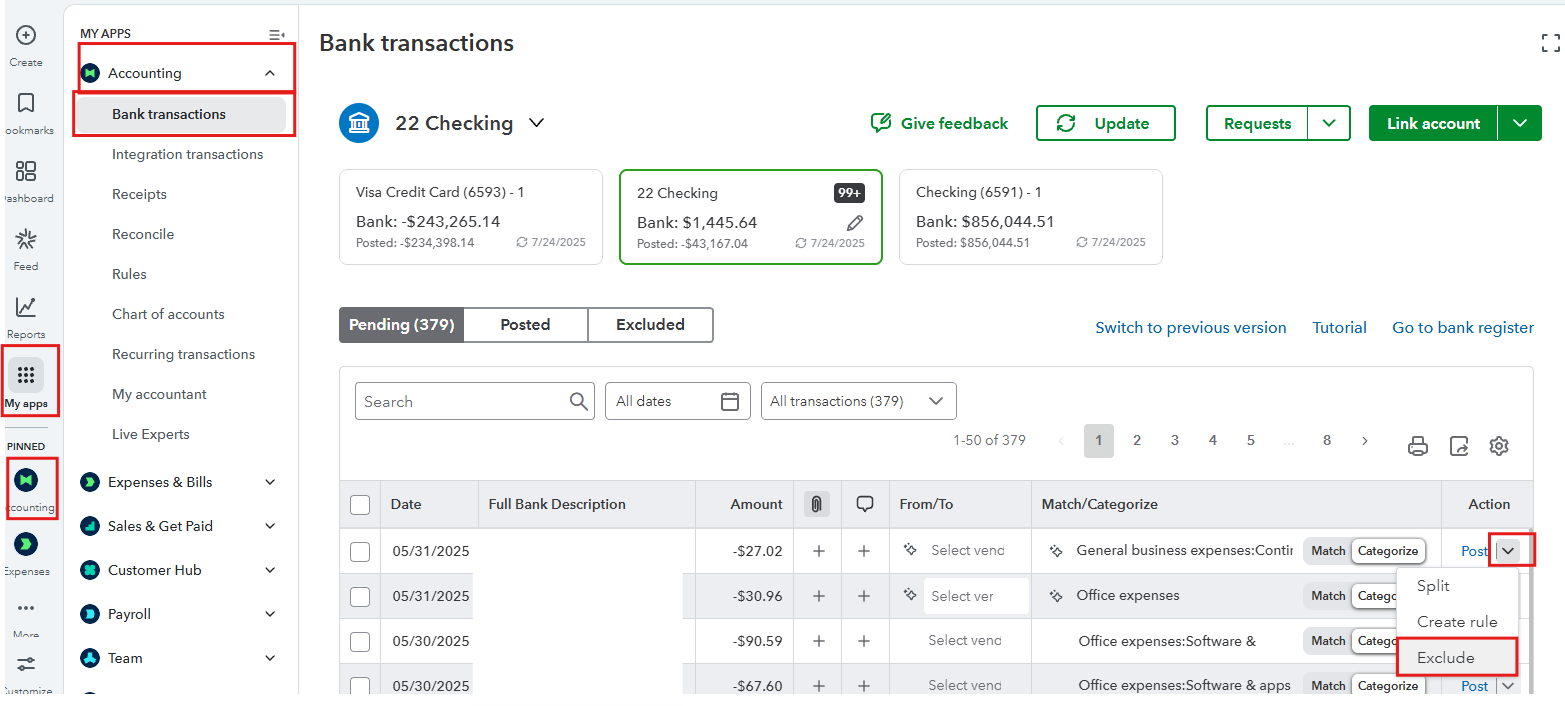
- In the Accounting section, select Bank Transactions.
- Locate your duplicate items in the pending section.
- In the Action column, select the drop-down icon of the duplicate items and click Exclude.
- Once done, the duplicate will be moved to the Excluded section.
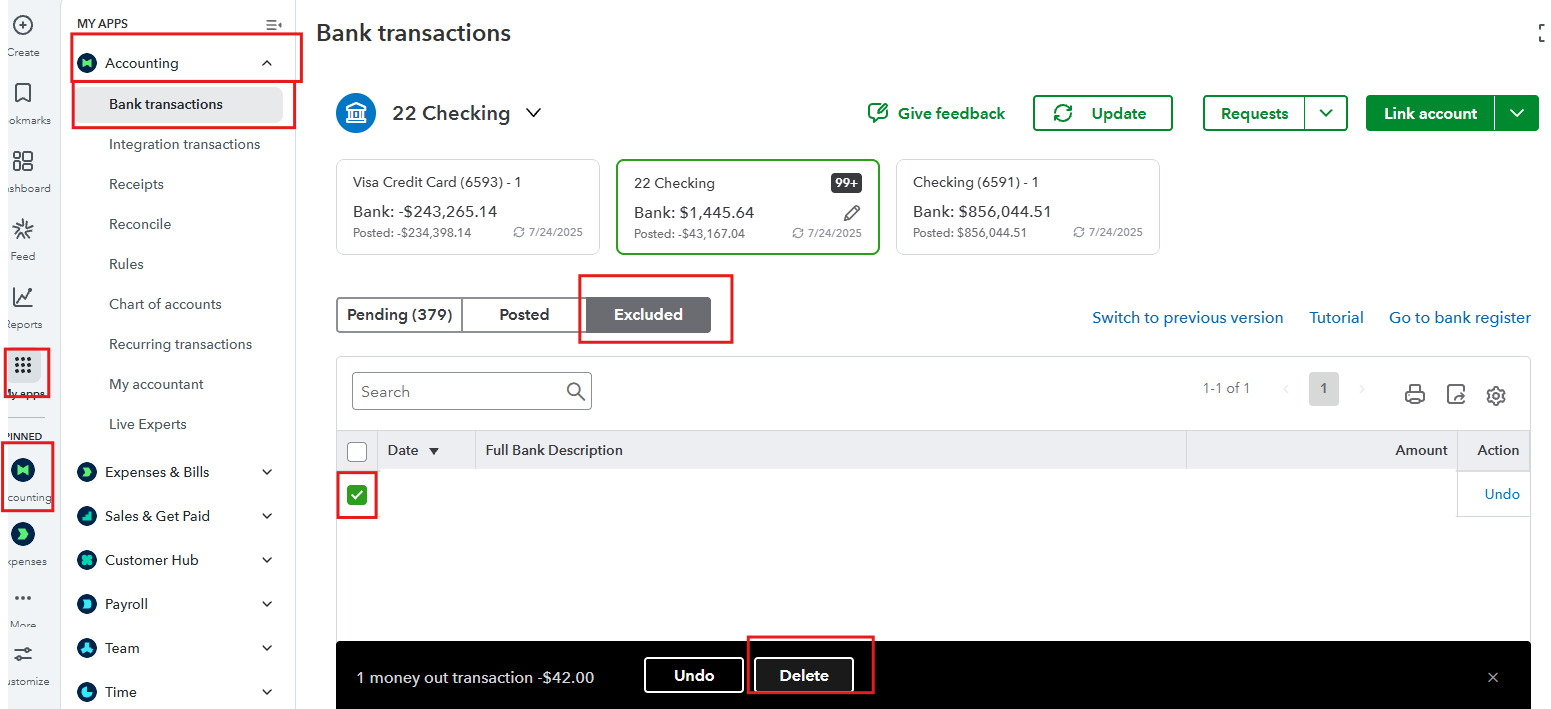
To remove it entirely, you’ll just have to go through the Excluded tab. Here’s how:
- Navigate to the Accounting section and select Bank Transactions.
- Go to the Excluded tab and find the items you previously excluded.
- Select the checkbox next to the Date and click Delete.
If you need help reconciling your accounts so your bank and credit card statements match, check this article: Reconcile an account in QBO.
On top of that, consider checking out our QuickBooks Live Expert Assisted team. They can assist you with duplicate transactions, accounts, categorization, and reconciliation.
Please feel free to click the Reply button if you have any other concerns.


