Hi there, Rob.
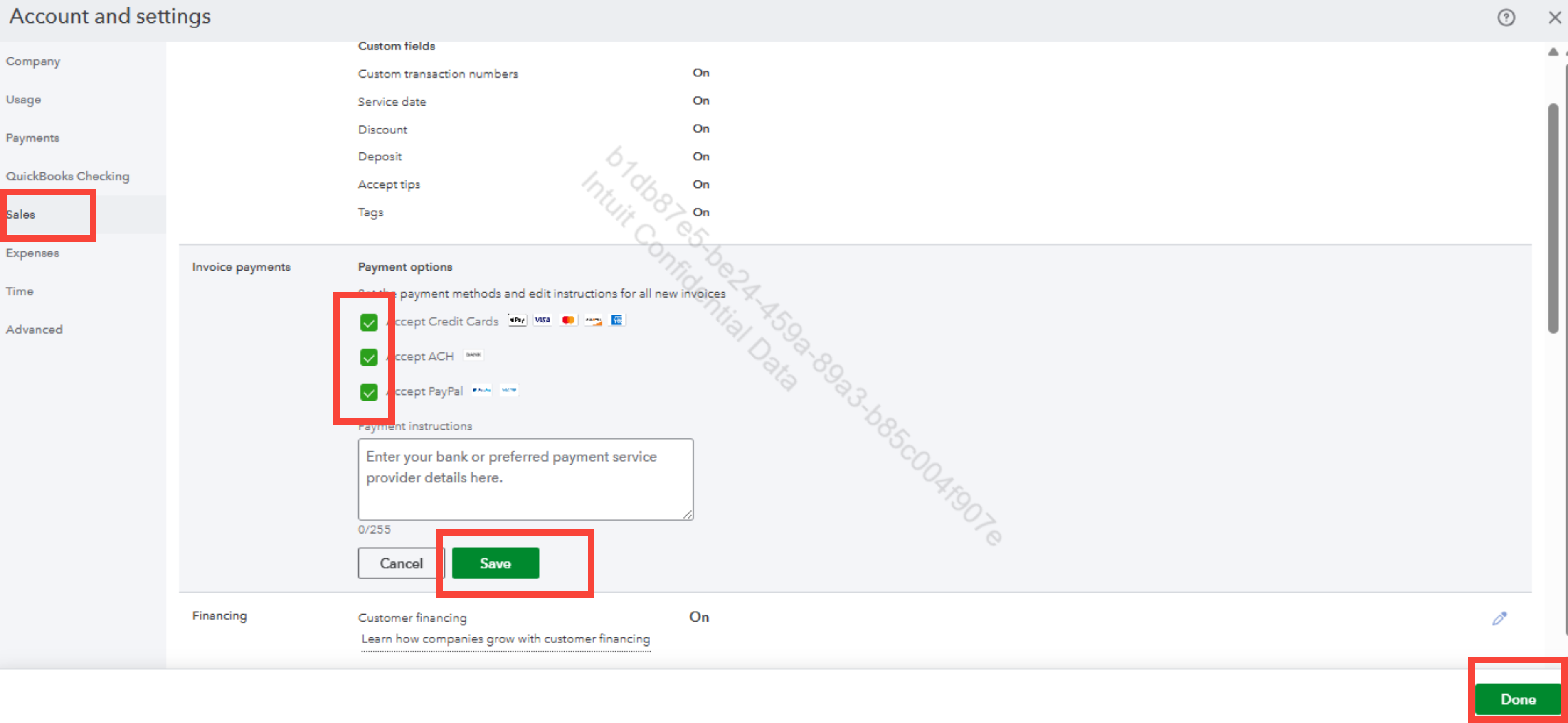
To remove the payment method from invoices already sent to customers, you can disable the payment method by unchecking the boxes for those payment options in the Account and settings section.
Here's how:
- In the upper right corner, click on the Gear icon.
- Select Account and settings, then choose Sales.
- In the Invoice payments section, click the pencil icon on the right.
- Uncheck the boxes for those payment options.
- Then hit Save and Done.
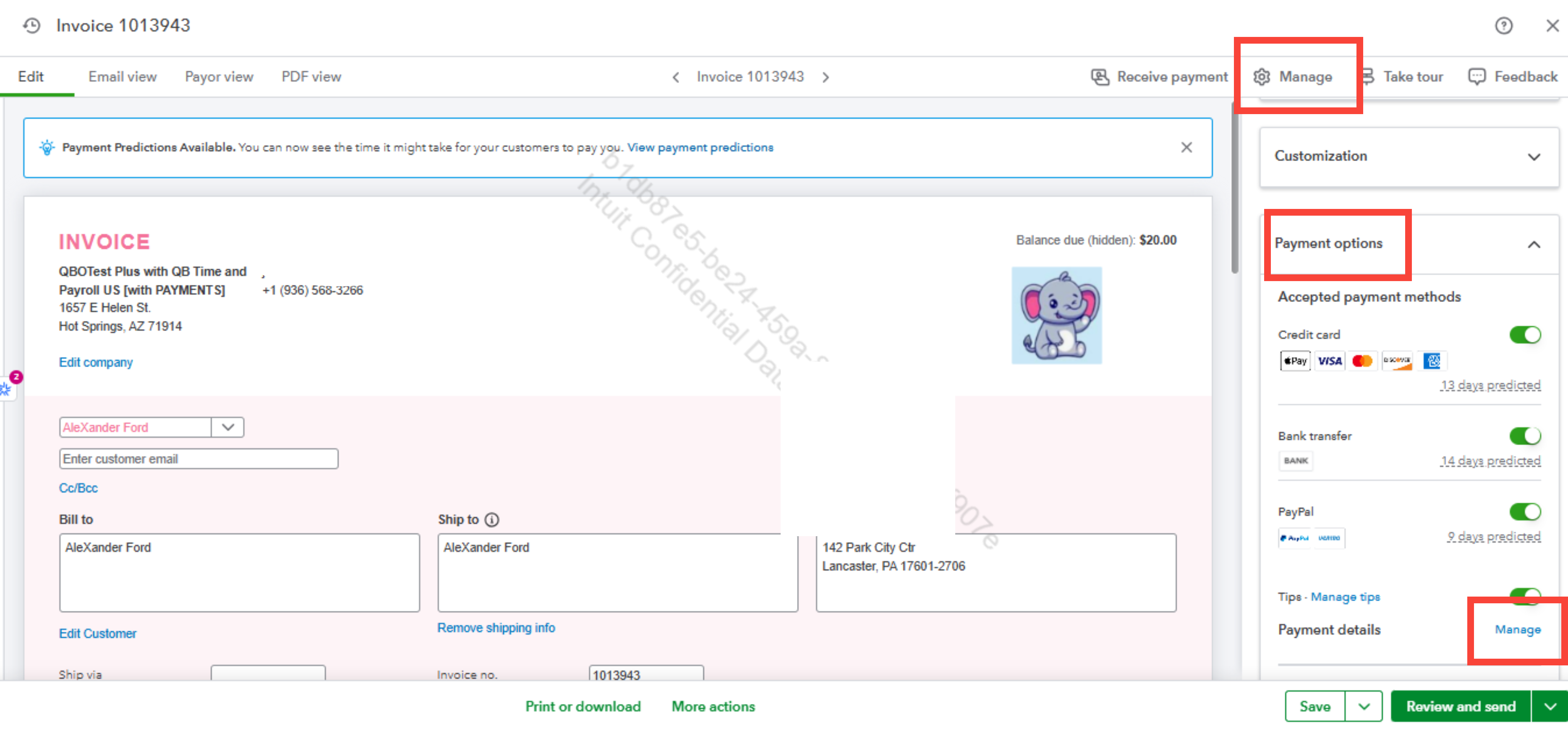
One alternative method to remove the payment method is to navigate to your Invoice page. Follow the steps below:
- Click on the Manage option next to Receive payment.
- Select Payment options.
- Click Manage beside Payment details. This will take you to your Account and settings.
Before we finish, I suggest you explore QuickBooks Live Expert Assisted to streamline your accounting, maintain precise financial records, and access professional support. This could free up valuable time, allowing you to concentrate on expanding your business.
You can return here whenever you need assistance.


