You can run a Transaction Detail by Account report and customize it to show the projects linked to the transactions, AlarmCompany. Below are the complete steps to do this.
To customize the report, here's how:
- Go to the Reports tab.
- In the search bar, enter Transaction Detail by Account.
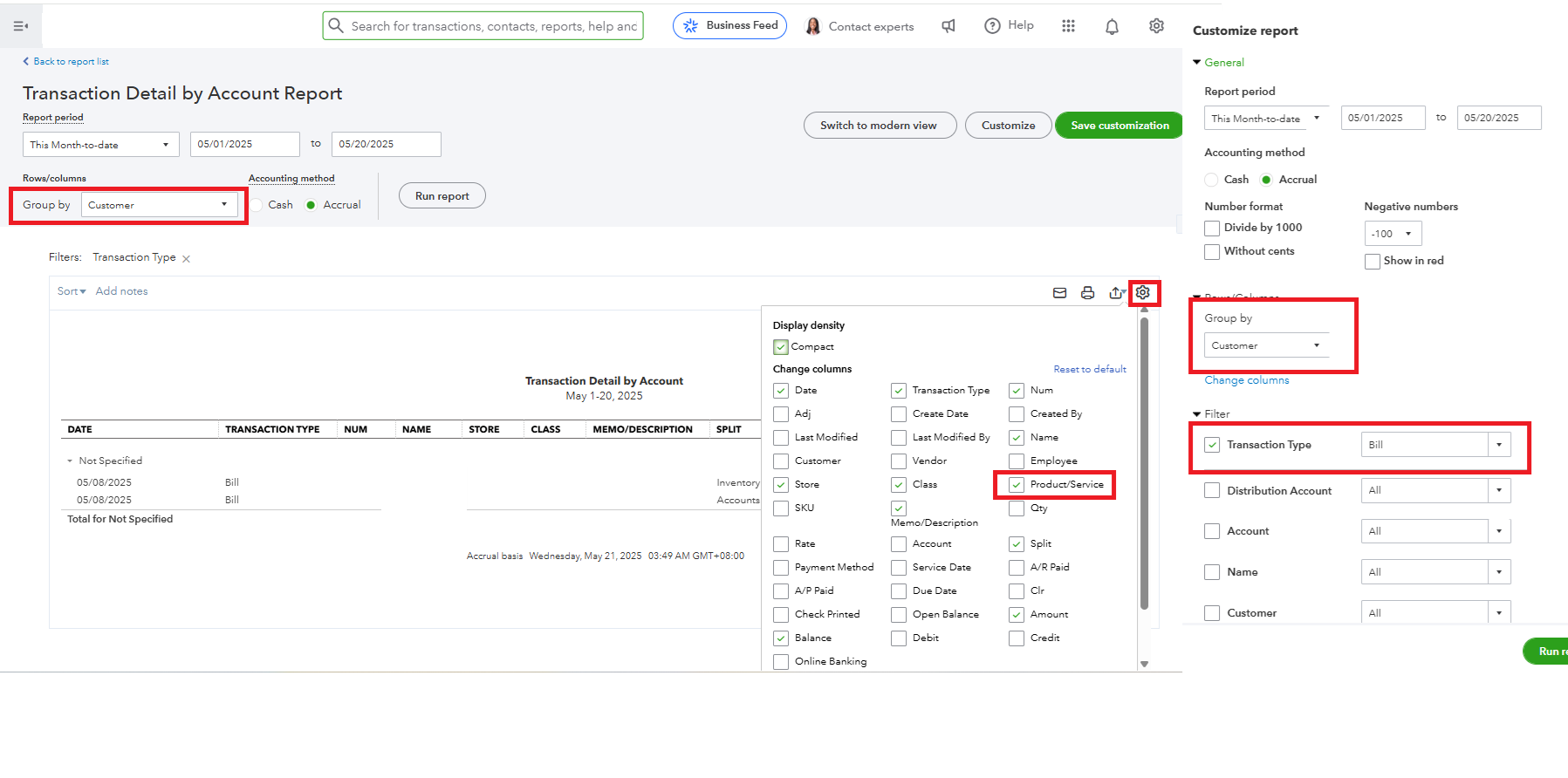
- Under the Group by section, select Customers.
- Click the Customize button.
- In the Filter section, select Bill under Transaction Type.
- Click the small gear icon on the report page and check Products/Services.
- Click Run report.
If the project is unbilled, you can also run the report directly from the Projects tab:
Here's how:
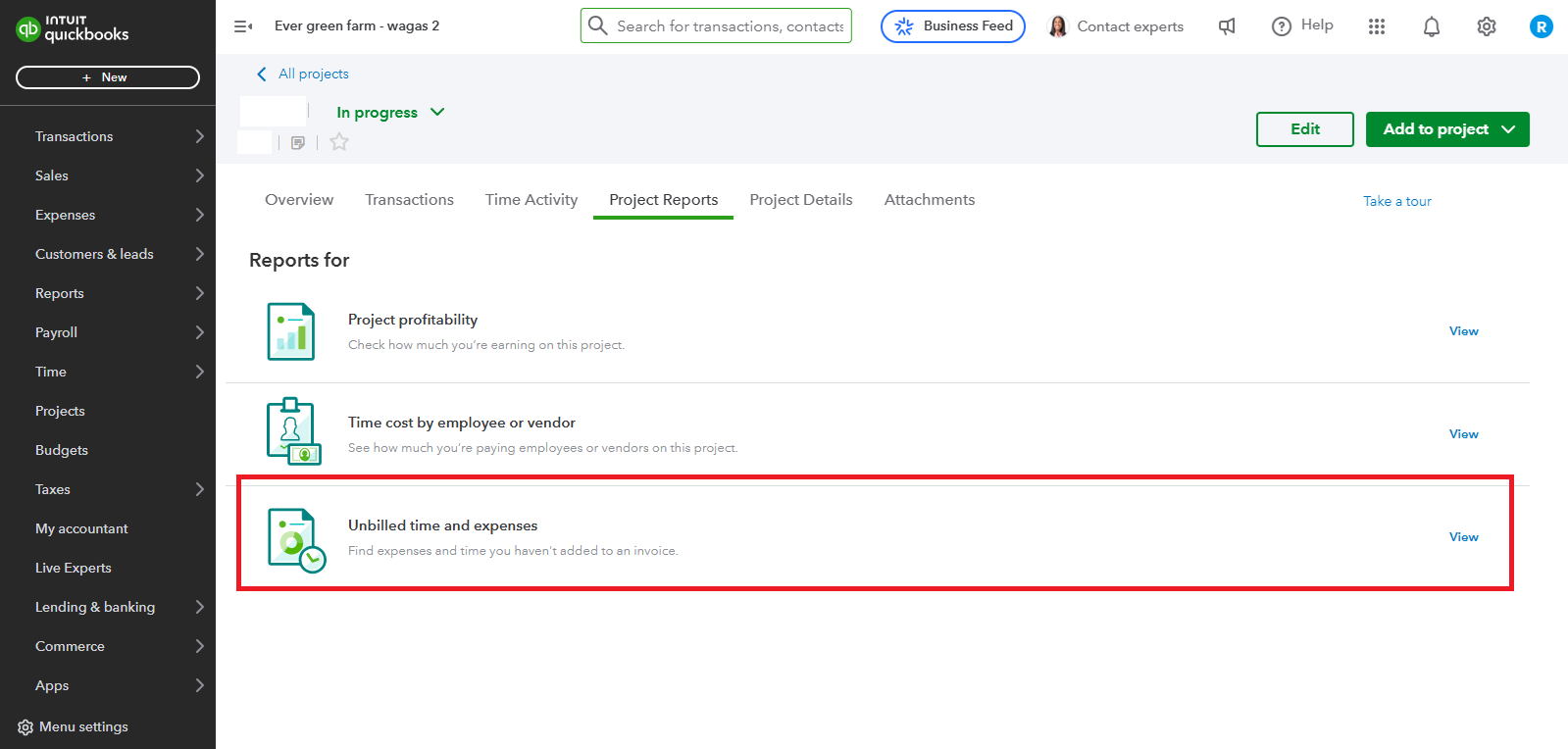
- Go to Projects.
- Filter the Customer field, then select the project.
- Click Unbilled Time and Expenses to view.
- To customize the report, click the Gear icon.
To improve your management of customer transactions, consider connecting with our QuickBooks Live Expert Assisted team. They can offer valuable insights on optimizing customer interactions and simplifying your invoicing process.
Additionally, you can refer to this article for detailed guidance on customizing your reports in QBO.
After running the report, you can export it as an Excel or PDF file to save a copy outside QuickBooks.
With the above steps, you can successfully customize your report. This thread will remain open, so if you have any other concerns, please let us know.


