QuickBooks Online doesn't have a built-in option to compare budgets for two years, nkilday. However, you can export data and manually compare the budgets.
Here's how:
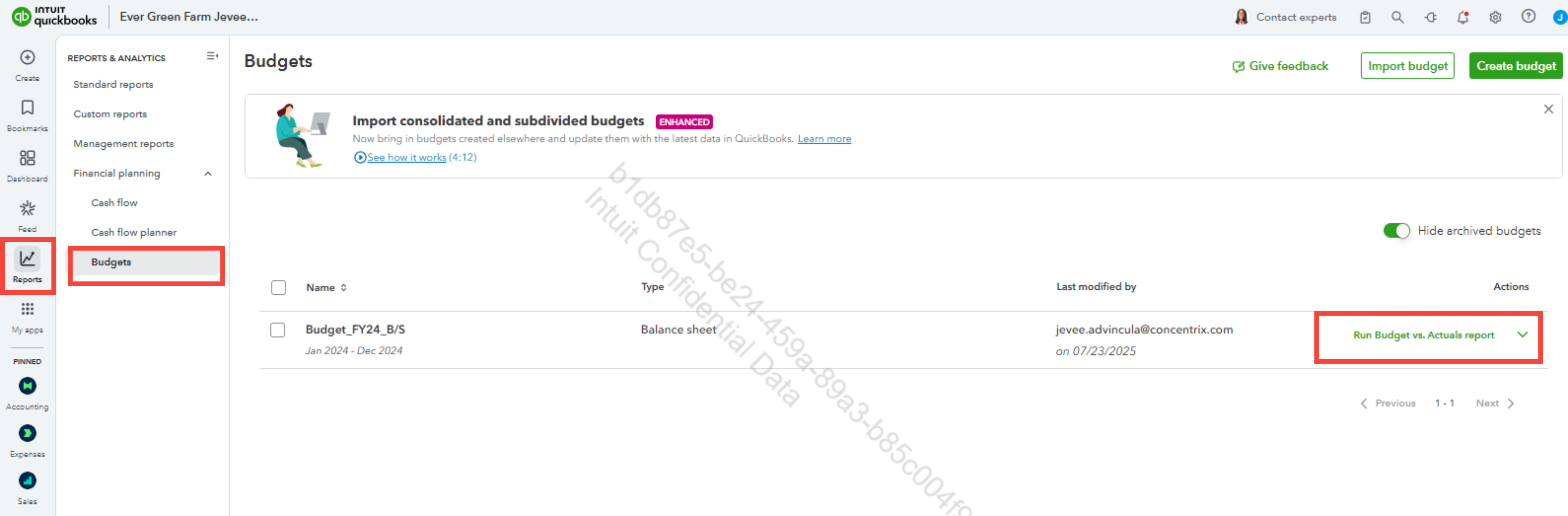
1. Navigate to the Reports tab in the left-hand menu.
2. Select Budgets and then click on the Run Budget vs. Actuals report.
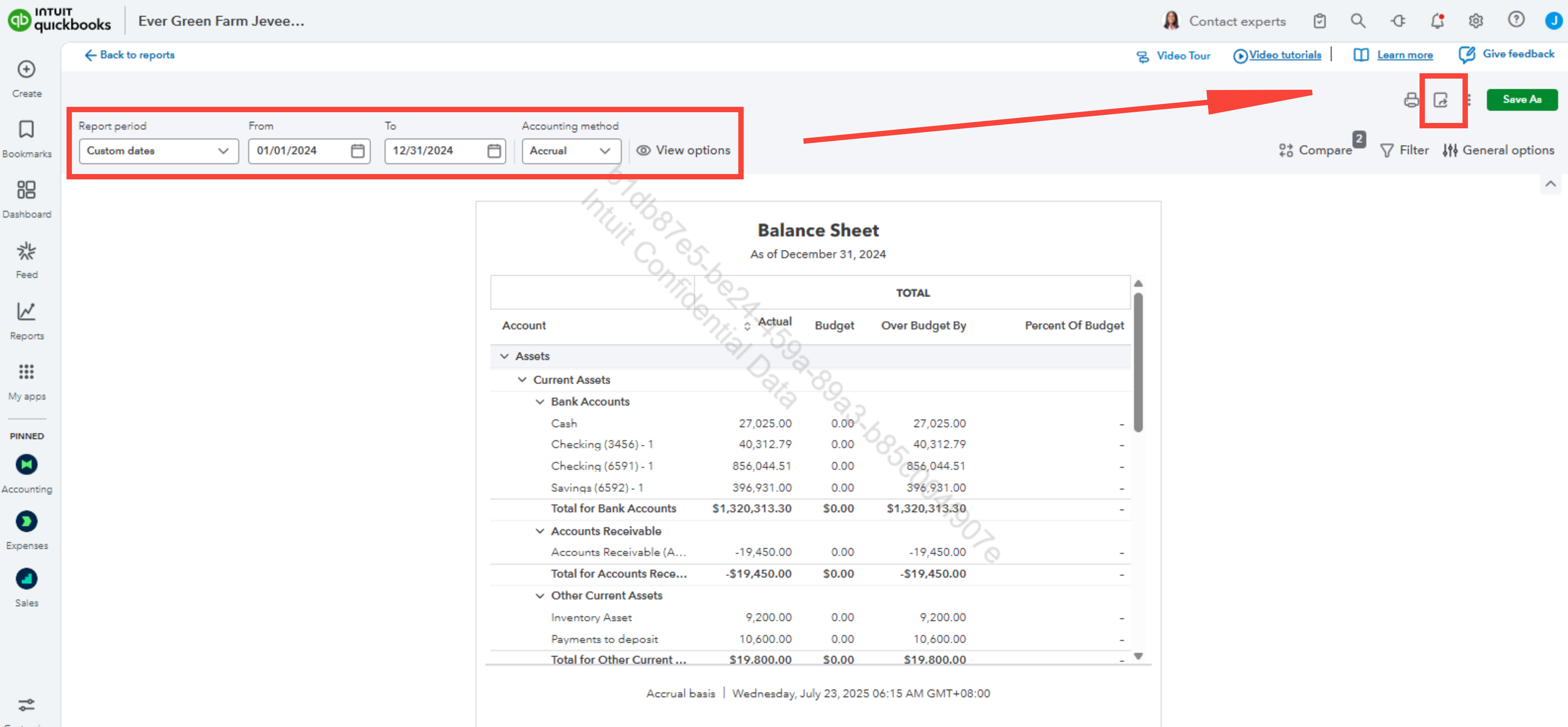
3. Customize the date range to align with the budget year.
4. In the upper right corner, click the arrow inside the box and select Export to Excel.
I've provided screenshots for your reference.
Once done, you can follow the steps provided above for the other years' budgets.
Before we wrap up, I suggest you explore QuickBooks Live Expert Assisted to streamline your accounting, maintain precise financial records, and access professional support. This could free up valuable time, allowing you to concentrate on expanding your business.
If you have any questions or need assistance, let us know below. We're here to provide continuous assistance.


