Hi Kathy, since "update accounts" can refer to a few different actions in QuickBooks, such as refreshing a bank connection, editing a chart of accounts entry, or changing customer details, could you please clarify exactly what you're intending to update?
If your goal is to refresh/update your bank transactions, follow these steps:
- To begin, go to My Apps in the left-side navigation, and then select Accounting.
- Next, choose Bank Transactions at the top of the screen.
- From there, locate the specific bank or credit card account you wish to update.
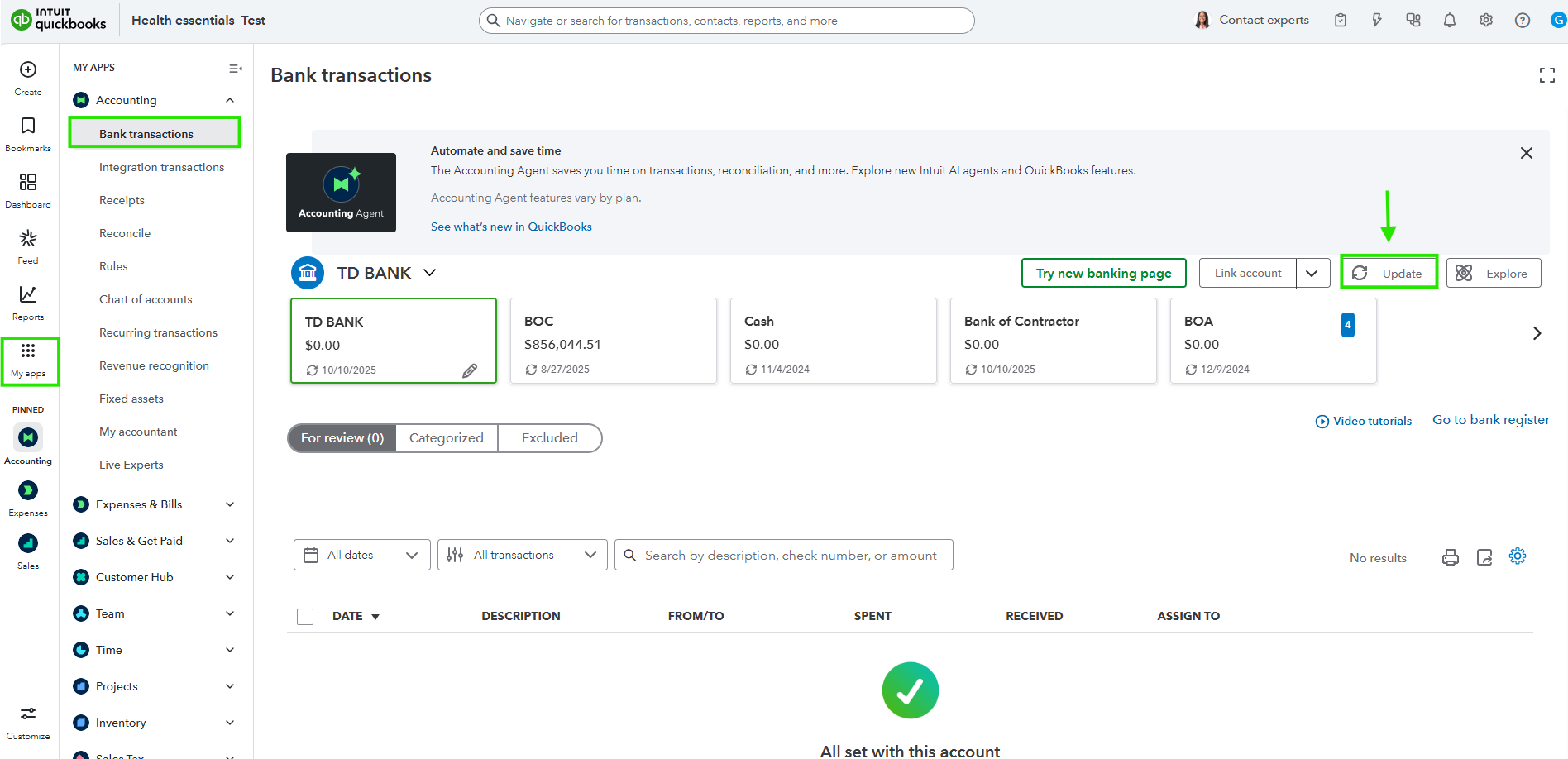
- Finally, click the Update button, which you will find near the top right of the transaction screen.
However, if you wish to change the details of an existing account in your Chart of Accounts, the process is slightly different:
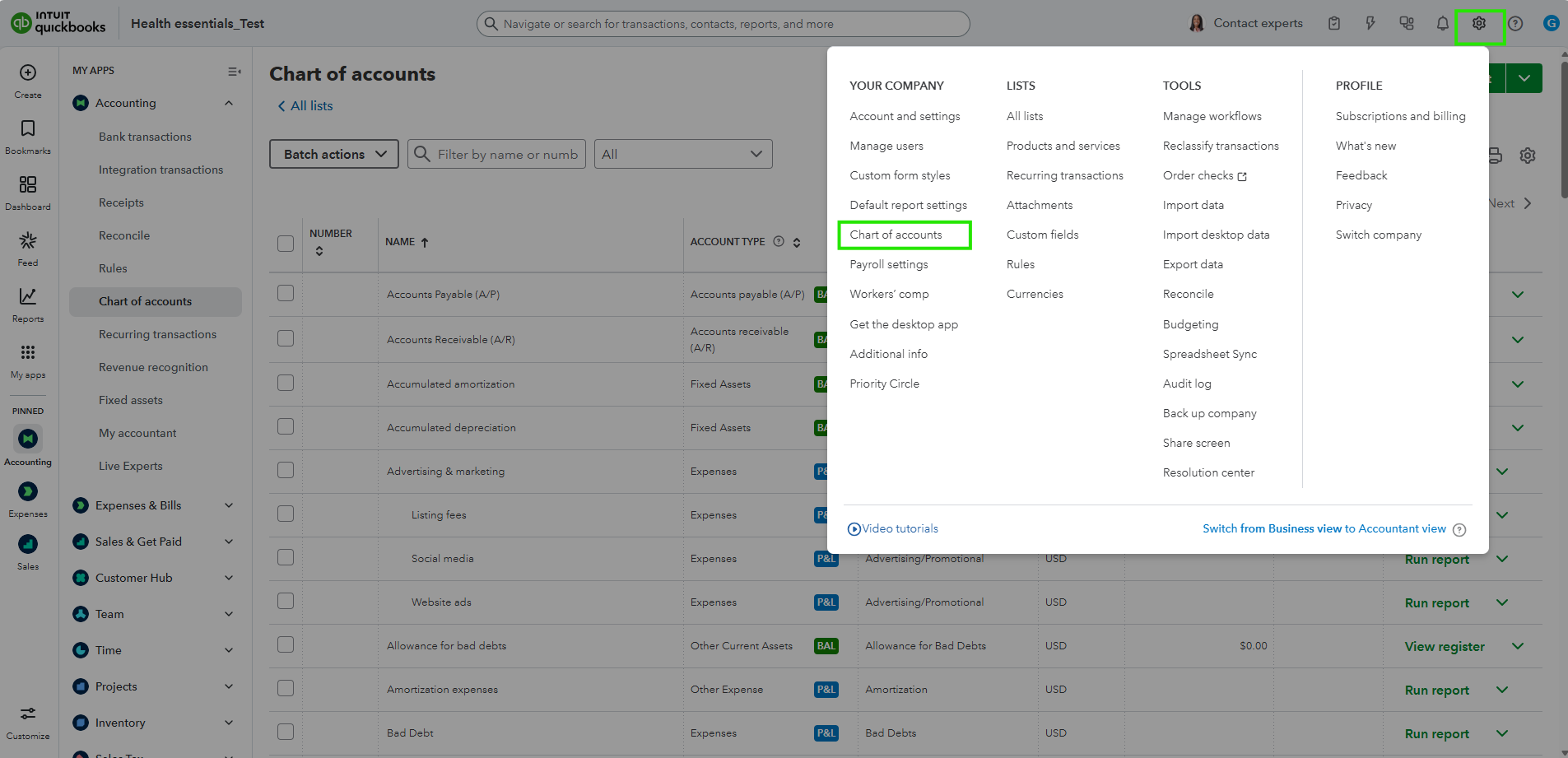
- First, click the Gear icon ⚙ in the upper right corner.
- After that, select Chart of Accounts.
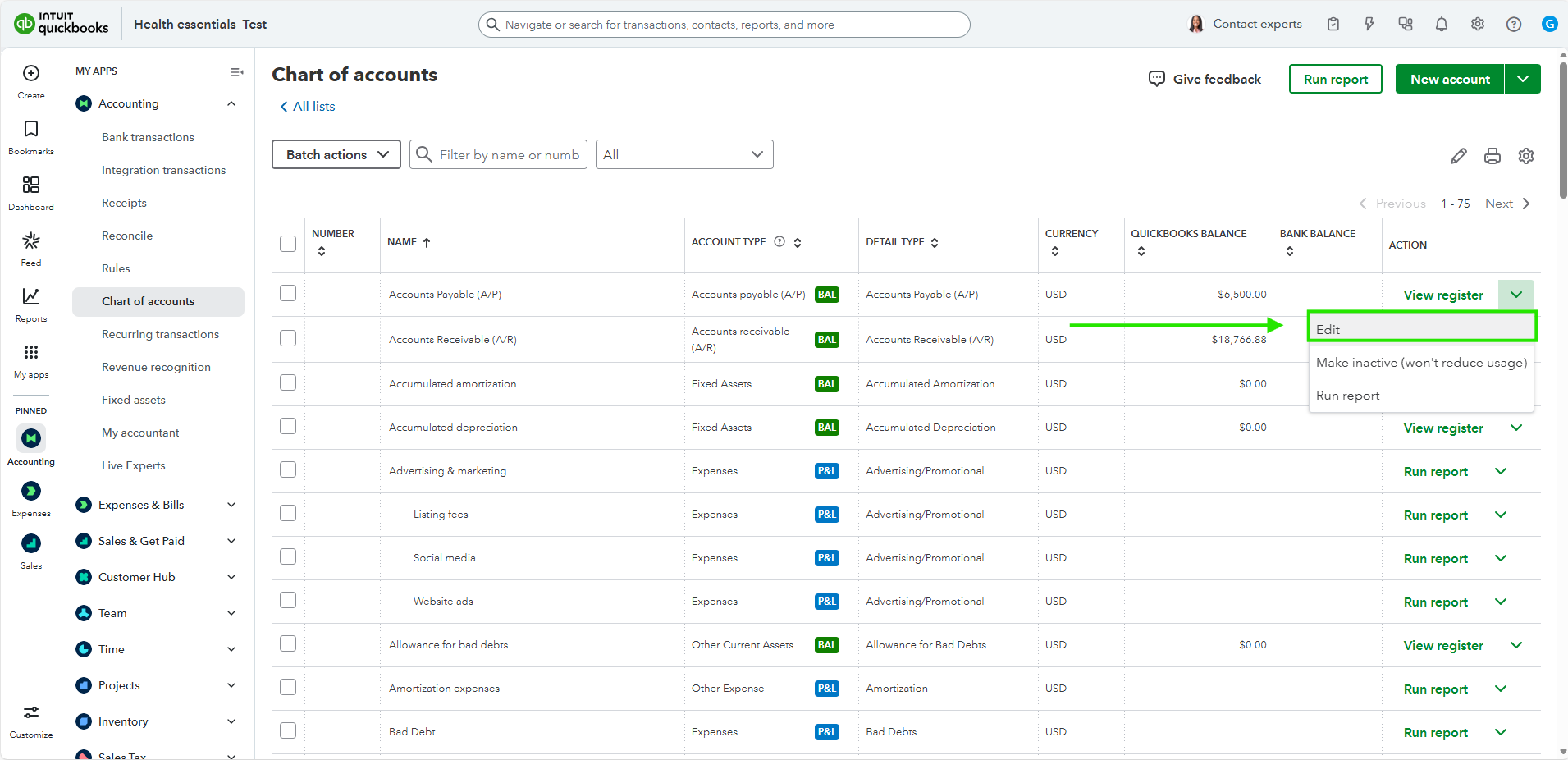
- Then, find the specific account you want to edit.
- Once you've found it, click the Action dropdown menu for that account and choose Edit.
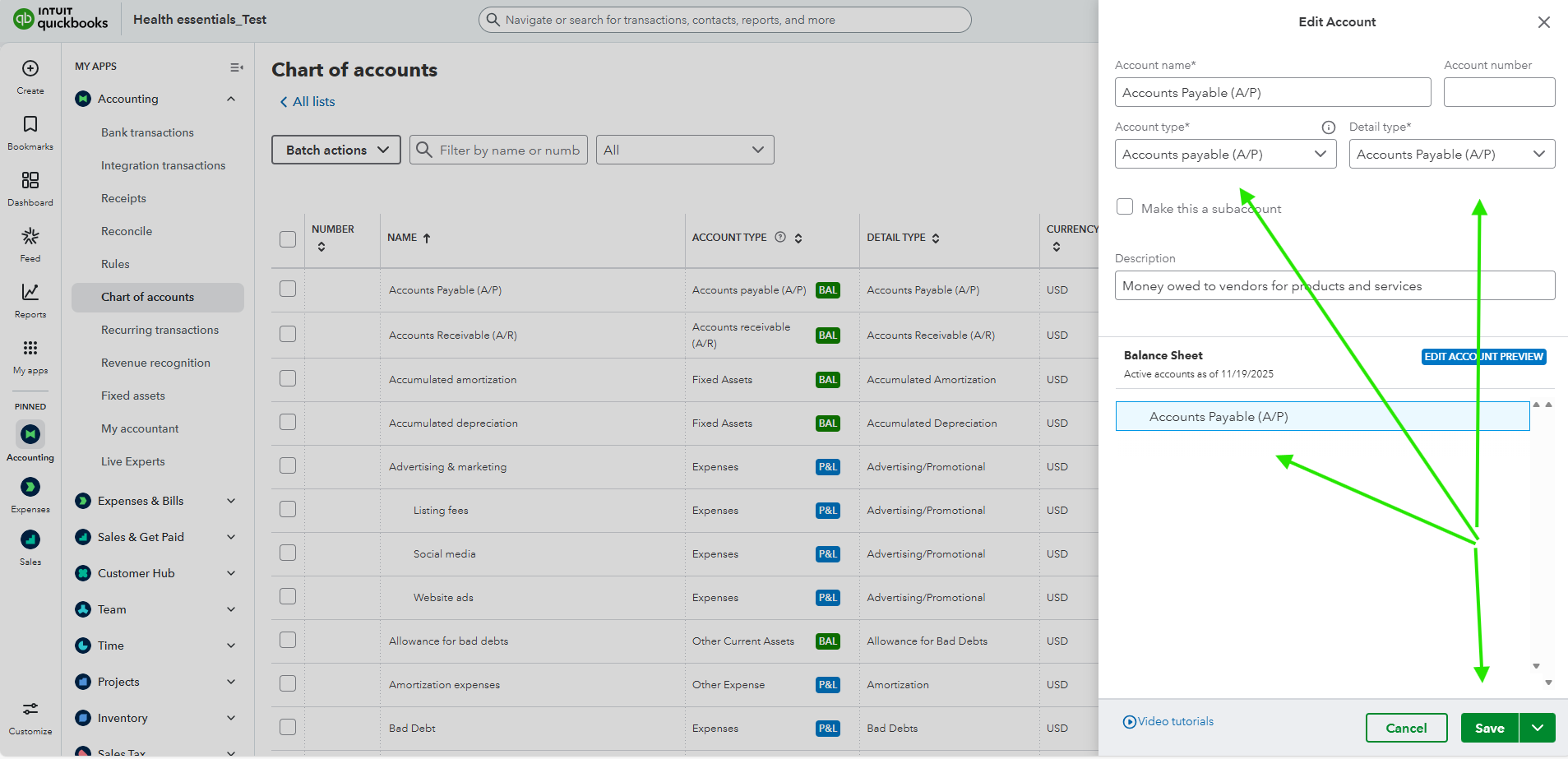
- Lastly, make your necessary changes, and then click Save.
We're here to help if you have any other questions, Kathy! Just let us know.


