QuickBooks uses your default printer settings to determine the page size when printing a report, MAC6935. Let's sort this out to figure out why it changed to a different size.
First, review the Orientation when printing, emailing, or saving the General Ledger as a PDF. The Landscape is set to Page size: 11.00 x 8.50 inches. If you selected the Portrait, you can change it to Landscape.
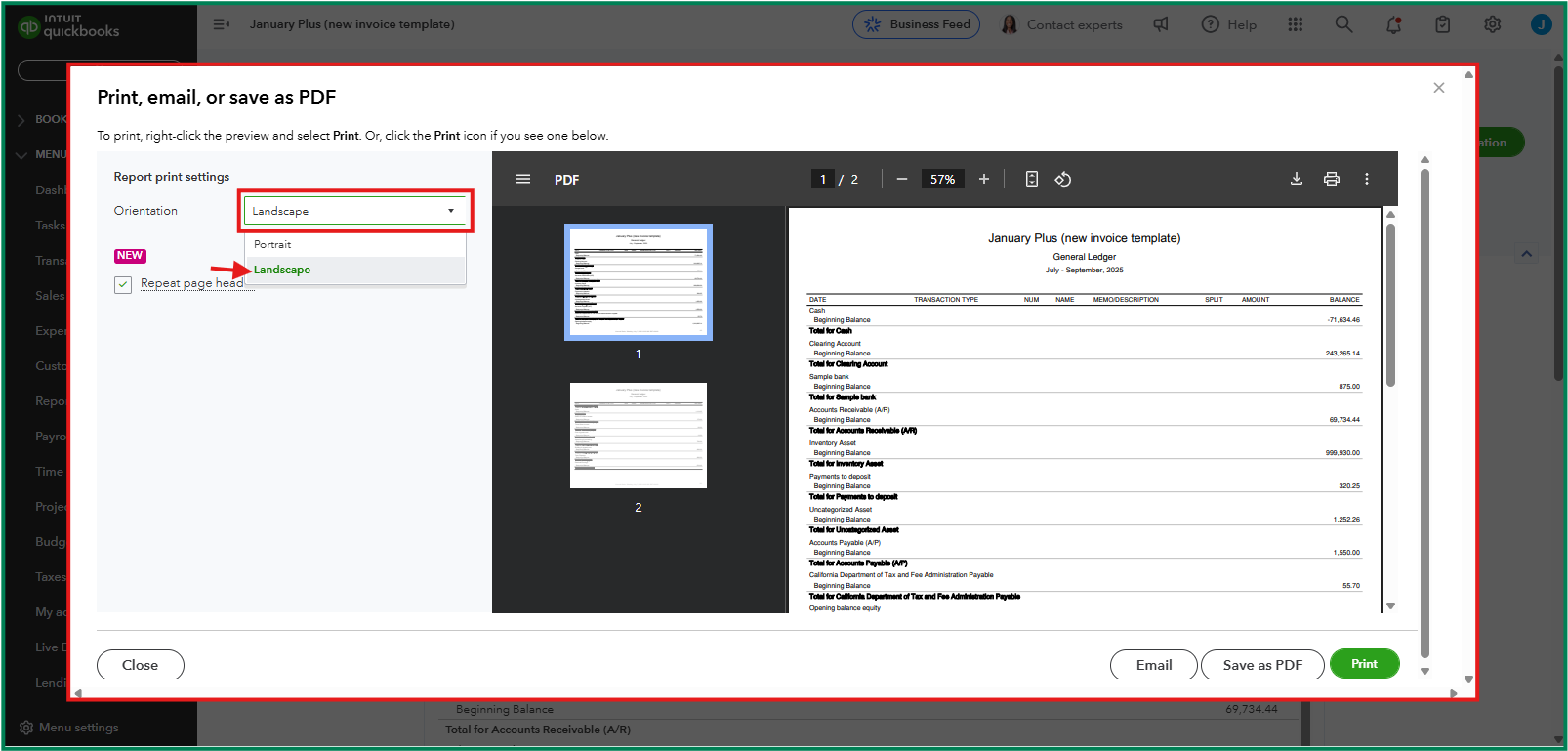
On the other hand, please know that QuickBooks often retrieves page size settings from your default printer's configuration. If your printer is set to a custom size or non-standard paper, the GL report may default to those dimensions. In this case, consider modifying your print settings to ensure the paper size aligns with your preference or the standard dimensions.
You can also customize reports to include the data you need and save a custom one to keep its filters.
Do you need help tracking your cash flows and ensuring they're on the correct account? You can speak now with a QuickBooks Live Expert for more personalized assistance.
Don't hesitate to leave a comment if you need more assistance printing the GL report in QuickBooks. I'll be here to provide more resources for you.


