Welcome to the Community space, @bookkeeper118.
As of now, the option to permanently disable or turn off the Tasks feature in QuickBooks Online (QBO) is unavailable. This feature is built in by Intuit to ensure that important financial and business-related tasks are completed promptly and by the appropriate person. As a result, task pop-ups will appear whenever there is something that requires immediate attention or when a task is due today.
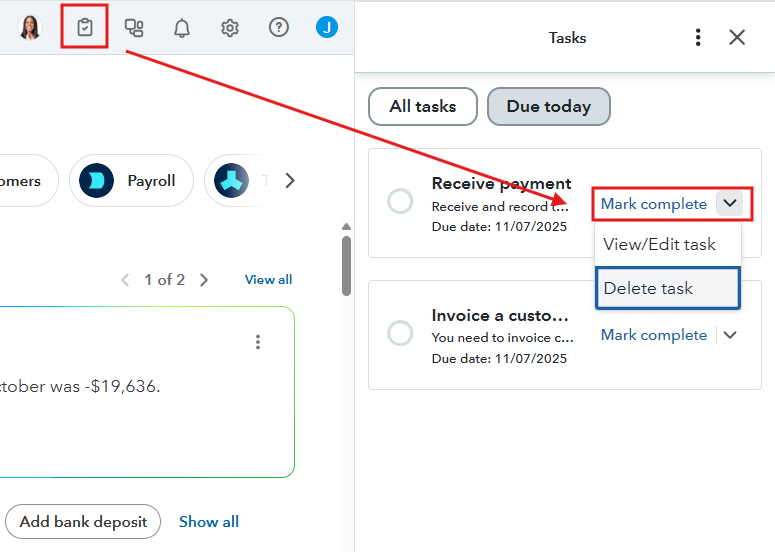
To manage this pop-up, you can either manually delete all your listed tasks or mark them as completed. Here’s how to do that:
- Click the Task icon in the upper right corner.
- Select the Mark complete button, or click the dropdown menu and choose Delete task.
- Choose Delete.
If you prefer not to delete or mark tasks as complete, you can simply click the X button when the pop-up appears. This will dismiss it for the current session or for a short period.
If you require additional assistance, just let me know in the comments below.


