Hello there, @bousema.
There are two easy steps to find the customer list in QuickBooks Online. You can either run a Customer Contact List report or go to the Customers tab. I'll be happy to walk you through the steps.
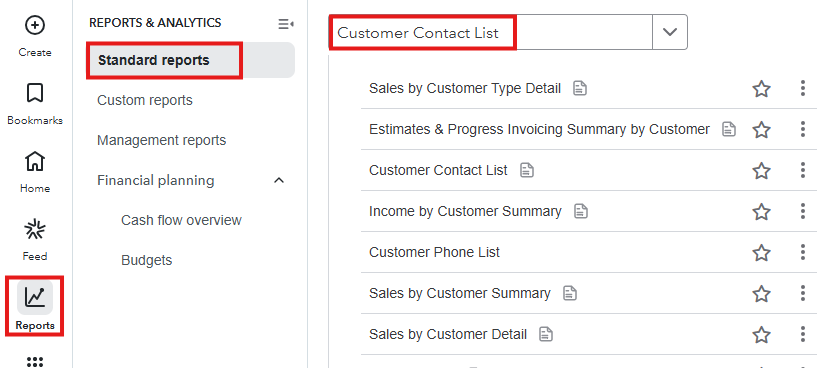
Here's how to run the Customer Contact List report:
- From the left menu, hover your mouse over Reports and choose Standard reports.
- Enter Customer Contact List in the search box.
- You may also export the report by clicking the Export icon.
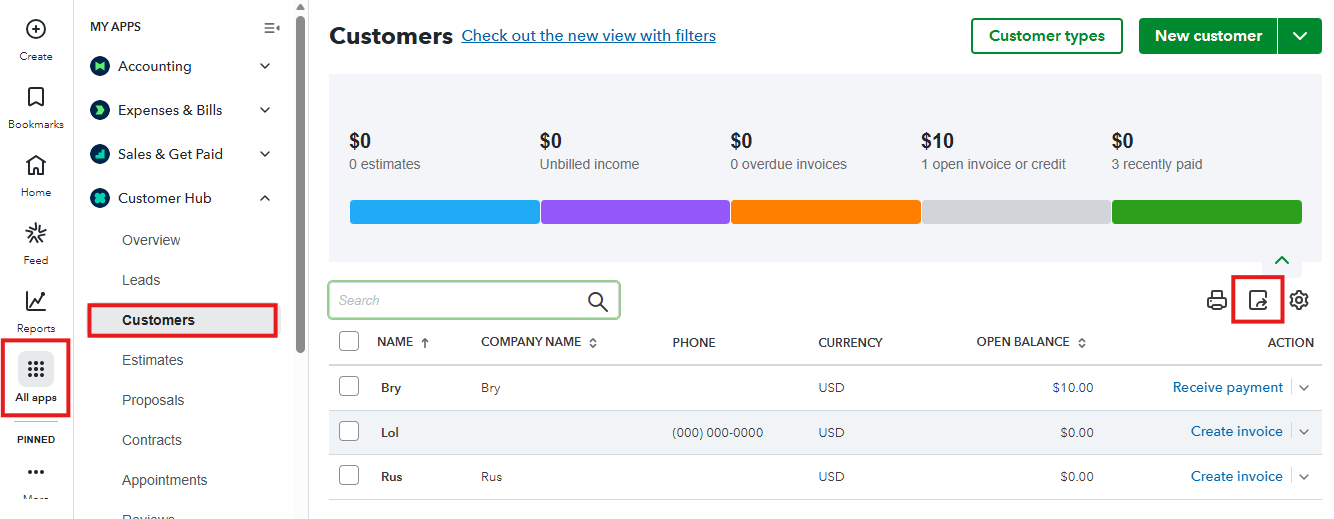
Otherwise, you can go to the Customers tab, here's how:
- From the left menu, hover your mouse over All Apps and then Customer Hub.
- Select Customers.
- You can also export the report by clicking the Export icon.
With these steps, you can easily access and manage your customer list in QuickBooks Online. Let me know if you need help with anything else by leaving a comment below.


