Let me guide you on what to do, @DS33431.
You'll have to create an expense account first and use that to record the payment fee. Then, you can enter it as a line item when making a deposit under the Expense column.
Here's how:
- Go to the Lists menu, then select Chart of Accounts.
- To add an account, click + at the bottom of the Chart of Accounts.
- Choose Expense or Other Expense as the account type.
- Enter the name (processing fees/bank fees), then fill in the required details.
- Tap OK.
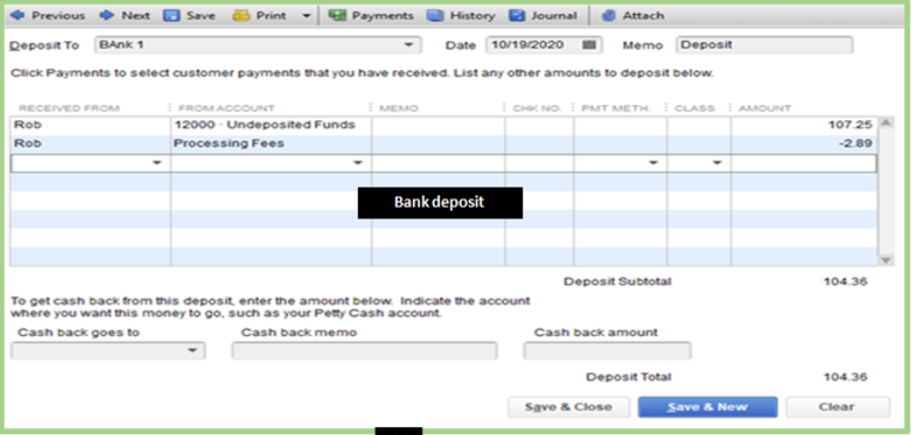
Once you're done, you can now make a bank deposit and record the fee. To record a bank deposit, follow the steps below:
- Select Make Deposits from the Banking page.
- Add the payment, then enter the processing with its amount (negative).
- Tap Save and Close.
For more details, on the steps I've shared above check out these articles:
Also, when you have QuickBooks Payments, QBDT groups the customer payments you process each day and deposits them as a single bank deposit into your account. To know more about this, you can refer to this article: Automatically record QuickBooks Payments bank deposits.
We're always here in the Community to help if you have other questions related to QuickBooks. Stay safe, @DS33431.


