Get 50% OFF QuickBooks for 3 months*

Buy now
cancel
Showing results for 
Search instead for 
Did you mean: 
Announcements
jwd-syncom
Level 1

I am using integrations that assign the sales receipt number with a prefix . The problem is that manually entered sales receipts are incrementing the number causing dups

How can I prevent the use of the prefix for manual orders

2 Comments 2
Joemar_B
QuickBooks Team

I am using integrations that assign the sales receipt number with a prefix . The problem is that manually entered sales receipts are incrementing the number causing dups

Hi there, jwd.


We don't have a direct option for configuring number sequence in integrated from manual sales receipt. QBO uses sticky numbering system, wherein the last 3–5 transaction numbers entered set the sequence for the next one. When integrations sync sales receipts with prefixes, manual entries follow that same sequence. 


For you to prevent the use of prefix for manual orders, you can manually override by creating 3–5 manual sales receipts in a row, entering the number format you want (e.g., "1001", "1002", "1003"). This resets the sticky sequence for manual entries.


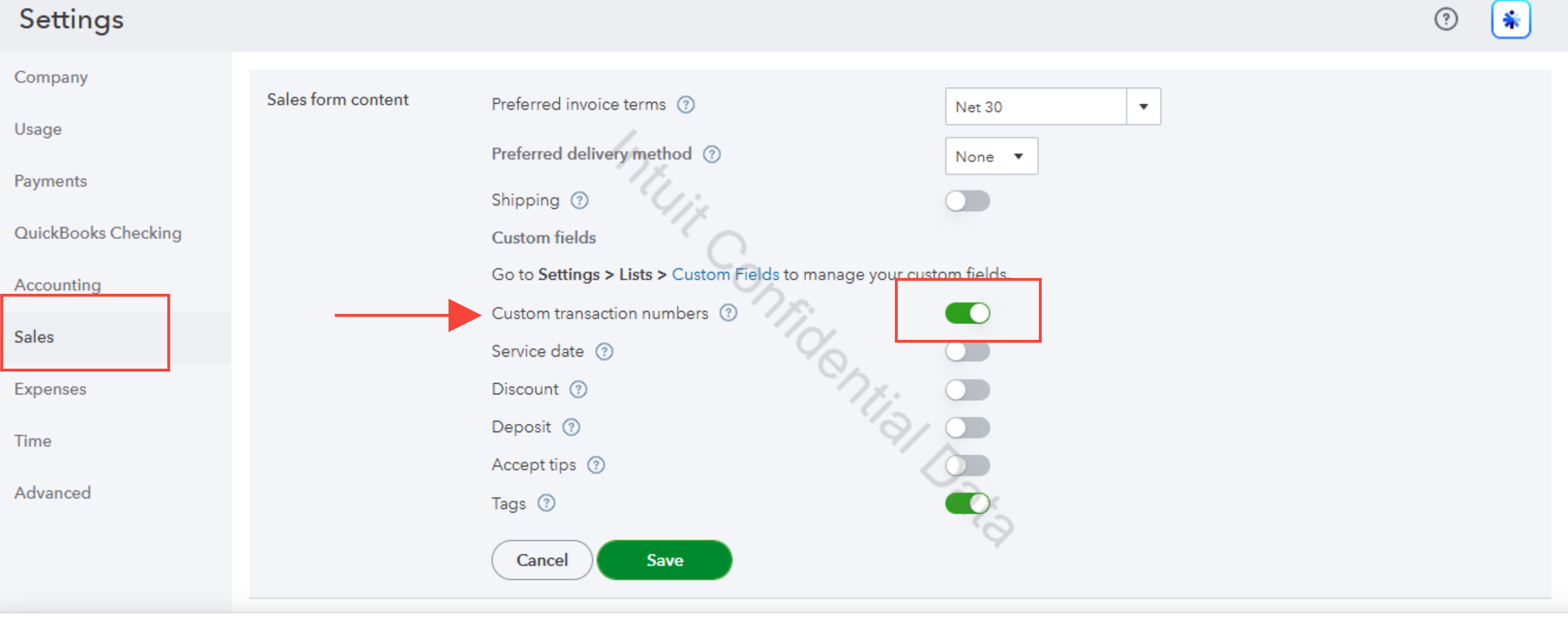
 For this to happen, make sure that Custom transaction number is turned on.


Here's how:


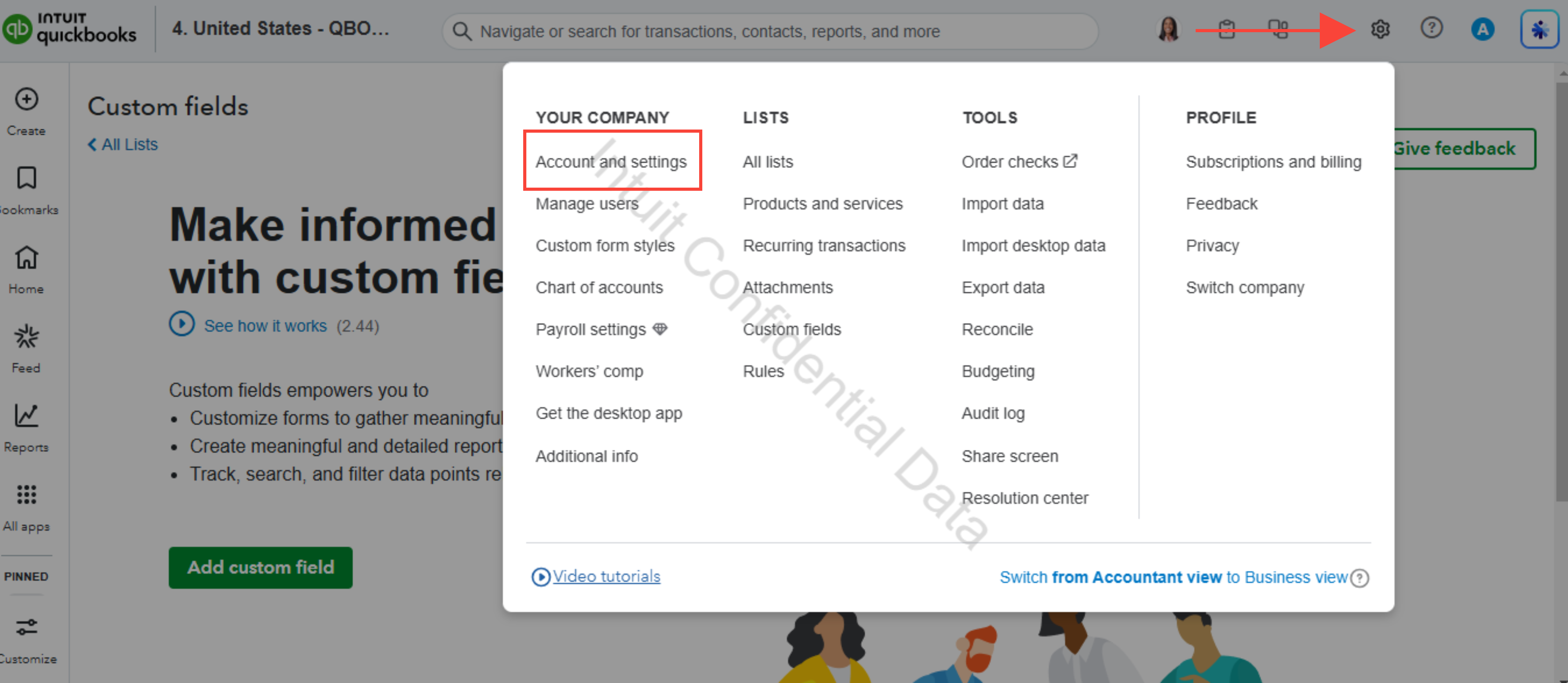
  1. Go to the gear icon.
  2. Under Your Company, select Account and settings.
  3. Click on Sales, and hit on Sales transaction number.
  4. Switch it on by clicking on it if it is off.


If you have any additional questions, please don’t hesitate to reach out. We're always here to assist you.

Joemar_B
QuickBooks Team

I am using integrations that assign the sales receipt number with a prefix . The problem is that manually entered sales receipts are incrementing the number causing dups

Hello, jwd.


I just wanted to follow up to check if the resolution we provided helped resolve your issue. Please let us know if everything is now working as expected or if you’re still experiencing any problem.


We’ll be glad to assist you further if needed.

Need QuickBooks guidance?
Log in to access expert advice and community support instantly.

Need to get in touch?

Contact us