Turn on suggestions
Auto-suggest helps you quickly narrow down your search results by suggesting possible matches as you type.
Showing results for
Get 50% OFF QuickBooks for 3 months*
Buy nowI somehow added a prefix to one invoice and it's adding that prefix to all my invoices now. I don't see how to reset it or override it either on the invoice or in the settings. Can someone help ?
Hi there, Becky.
Turning on Custom Transaction Numbers in Settings makes the field visible and editable on the invoice itself, but it doesn’t automatically reset the sequence for you. You need to teach QBO the sequence manually.
First, we must make sure the invoice number field is actually editable.
Here's how:
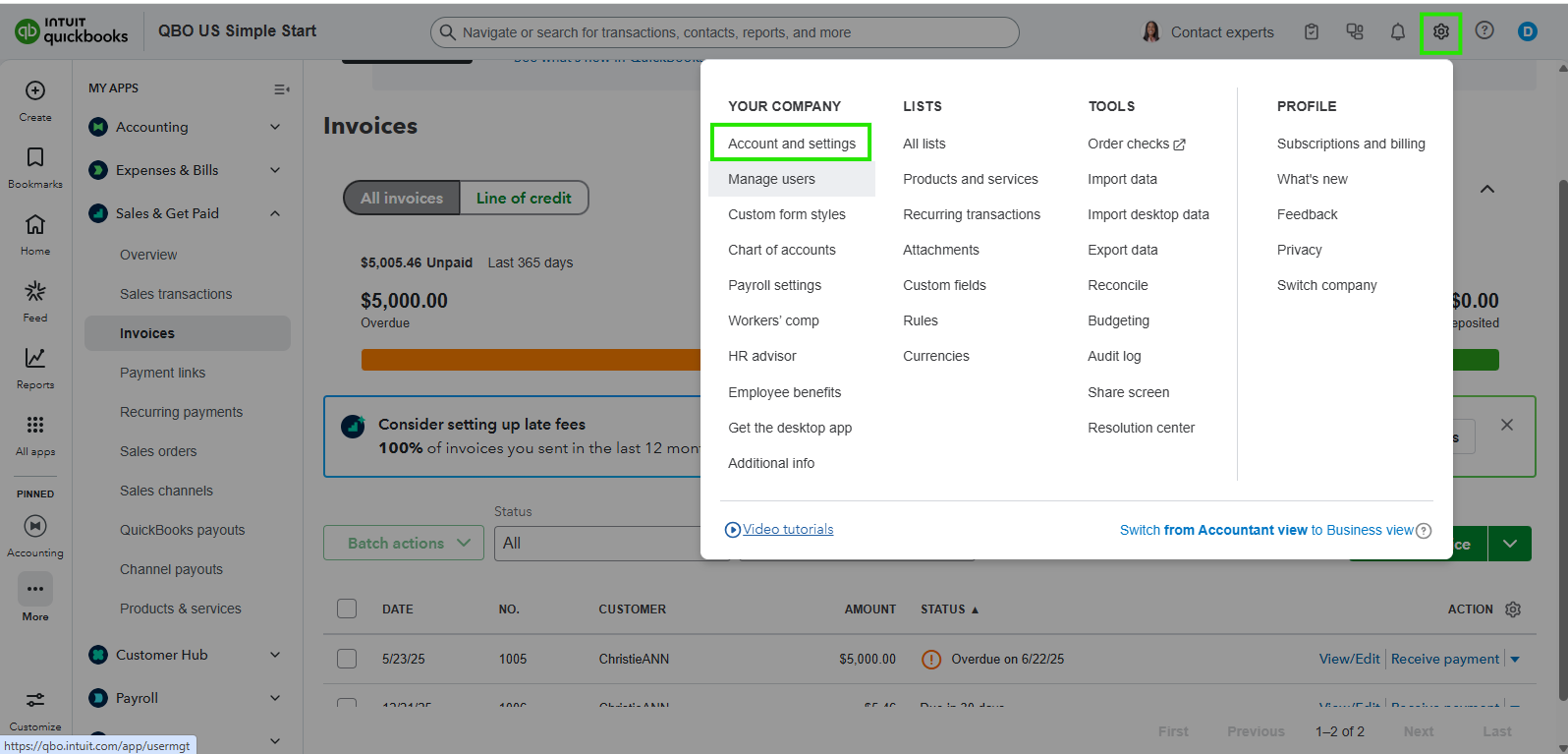
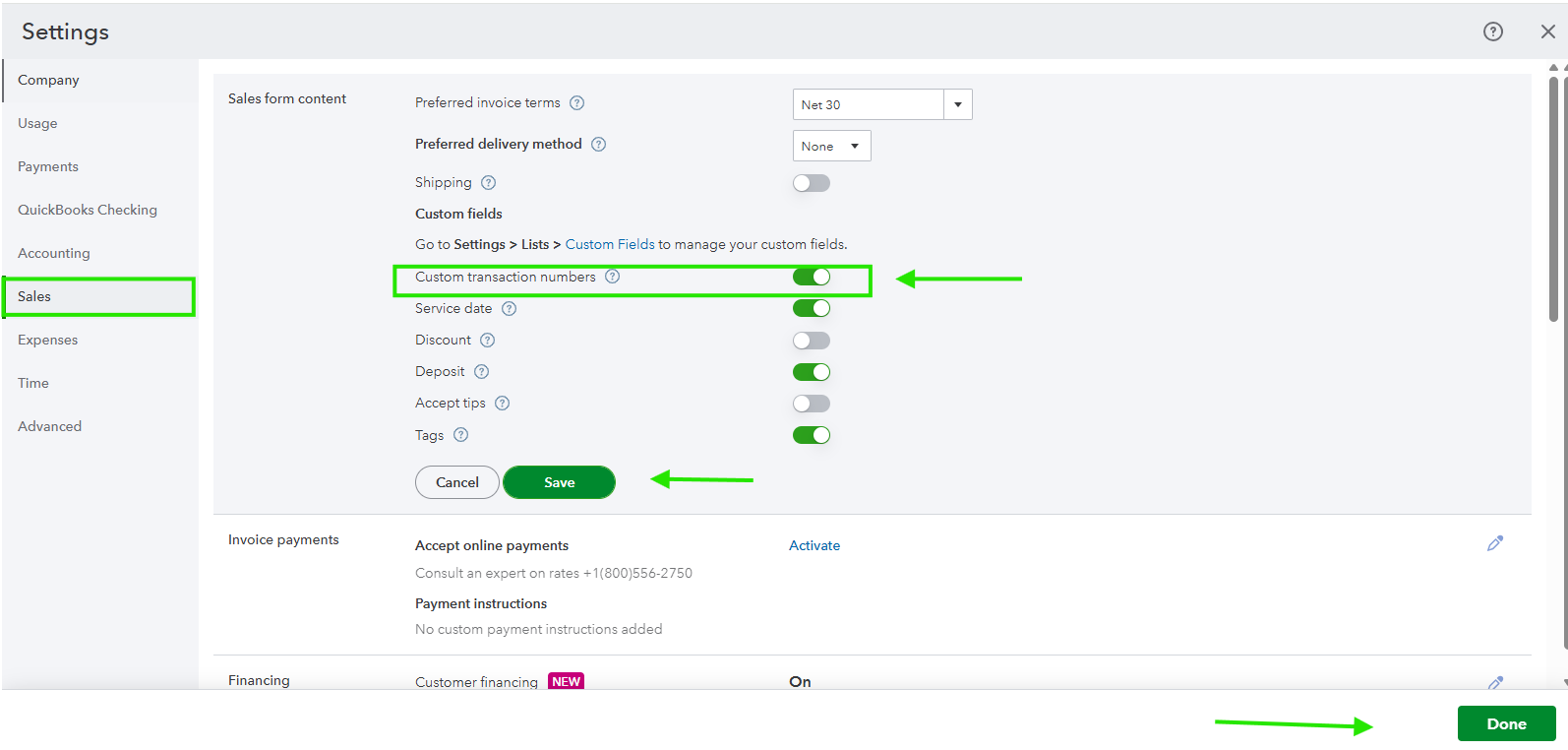
Once done, proceed to teaching your QBO.
Here's how:
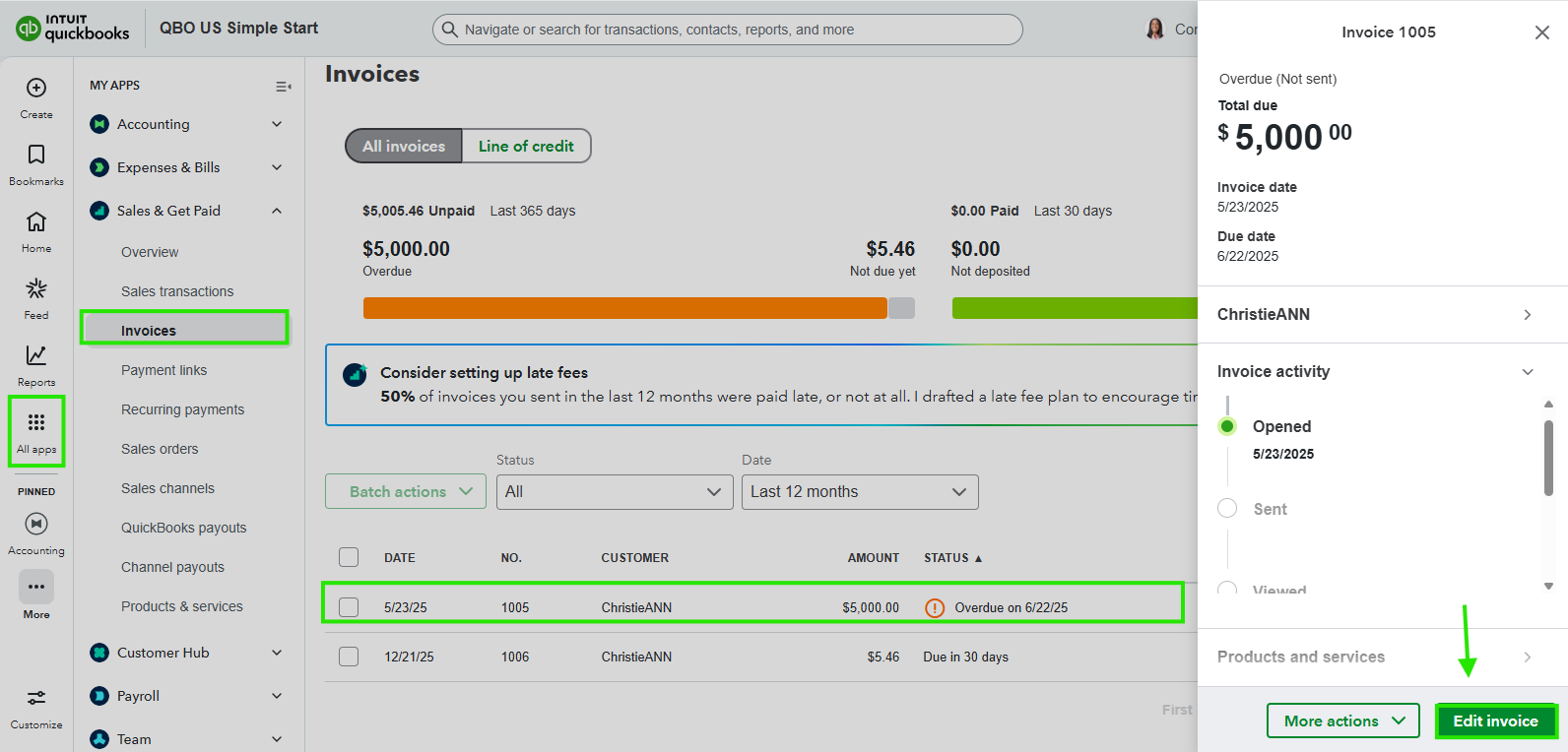
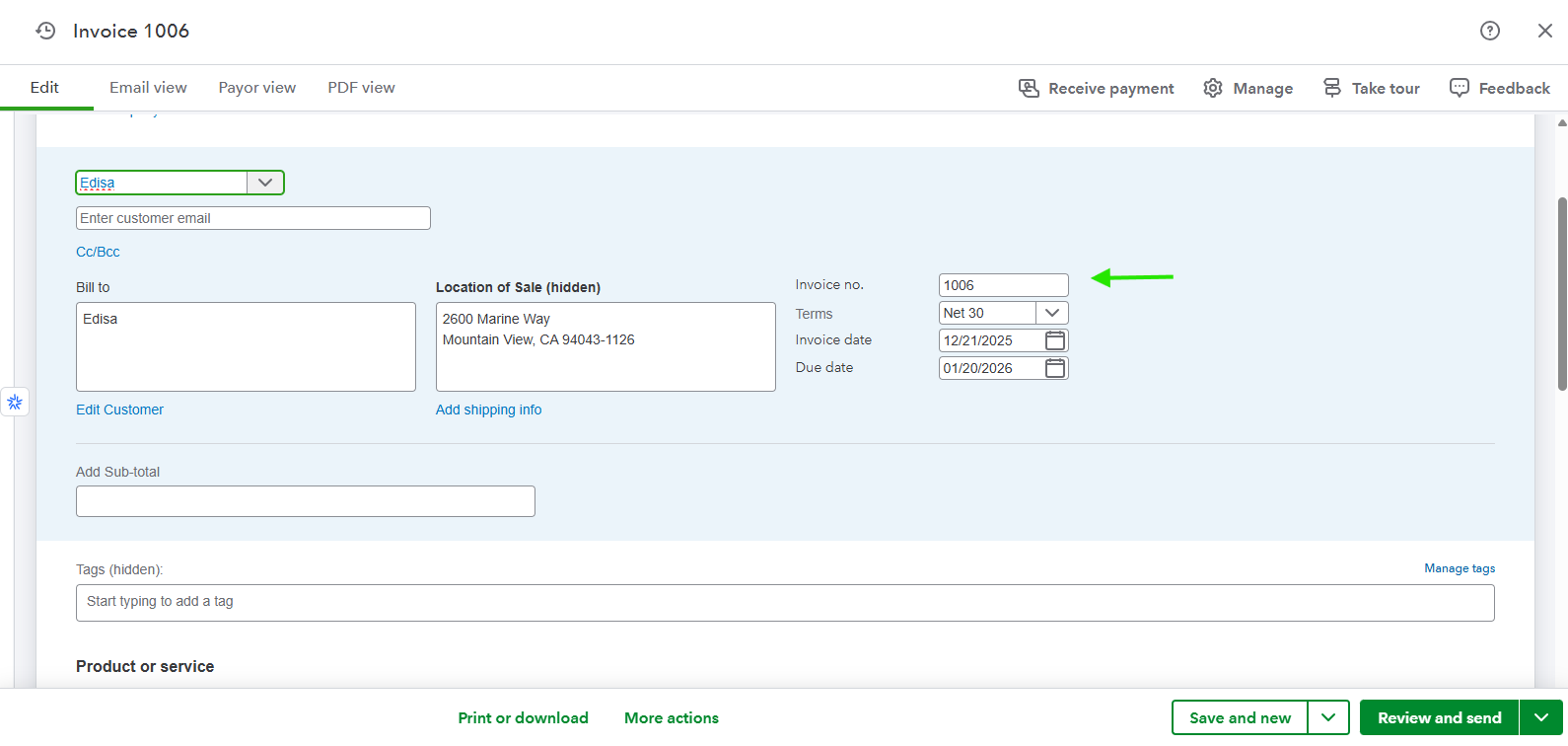
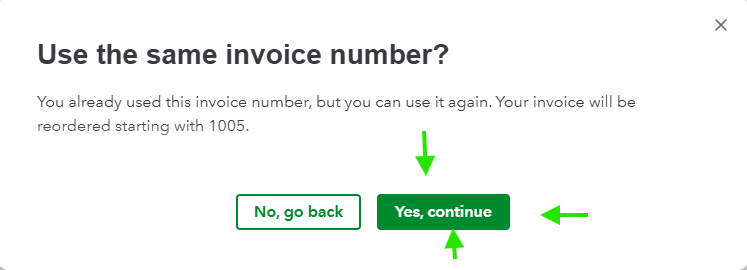
If the prefix is still showing, delete it again on the new invoice and save it. QBO learns after one or two manual corrections.
Lastly, lock it Back Down:
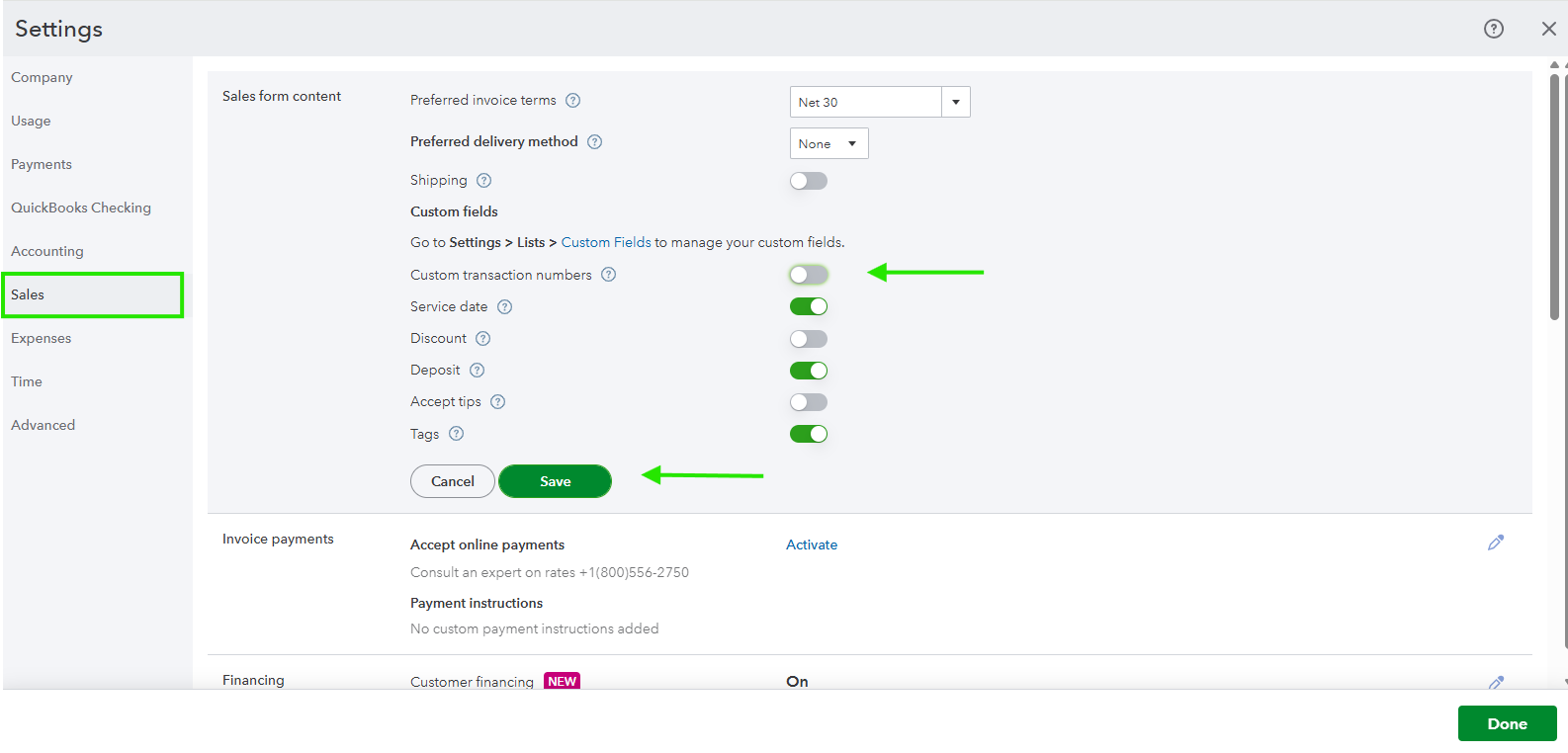
Note that the Settings toggle only makes the Invoice No. Editable; it does not allow for setting a starting number. QBO assigns numbers based on your highest previous invoices.
Feel free to ask if you need more help. We're always here to assist you.
Hi Becky,
I just wanted to follow up to check if the resolution we provided helped resolve your issue.
Please let us know if everything is now working as expected or if you’re still experiencing any problems.
We’ll be glad to assist further if needed.


You have clicked a link to a site outside of the QuickBooks or ProFile Communities. By clicking "Continue", you will leave the community and be taken to that site instead.
For more information visit our Security Center or to report suspicious websites you can contact us here


