Turn on suggestions
Auto-suggest helps you quickly narrow down your search results by suggesting possible matches as you type.
Showing results for
Get 50% OFF QuickBooks for 3 months*
Buy nowCan I add a second email address to customer information?

Yes, you can, Asavas. In QuickBooks Online (QBO), you can add up to five email addresses to a customer's profile, as long as the total entry is under 100 characters.
To do this, simply go to the customer's profile, click Edit, and enter the addresses in the Email field separated by a comma and a space. For example, email1test.com, email2test.com. Then, hit Save.
Since you mentioned you're seeing an error, please let me know the specific message. Also, check if it persists after double-checking the formatting.
If you have any questions or need assistance with your additional email address, please post them here in the Community. We'd be glad to assist you further.
I get an error message if I add another address. This just recently started happening.
[Screenshot with PII removed]
Hi there, Asavas. Email validation errors in customer profiles can happen when the mobile app has outdated data or needs a refresh. Let's clear the app's cache to ensure you're working with the most current data.
For Android Users:
For iOS Users:
Once done, open the app and try adding your email address again. If the error persists, uninstall and reinstall the app for a fresh setup.
Feel free to leave a comment below if you have any additional questions.
I erased the second email and refreshed x 2. Went into customer menu and attempted to add second email address. I get the same error message as soon as I entered a comma. I completed email entry and saved. Error remains
Hello there, asavas. Entering or saving multiple email addresses in the Customer's profile using the QuickBooks mobile app will result in an Invalid email address.
I recommend using a supported mobile web browser (such as Safari or Chrome) and logging in to qbo.intuit.com to add multiple email addresses for your customers. Once logged in, please follow the steps provided by my colleagues @Rusimyhr.
In addition, if you need assistance organizing your transactions or data within your company? Our QuickBooks Live Expert Assisted team provides the tips and guidance to streamline this process.
If you have any concerns about QuickBooks, leave your reply below.
I tried it using a laptop. It appeared to accept the address and it appeared to save it. But when I pulled up the customer on the laptop or the mobile device. I got the same error.
Also, I have entered multiple addresses for years without any issue. This error is a relatively new problem.
Hi @asavas! We managed to replicate that error on mobile, but the good news is that QuickBooks still works fine and can send invoices to multiple emails without a problem.
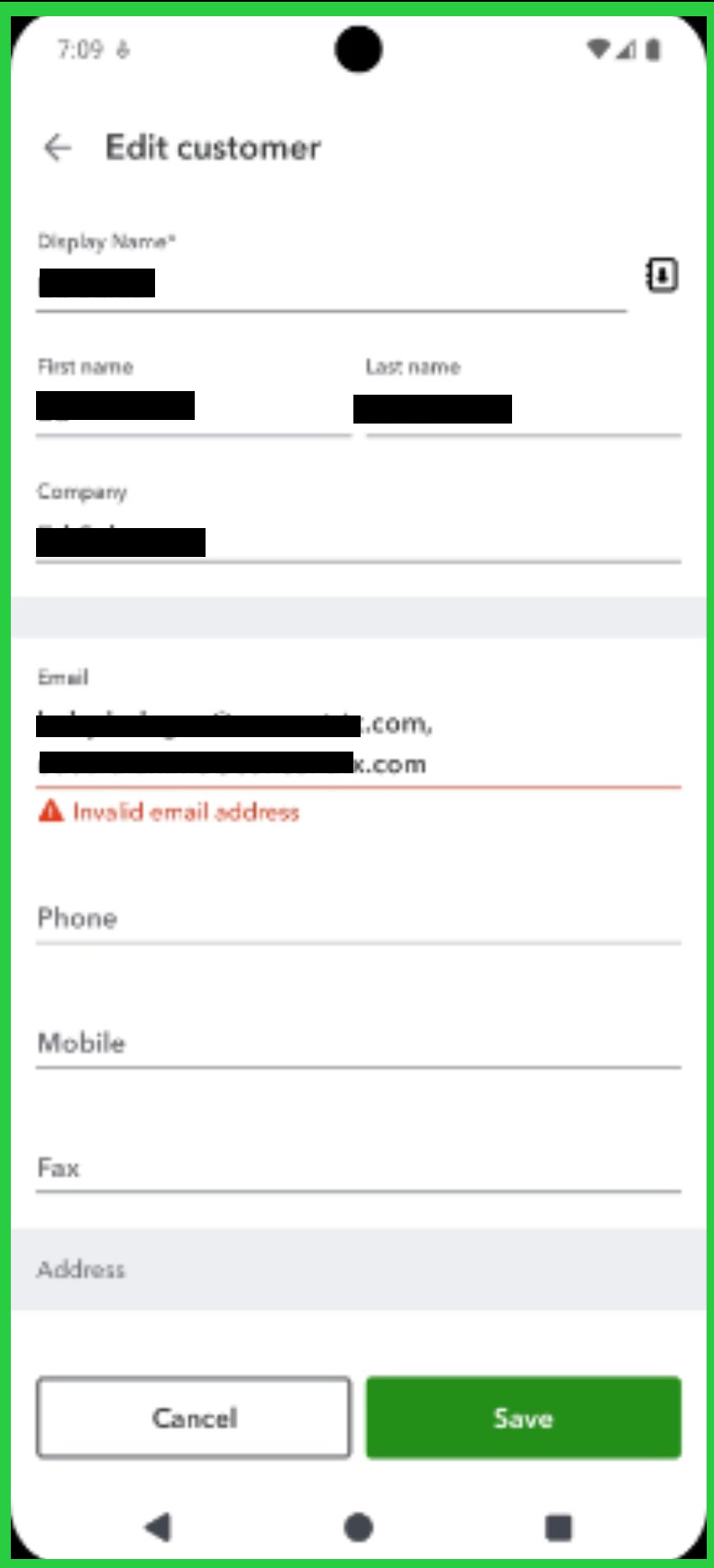
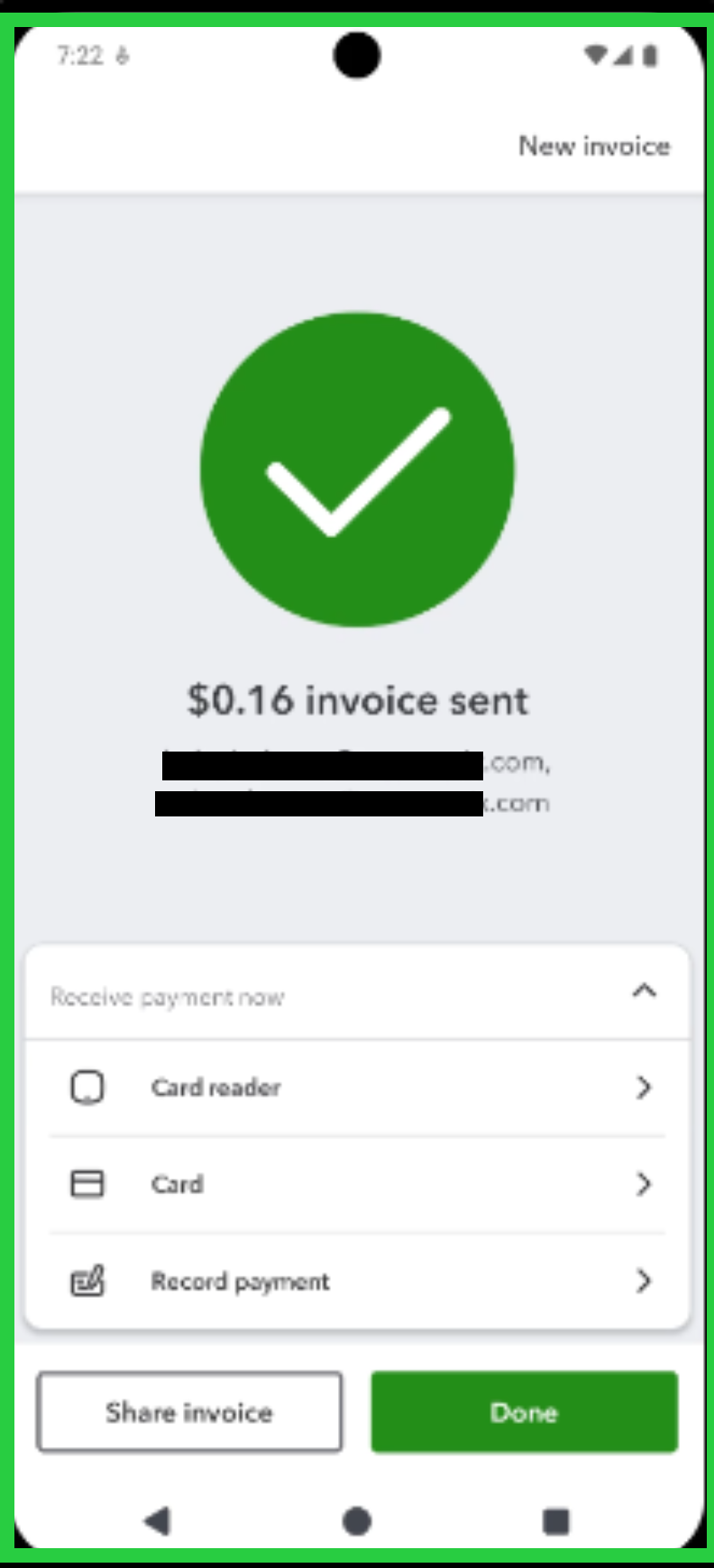
It looks like the error is specific to the mobile app. Web browsers tend to be a bit more stable because they don't save as much data to your device. Mobile apps rely on 'cached' data to keep things speedy, and sometimes those files just get a bit glitchy.
Pro tip: You can also use the CC and BCC fields in the customer's profile to manage multiple emails.
Let us know if you need anything else!
It only appears to work. It accepts the additional email addresses. But if you pull up that customer in the mobile app or back in qb on a laptop, etc., the error message is there.
It only appears to work. Once you save it, go back and pull up that customer on your computer or your mobile device. The error message is there.
Update to previous reply. I went back and rechecked. If I pull up the customers with multiple email addresses on a laptop, there is no error message indicating an invalid address. But, if I open that same customer on my phone (android), the error message is there.
I have two questions:
1. If I send an invoice to a customer with multiple email addresses from my phone, will invoices be received by all the recipients? Will any recipients receive the invoice?
2. As a known issue, what is the ETA for a fix?
Hi, @asavas, thank you for providing an update on your situation. To clarify, you can add multiple email addresses in the customer's profile by separating them with a comma using the QuickBooks Online (QBO) mobile app.
Yes, your customer will receive all invoices sent to their multiple email addresses, ensuring everyone stays informed.
However, since the error persists, I recommend contacting our QBO Live Support team to report this behavior and ensure you can operate smoothly without any errors.
Please let me know if there's anything else I can help you with. I'll respond to you promptly.
No. I cannot enter multiple addresses using the mobile app. I can only enter using qbo on my laptop.
I have received multiple conflicting answers to my issue. I would like proven confirmation that my clients will receive invoices if I send through the mobile app - even with the error. I don't want to have to contact my client to confirm. That is very unprofessional.
Also, why do I gave to open another thread and request to get this problem corrected? Shouldn't your department be able to forward the thread directly to them? You are customer service, correct?
This is so frustrating since as I mentioned before, it hasn't been an issue with the mobile app until very recently


You have clicked a link to a site outside of the QuickBooks or ProFile Communities. By clicking "Continue", you will leave the community and be taken to that site instead.
For more information visit our Security Center or to report suspicious websites you can contact us here


