Turn on suggestions
Auto-suggest helps you quickly narrow down your search results by suggesting possible matches as you type.
Showing results for
Get 50% OFF QuickBooks for 3 months*
Buy now
I am trying to integrate my QBO with ADP Payroll and Synergy Suites, both exports need to include accounts payable items such as payroll tax payable, tips payable, etc but we get an error message because the accounts payable does not have a vendor name. Both ADP and Synergy Suite has said there is no way for them to add the vendor name to the journal entry on their end so I am trying to find a way to make it work on my end.
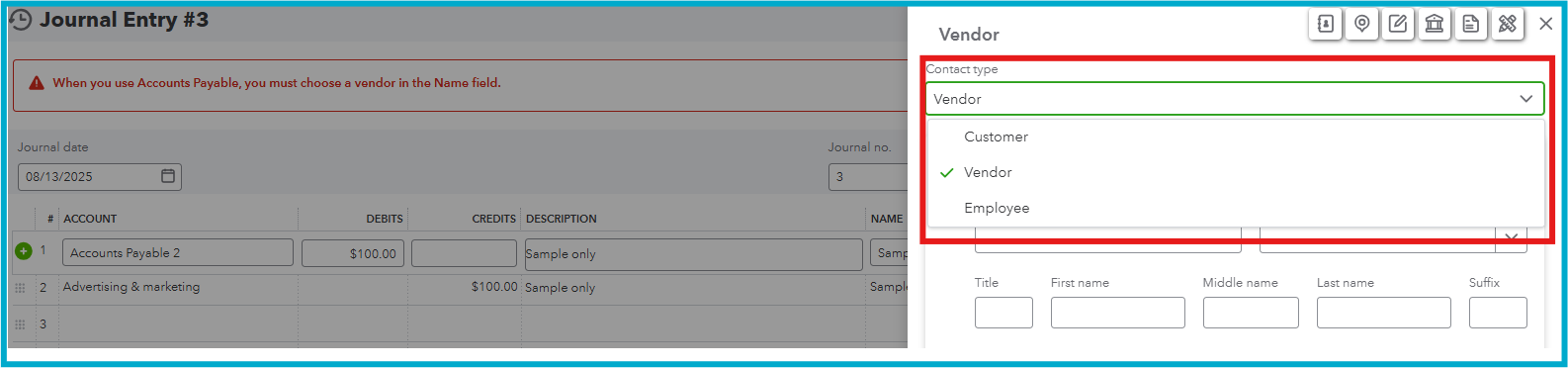
You can't post an accounts payable (A/P) journal entry (JE) in QuickBooks Online (QBO) without a vendor name, Gottalovett-Tropicals.
QBO requires a vendor name to ensure all accounts payable entries associated with a person you owe money to are properly linked and easily tracked. Additionally, generating an accounts payable JE without a supplier name won't update the vendor's balance.
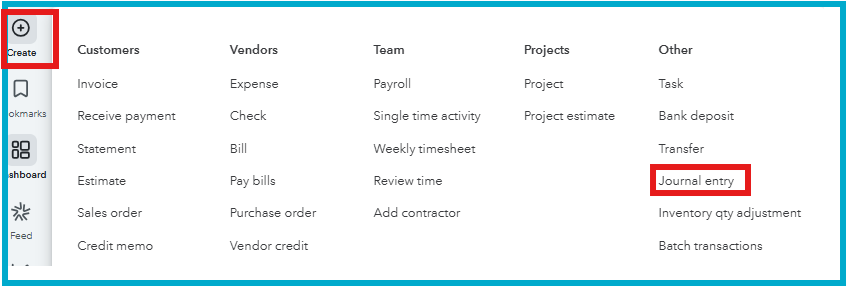
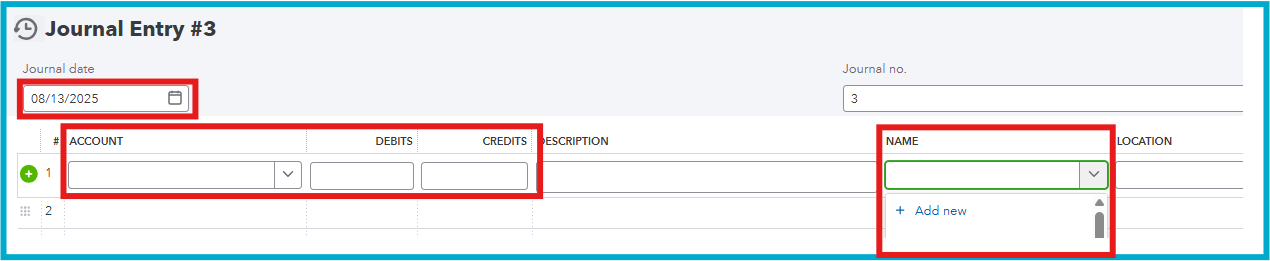
Since you've mentioned that ADP and Synergy Suite can't add a vendor name in the JE, I recommend adding it manually.
Here's how:
If you have further questions or clarifications, select the Reply button.
Technically, payroll taxes payable and tips payable are not classified as Accounts Payable (A/P); they are classified as an 'other current liability'. A/P is for goods and services purchased on credit. Are you saying that ADP's default export for payroll tax withholding and tips payable posts to Accounts Payable (A/P)? That would be very surprising.


You have clicked a link to a site outside of the QuickBooks or ProFile Communities. By clicking "Continue", you will leave the community and be taken to that site instead.
For more information visit our Security Center or to report suspicious websites you can contact us here


