I'm glad to have you here, @guitarthrower.
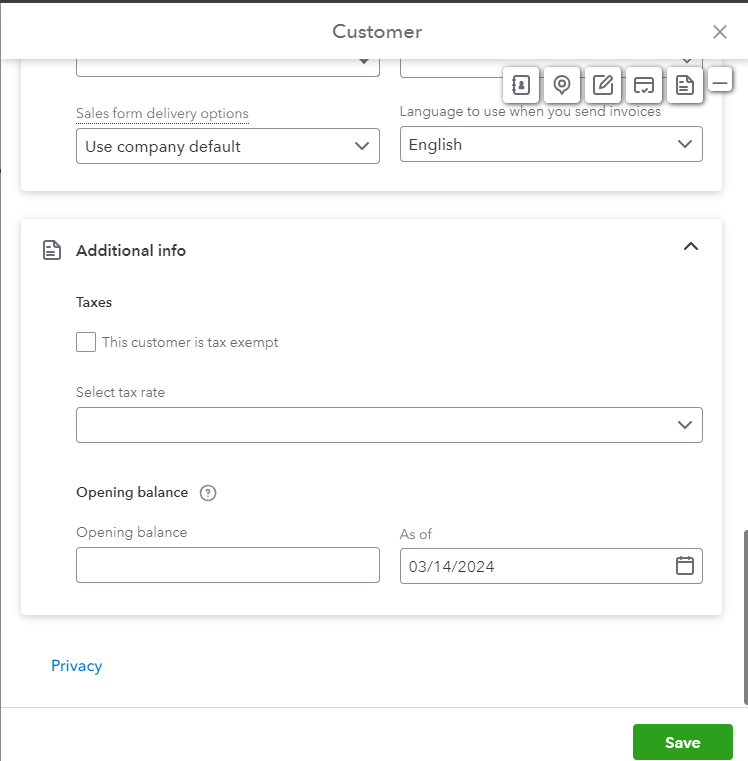
Let me guide you on how to have the Tax-Exempt checkbox.
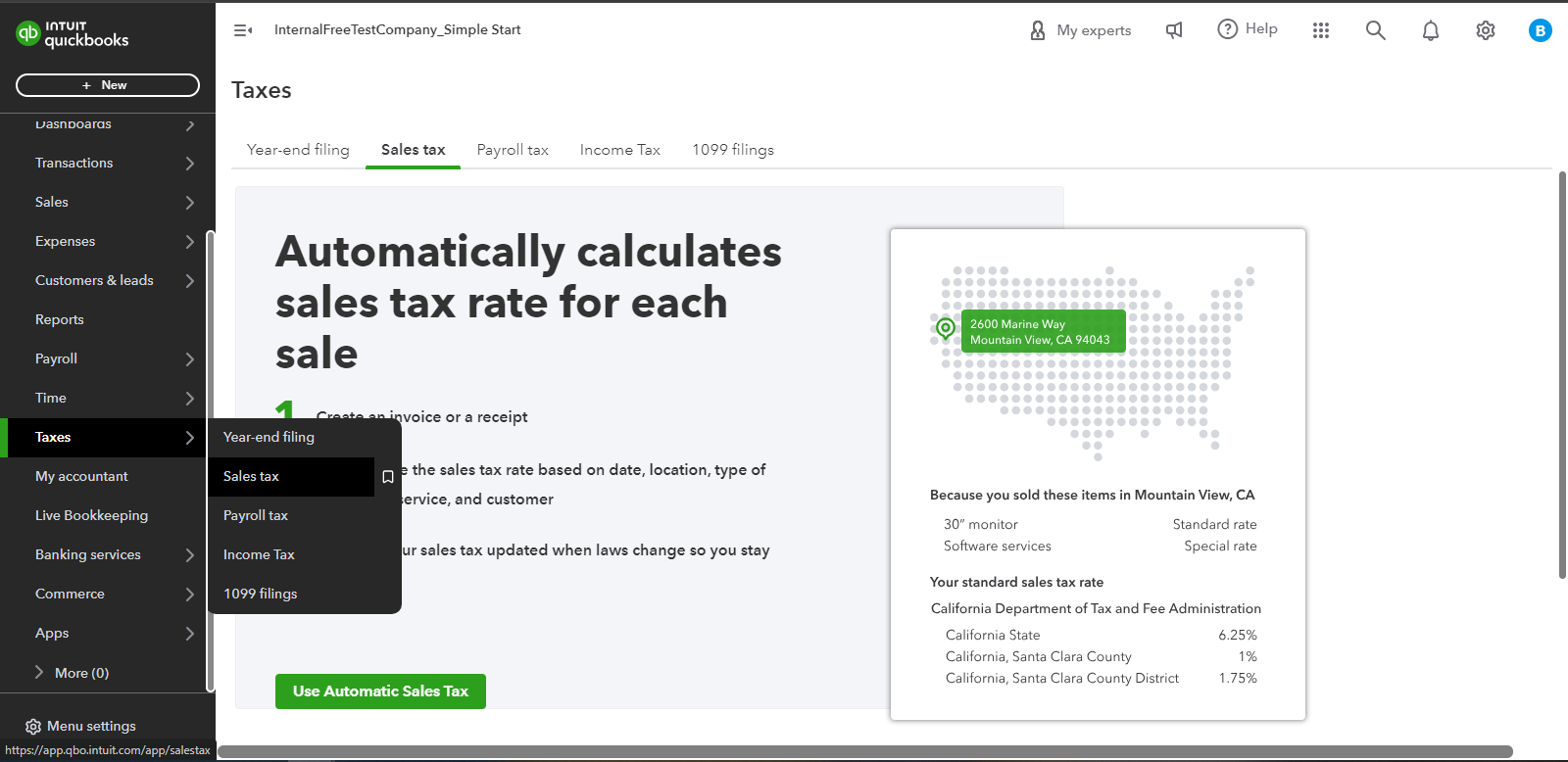
First, you'll need to turn on the Automatic Sales Tax and set it up in the Taxes tab. Here's how:
- In the left panel, select Taxes.
- Click the Use Automatic Sales Tax.
- Then, follow the on-screen steps.
Once done, let's go back to add a customer and check the Additional info area where Taxes can be managed for that customer.
You might want to learn how QuickBooks Online calculates your taxes. Check out this article: Learn how QuickBooks Online calculates sales tax.
For additional questions about managing your customer taxes, leave a reply below. I'll answer you as soon as possible. Keep safe always.


