Hi, @topherfarrell. I understand you're trying to restore a backup file from one month ago using Intuit Data Protect (IDP), however, you're encountering a problem where it only shows backup files from the last two days, despite being able to see a list of older backups in the View Backup History. I want to ensure that I provide the right details to help you retrieve a backup file from a month ago.
When you go to View Backup History on IDP, you'll see the Backup Details page with a chronological list of your backups. Since you've mentioned that there's a date and timestamp of the older backup entries, you should be able to proceed with the restore process of the older files.
One fix we can try is to ensure both your QuickBooks Desktop (QBDT) and IDP are up-to-date. Go to the following articles for the detailed steps on the update process:
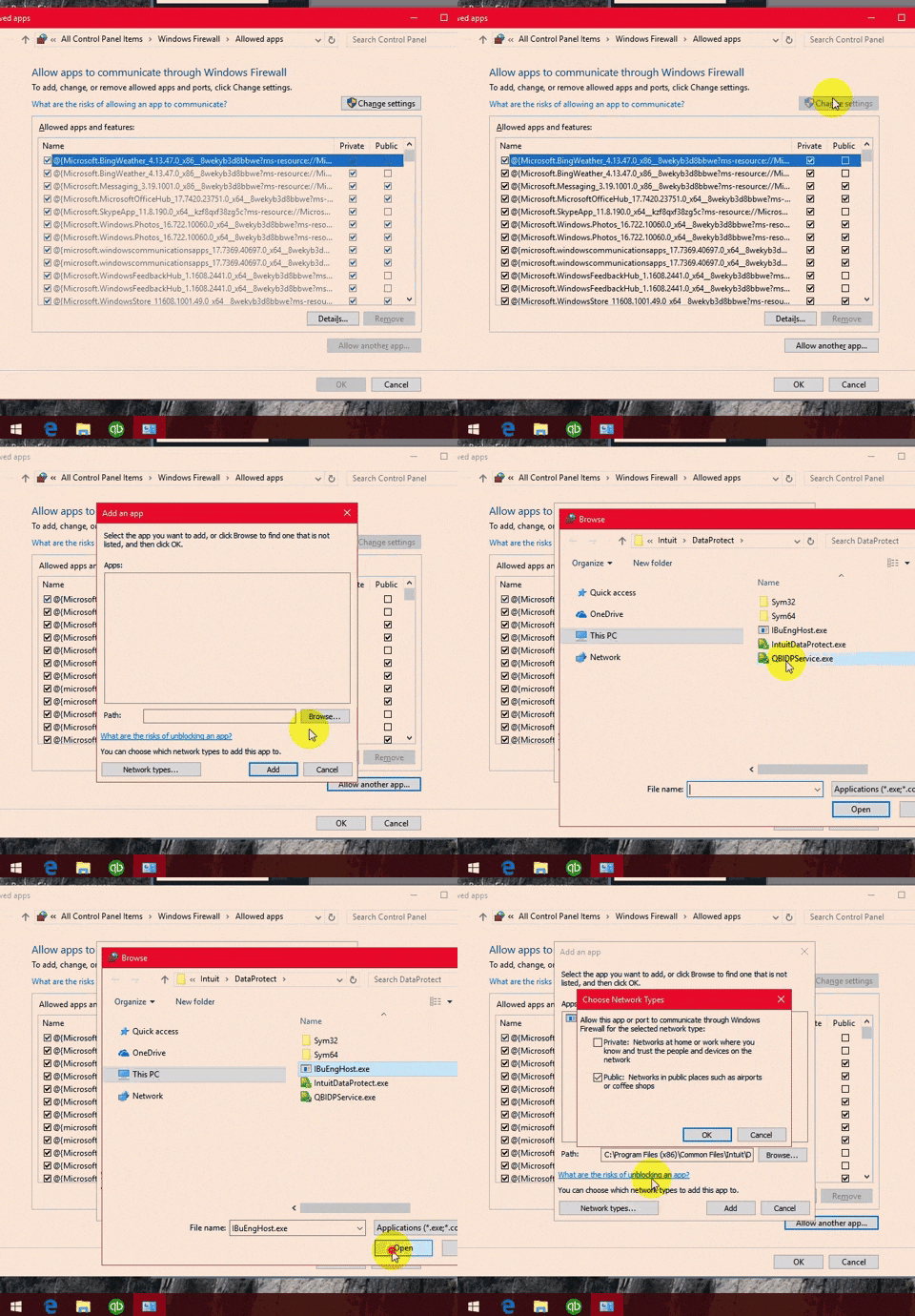
After this, ensure that IBUenghost.exe and IntuitDataProtect.exe aren't blocked by your Windows firewall. You can follow these steps:
- Press the Windows key on your keyboard, and type Firewall in the search field.
- Select Allow an app through Windows Firewall, then Allow another app.
- Click on Browse and go to Program Files(x86)\Common Files\Intuit\Data Protect.
- Pick QBIDPservice.exe, then Open.
- Choose Network types and tick the Private checkbox. Select Add.
- Repeat steps 4 and 5 for the files IBUenghost.exe and IntuitDataProtect.exe. If you get a message saying the files already exist, you’re all set.
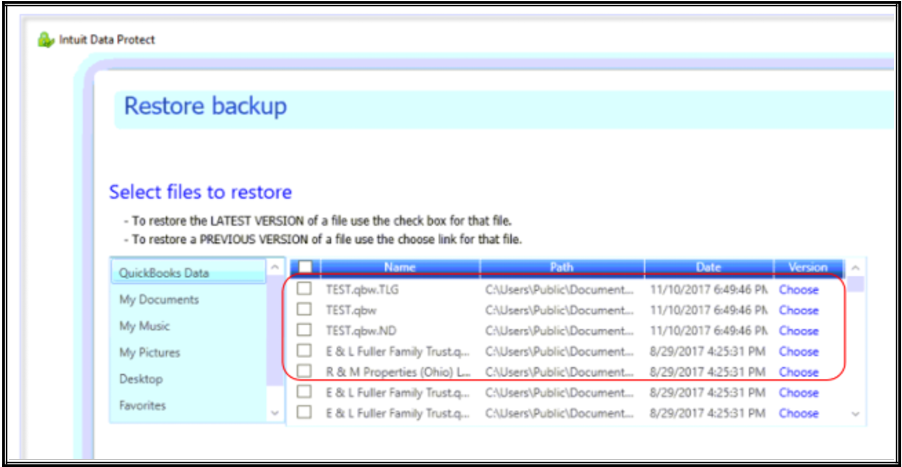
Once done, you can proceed to the Restore backup interface once more and place a checkmark for the previous version of the file like in the image below:
During the restore process, ensure you have a stable internet connection. An unstable connection may result in the IDP failing to display all available files for restoration.
When this is resolved and you need to free up some storage capacity of your IDP, here's an article to guide you: Free up space in Intuit Data Protect.
I hope this information helps resolve the issue encountered with not being able to see or retrieve the older backups you want. If you have any updates or need further clarification, please click the Reply button, and we will do our best to assist you. Take care!


