Turn on suggestions
Auto-suggest helps you quickly narrow down your search results by suggesting possible matches as you type.
Showing results for
Get 50% OFF QuickBooks for 3 months*
Buy nowIn QBO, when I click Vendors, I have the column set to show Vendor Type - a custom field.
I can click the Vendor Type header, and an arrow appears, as if you can sort by vendor type. When I click, it reloads, but does nothing to sort the list. Is it possible to make this function properly?

Good evening, @CMD-RB.
Welcome to the Community! Let me provide you with some details to help answer your question.
When clicking the arrow beside the header, this either sorts it by new to old or old to new, or by alphabetical order.
With that being said, I recommend submitting your feedback so that our Product Developers can consider adding your suggestion to the next available update.
Feel free to come back if you have any other questions. Have a wonderful day!
Ok, but to be clear- you say it sorts by old/new, or alpha. Does this depend on the column, or does repeatedly clicking it change from old/new to alpha?
Ok, but to be clear- you say it sorts by old/new, or alpha. Does it depend on the column, or does repeatedly clicking it change from old/new to alpha?
Thanks for getting back with the Community, CMD-RB.
Clicking a sortable column in QuickBooks will re-sort the list you're working with in ascending or descending order, depending which order it was sorted in prior to selecting to re-sort it.
Here's an image of myself using my sortable columns on the Vendor screen in our test drive account:
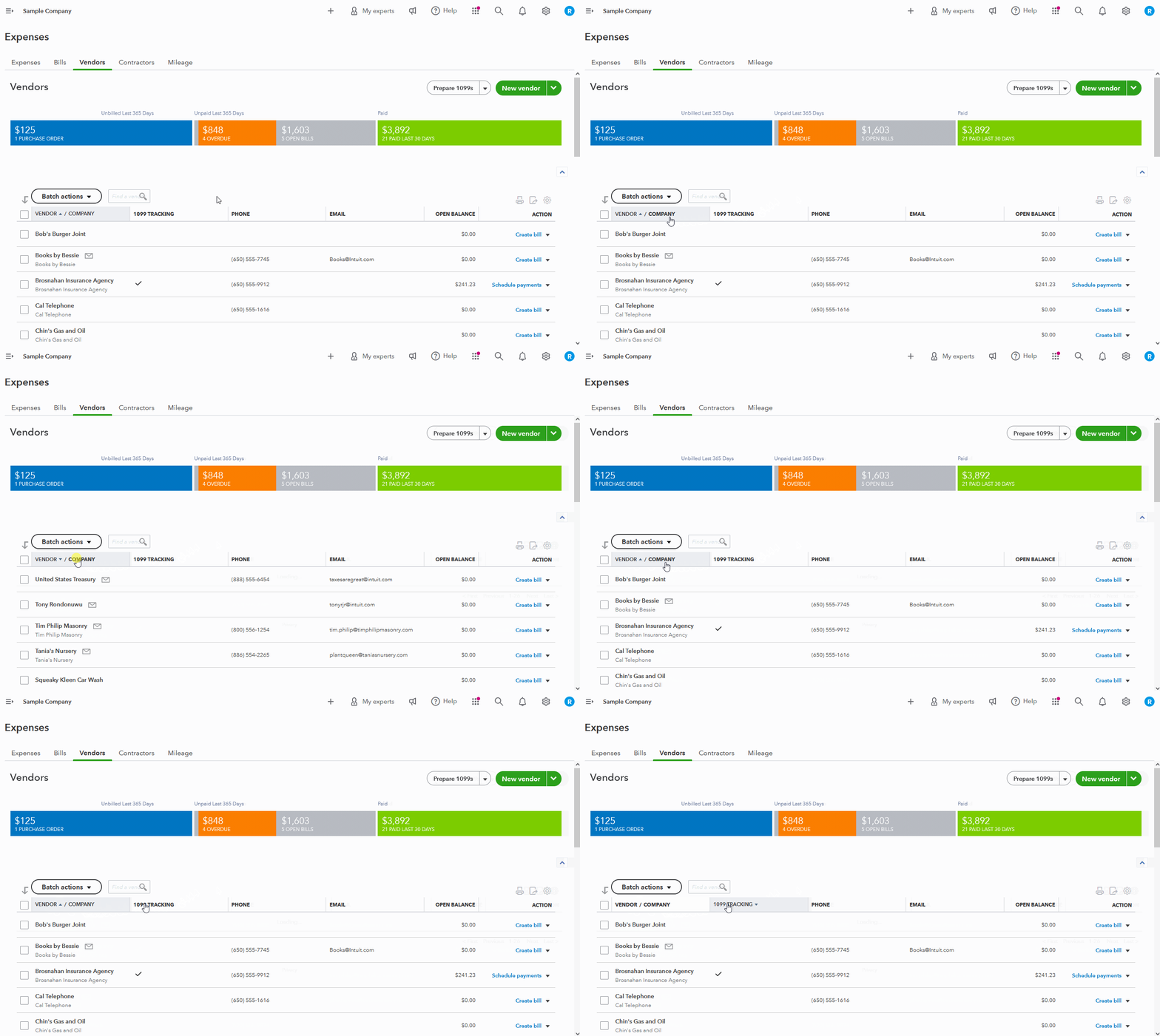
As you can see, clicking it once switches it to ascending or descending order, depending on the order it was already sorted in before I'd clicked it.
I've also included a detailed resource about sorting custom fields which may come in handy moving forward: Filter, search, & sort with custom fields
Please don't hesitate to send a reply if there's any additional questions. Have a wonderful Wednesday!
Thanks, Zack. Yes, this works fine for me, but doesn't do anything to sort the custom field columns, even though there are arrows as if it would.
I've put in feedback regarding this, because it's an option I really need, and should be functional with custom fields.


You have clicked a link to a site outside of the QuickBooks or ProFile Communities. By clicking "Continue", you will leave the community and be taken to that site instead.
For more information visit our Security Center or to report suspicious websites you can contact us here


