We appreciate your attention to detail when managing your PayPal transactions, @accounts621.
QuickBooks Online automatically identifies matches based on details such as dates, amounts, or payees/names. However, if the matches suggested by QuickBooks don’t correspond to the correct customer, you can choose to manually search and select the appropriate match. Here's how:
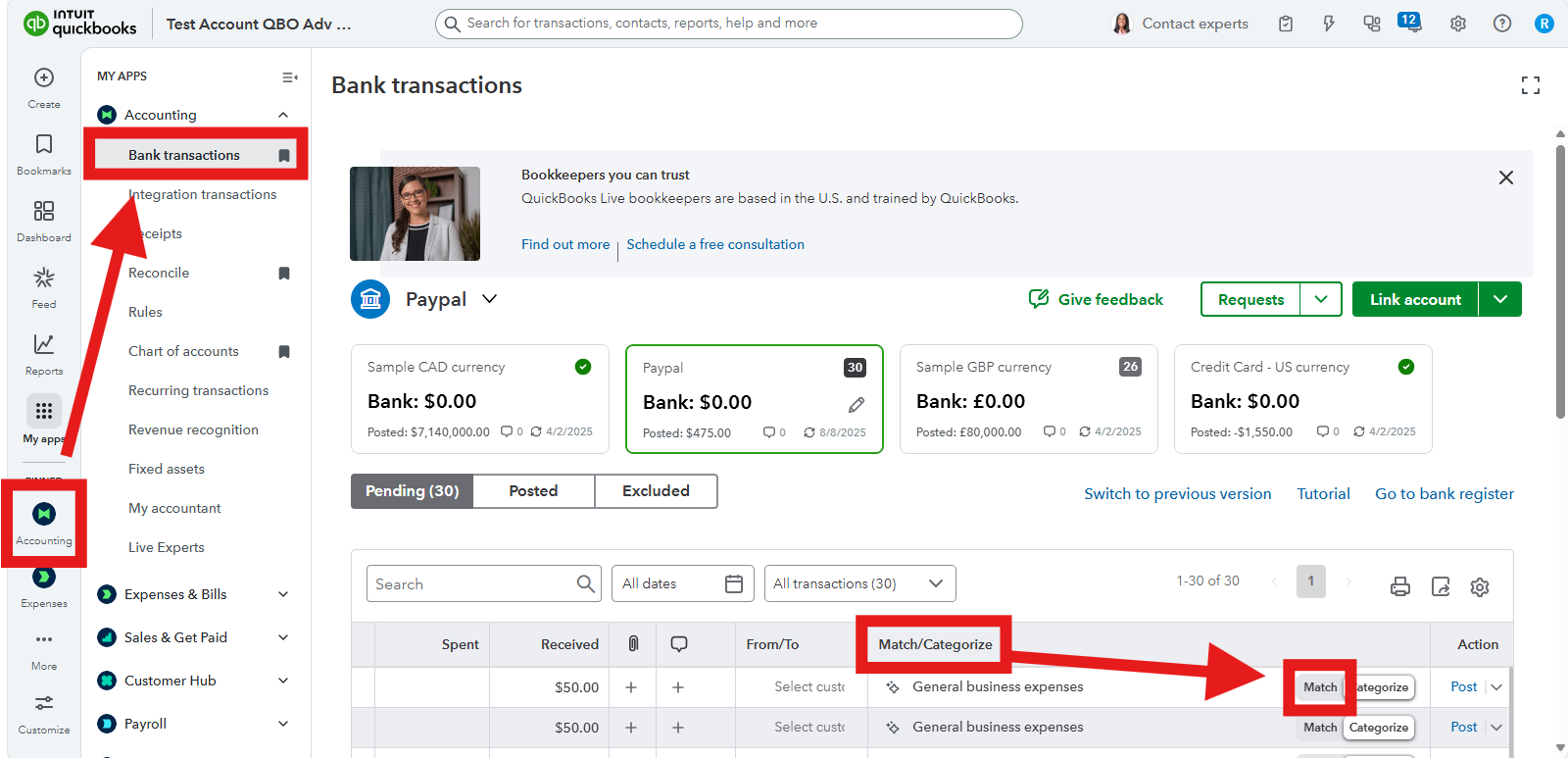
- Go to the Accounting menu and locate the PayPal transaction.
- Under the Match/Categorize column, click Match.
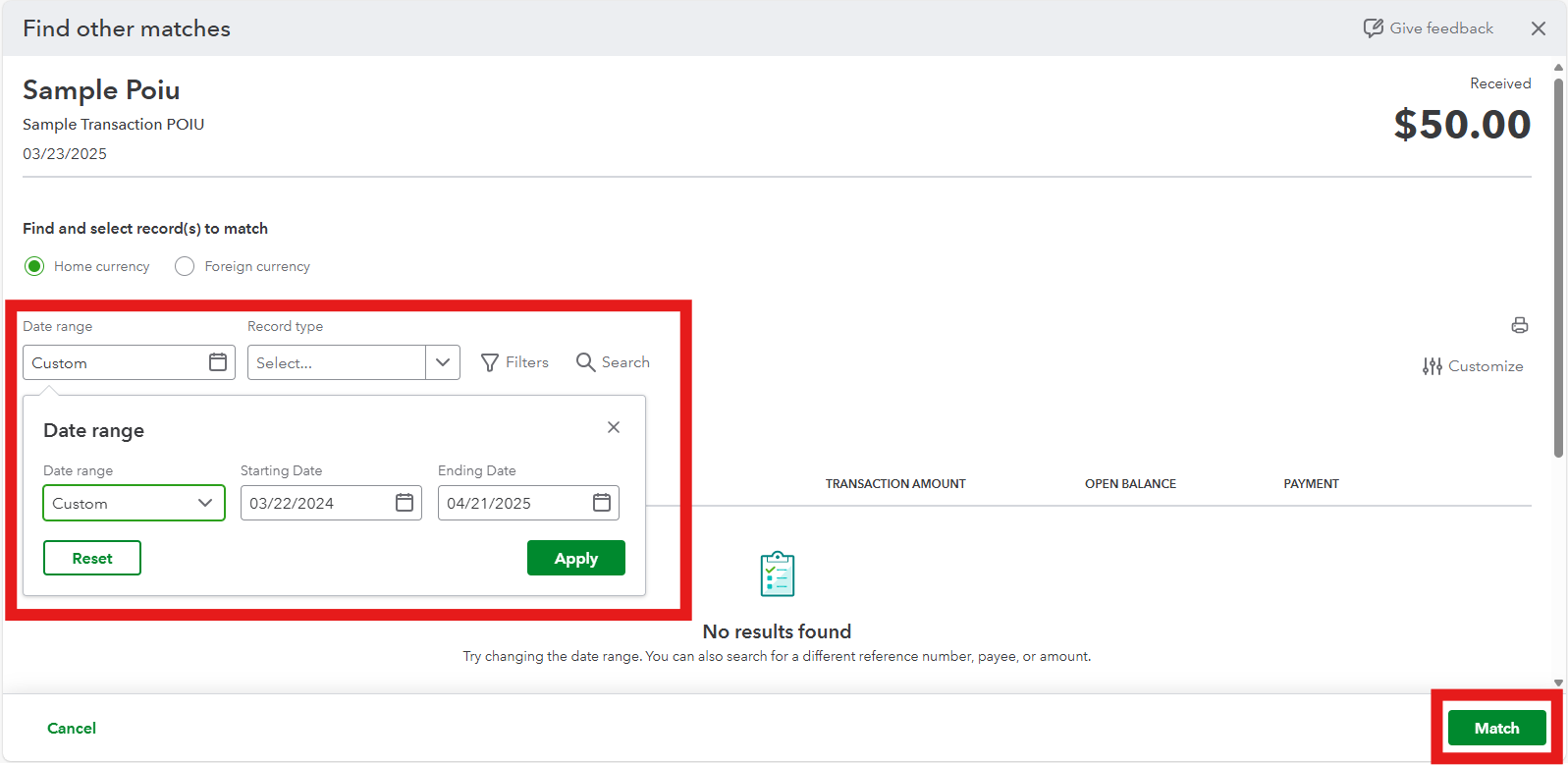
- Expand the Date Range filter to ensure all relevant transactions appear for review.
- Select the correct transaction that aligns with the PayPal payment and click Match.
For additional guidance, refer to this article: Match your bank and credit card transactions.
To avoid future mismatches, review and adjust Bank Rules, if applicable, to ensure they do not interfere with the matching process. Also, you can uncheck the Enable suggested categorization option in the Banking settings to prevent identical bank details from being automatically suggested.
Do you also need help managing bank transactions and ensuring they're on the correct account? Speak now with a QuickBooks Live Expert Assisted for more personalized assistance.
If you have any additional questions or need further assistance, feel free to leave a reply below.


