Yes, templates can be created and used in the Estimate section. GNS.
QuickBooks Online (QBO) offers options to fully customize estimate forms that align with your business branding and preferences. After you set this up, you can apply the template to your transactions and even assign it as the default.
To create a template, follow the steps outlined below:
- Go to the Gear icon and select Customer form styles.
- Open the New style drop-down arrow and choose Estimate.
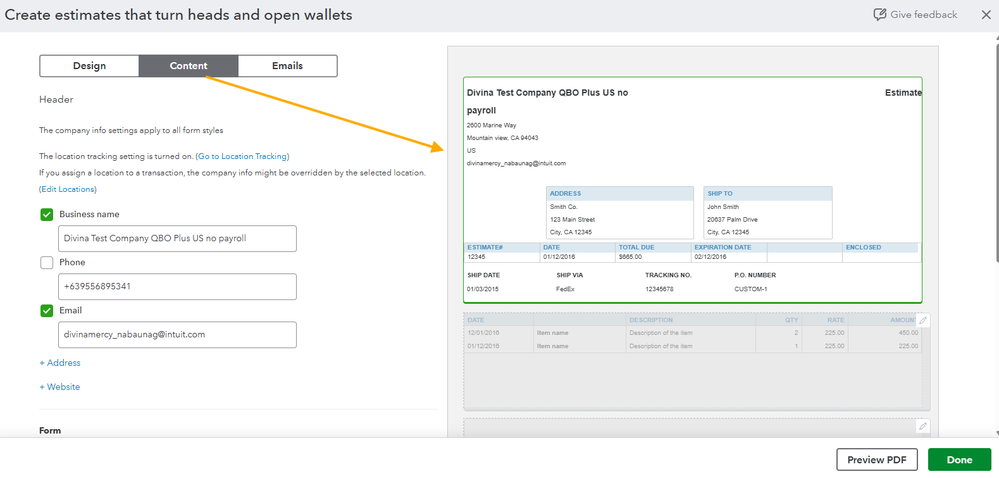
- Personalize the form's appearance by adjusting the Design elements. Use the Content tab to specify where you want changes to appear on the Estimate.

- Click Done.
Once your template is ready, it can be applied when creating a new estimate. Simply go to the Design section and select the template you want to use.
To know more on how to customize templates or sales forms you send to your customer, check this out for more details: Customize Invoices, Estimates, and Sales Receipts in QuickBooks Online.
If you ever need further assistance when creating templates for your business, we're here to make sure everything looks just the way you want it. Let us know if you have any questions.


