Welcome to the Community, @getitdelivered2025.
Since the parent account will not appear in the dropdown when you add a new account and make it a subaccount, try refreshing the page or signing out and then signing back in to your QuickBooks Online (QBO) account.
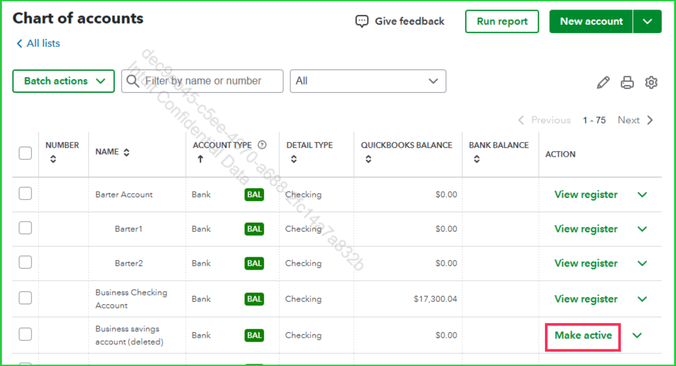
Also, make sure the parent account you're assigning the new account to is active so it will appear in the dropdown. It may still be visible in your Chart of Accounts but marked inactive, which would prevent it from appearing.
If you've tried the steps above and still can't find the parent account in the dropdown, try using a private (incognito) browser window. This prevents browsing data from being stored and can help resolve temporary issues.
If the issue persists, take a quick look at steps 2 and 3 in this article: Troubleshooting browser problems.
Should you have any other concerns, feel free to leave a message in the thread.


