Hello there, accountant47. I'll help you record the convince fee without modifying the bills.
First, let's manually record a payment and choose Undeposited funds as the deposit to the account. Here's how:
- Go to the + New button.
- Select Receive Payments, then enter all the payment information.
- Tick the checkbox next to the invoice you would like the payment to be applied to.
- Select Undeposited funds in the Deposit to field.
- Click Save to record the transaction.
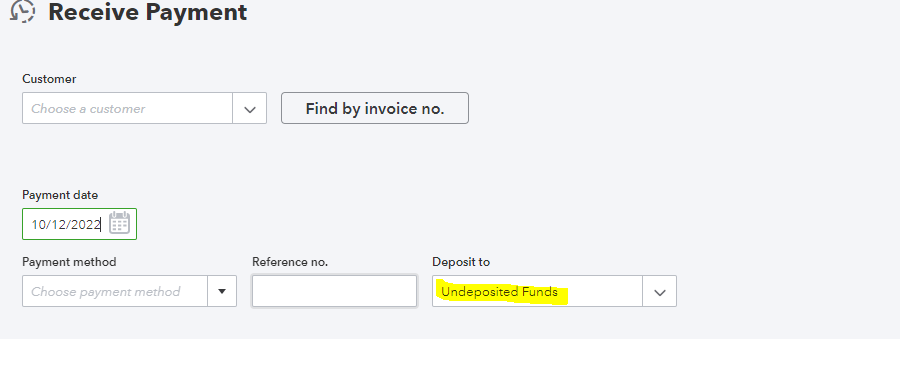
Once done, we can create a bank deposit and add a line item for the fees. We'll have to enter a negative amount to register it as an account payable. I'll show you how:
- Still, go to the + New button.
- Select Bank Deposit. We'll see the payment you entered in the Select Existing Payments section at the top.
- Tick the payments you want to deposit.
- From the Add funds to this deposit section, enter the amount of the $20 convenience service fee charged as a negative amount.
- Choose the expense account/ account payable you usually use in tracking convenience fees.
- Verify that the deposit amount is correct.
- Hit Save to record the transaction.
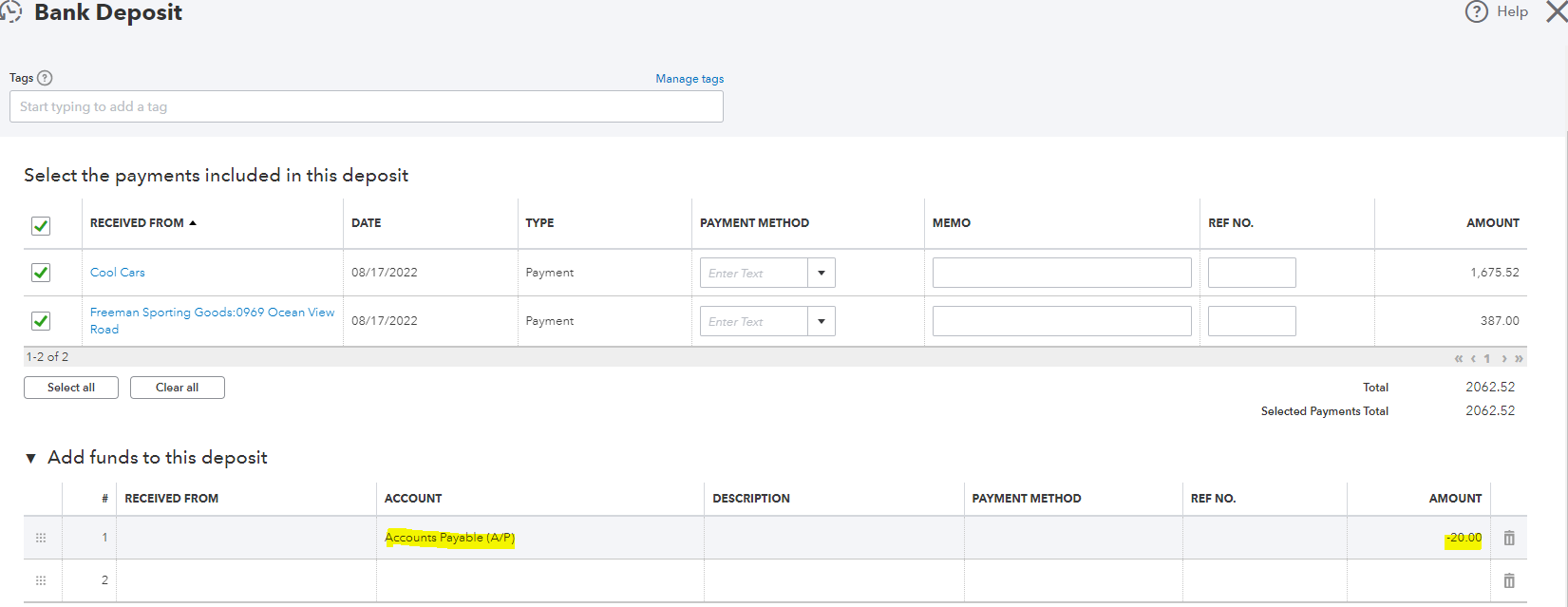
The payment and convenience fees have now been entered into QuickBooks Online.
For a different approach that varies in a different scenario from the one described above, we can visit these articles:
You can always post your concerns here if there are any. I'm always here to help you record fees and other transactions within your QBO account. Take care and stay safe.


