You've come to the right place, @alhaseeb36.
You can enter a unique name or code in your SKU field to make it unique. This way, you can add multiple products with the same name. Let me show you how.
- Sign in to your QuickBooks Online (QBO) account.
- Go to the Sales menu.
- Select Product and Services.
- Click New to add a product or Edit to modify your current products.
- Add a Name, SKU, or Category for what you're tracking.
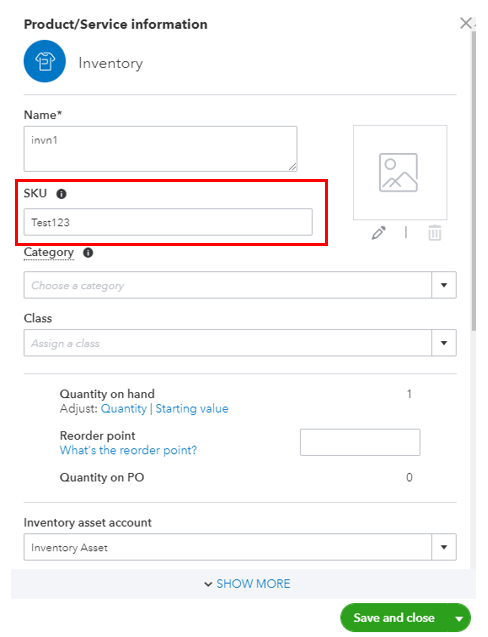
- Then click Save and close.
You can also utilize this link for more details: Add inventory products in QuickBooks Online.
I'm also adding this article that can guide you in keeping track of your product and services: Set up and track your inventory in QuickBooks Online
If you have any other questions about managing your products, let me know in your reply. I'll be around to back you up. Have a good one!


