Hi there, @ejjmcmufn.
The bold line for future transactions in QuickBooks Online hasn’t been removed, but has been updated to simplify the design and make it more user-friendly. You can still view your Upcoming transactions in the Cash flow overview, which shows your expected money coming in and going out to help you better manage your finances.
Here’s how you can find the Cash flow overview:
- Go to the Reports tab in the left-hand navigation menu.
- Click on the dropdown menu next to Financial planning.
- Select Cash flow overview to see your upcoming transactions and plan your cash flow effectively.
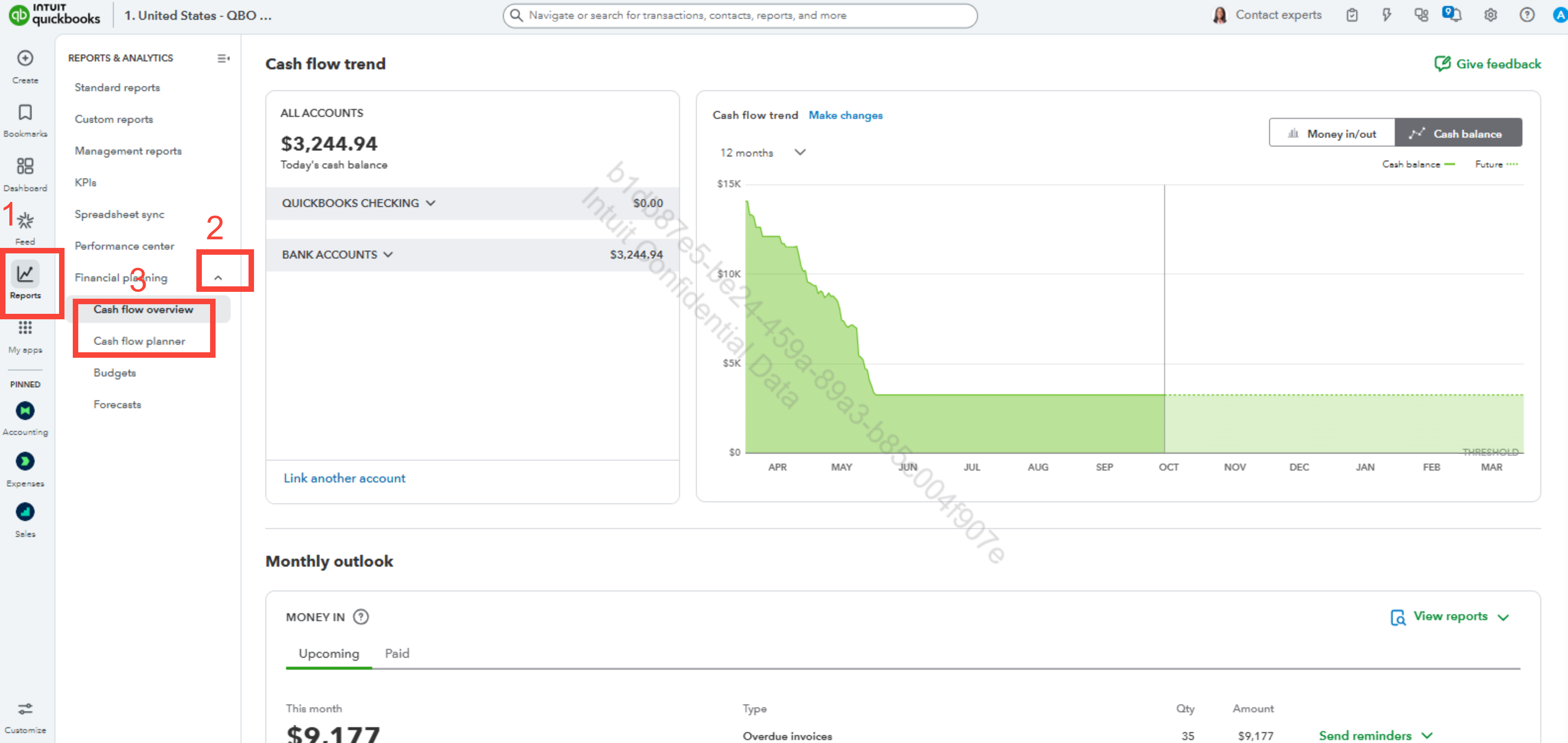
You can also use the Cash flow planner to track overdue transactions, add or modify planned transactions, whether one-time or recurring. This section is also located under Financial planning, below the Cash flow overview.
Before we finish, I suggest you explore QuickBooks Live Expert Assisted to streamline your accounting, maintain precise financial records, and access professional support. This could free up valuable time, allowing you to concentrate on expanding your business.
If you have any additional concerns, please share them with us.


