To locate your recurring transaction reminders, you can click the Tasks icon at the top right of the page, Slmoy.
Please see the attached screenshot for visual reference.
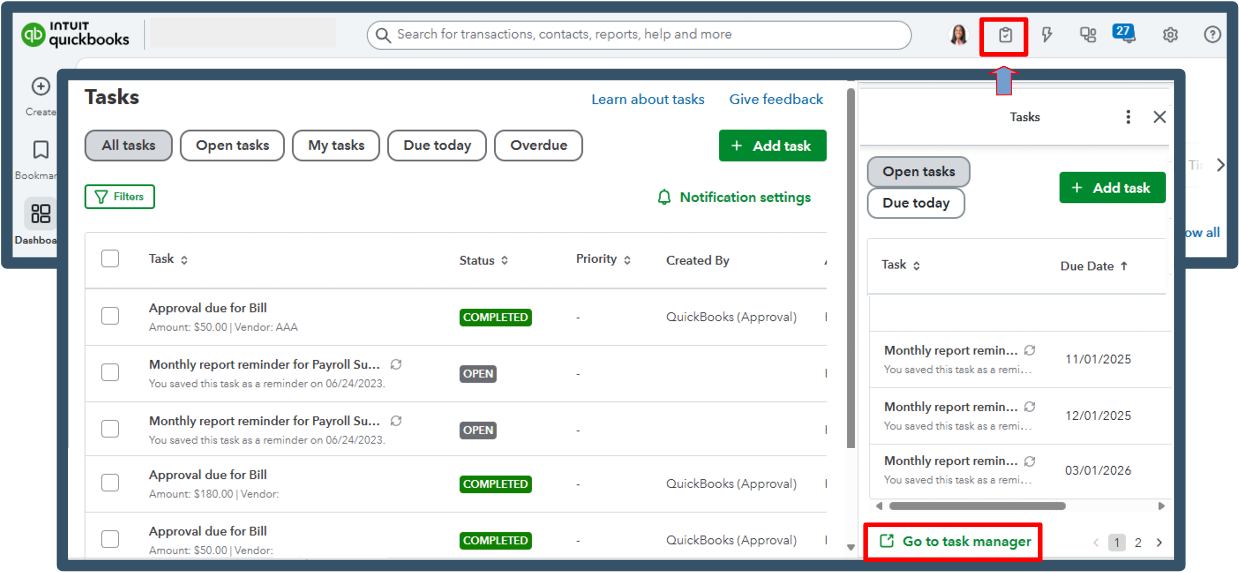
The To Do pane, which allowed you to view your recurring transaction reminders, has been updated to the Tasks list. It provides a more efficient way to manage your recent reminders.
Once you select Go to task manager, it will display all your recurring transaction reminders, allowing you to easily see what actions are pending and navigate directly to those tasks.
If you have any other concerns, let us know below. We're always here to help.


