Hi, Fleah. I'm happy to help find your invoices.
Before we proceed, can you tell me if you save the invoice before closing it, or did the page refresh/close unexpectedly while you were still working on it?
Once an invoice is made and saved. It will be added in the Invoice list or customer's profile. You can search by customer name or invoice number in the search bar or magnifying glass icon that can be found at the top of your QBO main screen. I've added a screenshot below for visual reference:

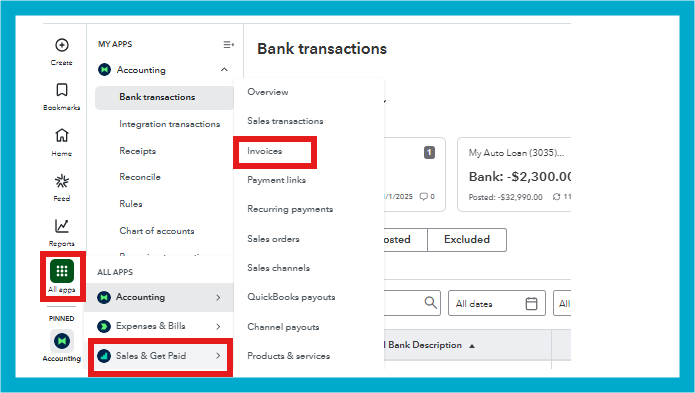
On top of that, we can also find the entry from the invoice list or customers' transaction lists. Here's how:
- Go to the All apps tab, then choose Sales & Get Paid.
- Select Invoices.
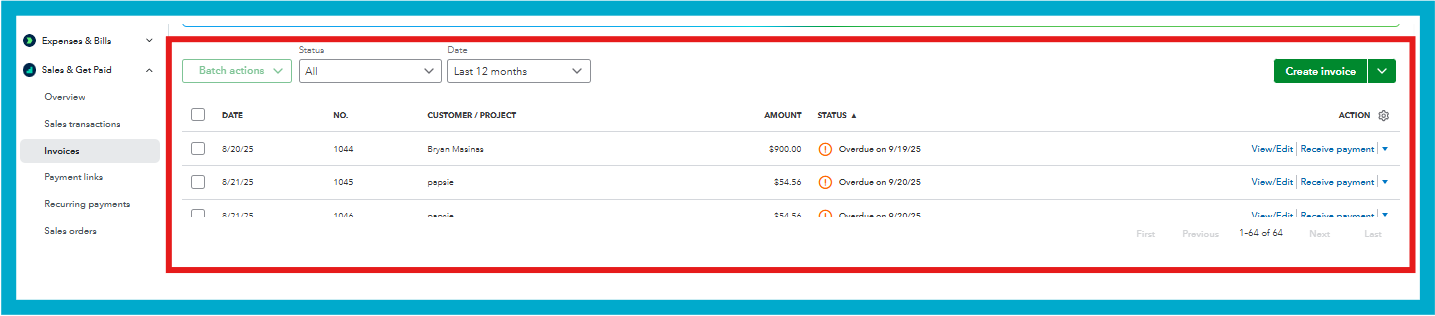
- You can use the filter feature to narrow down your search.
Follow these steps if you prefer to search the sales entry from the customer profile:
- Go to the All apps tab, then choose Customer Hub.
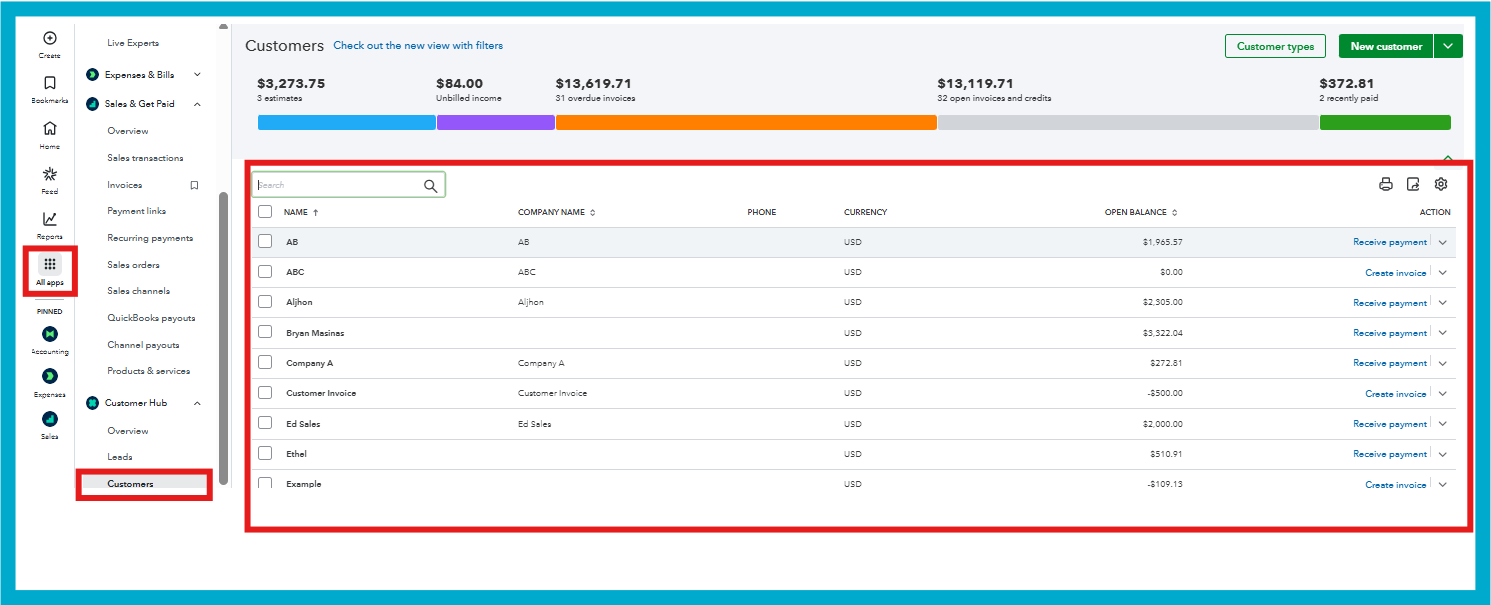
- Select Customers.
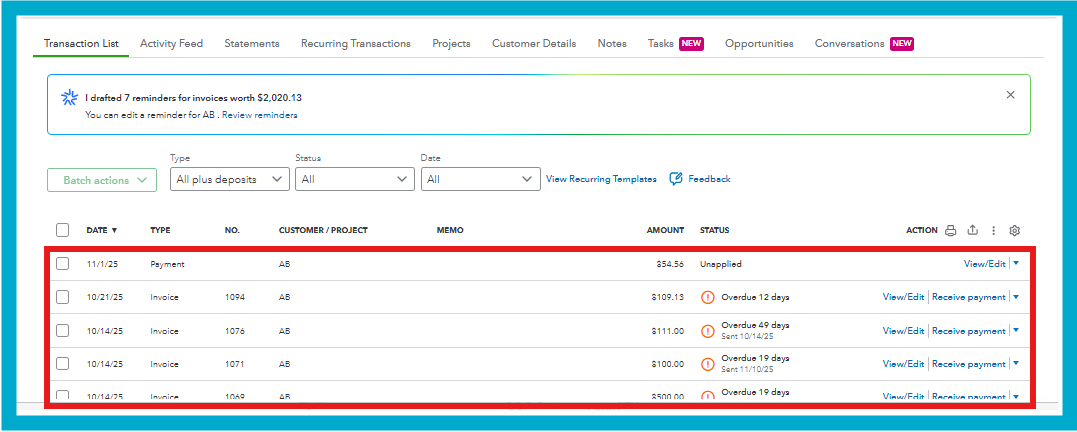
- Click on the customer to see the all transactions including the invoice.
On the other hand, if you were signed out automatically while working on the invoice, if you did not save the entry, unfortunately, you'll have to recreate it. Moving forward to avoid this from happening, I recommend extending the inactivity status of your account to 3 hours.
Here's a quick guide on where to adjust this:
- Navigate to the Gear icon, then choose Account and settings.
- Select the Advanced tab.
- From the Other preferences section, click on Edit and in the Sign me out if inactive for dropdown, choose 3 hours.

- Click on Save and Done.
Please don't hesitate to ask any questions along the way or if you need further assistance managing your invoices. Community is here to help you with any of your QuickBooks concerns. I look forward to assisting you further.


