Hello, Austin. Some customers' emailed PDF invoices lack invoice numbers due to incorrectly configured settings or outdated PDF viewers.
To ensure your emailed invoices show the invoice number, please follow these steps carefully:
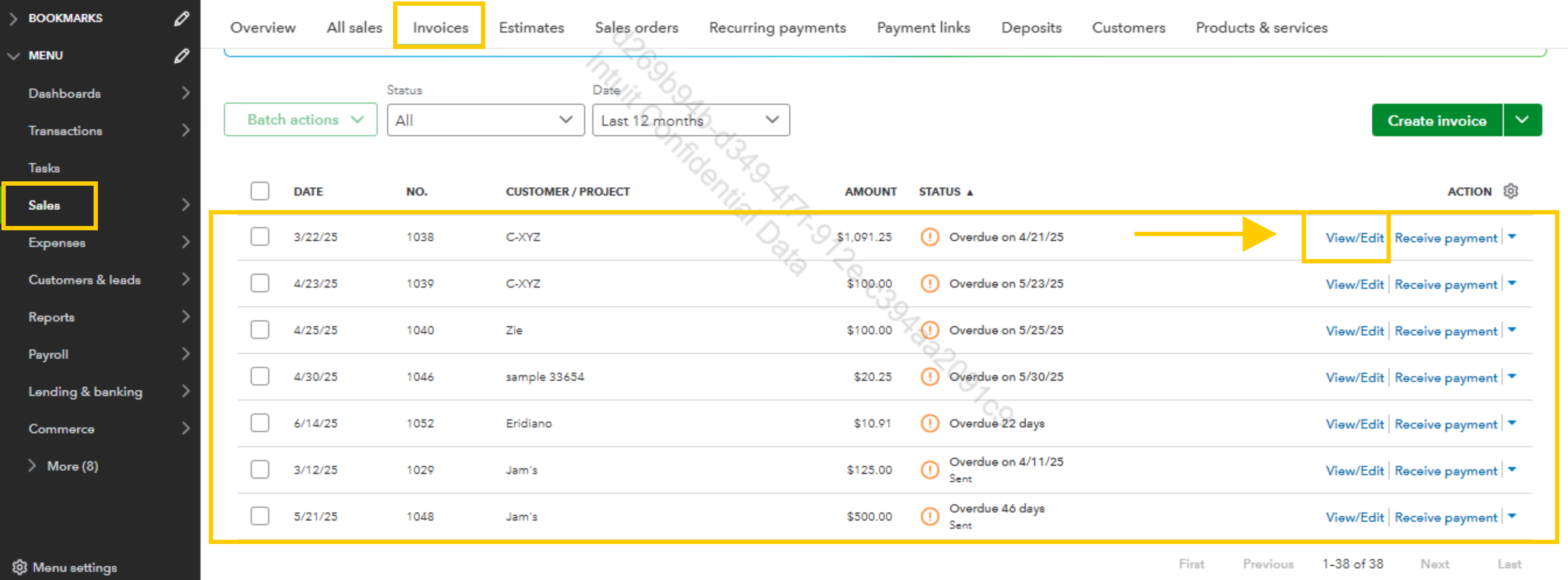
- Go to Sales from the left menu, then select Invoices.
- Open the invoice that does not show the invoice number by clicking View/Edit.
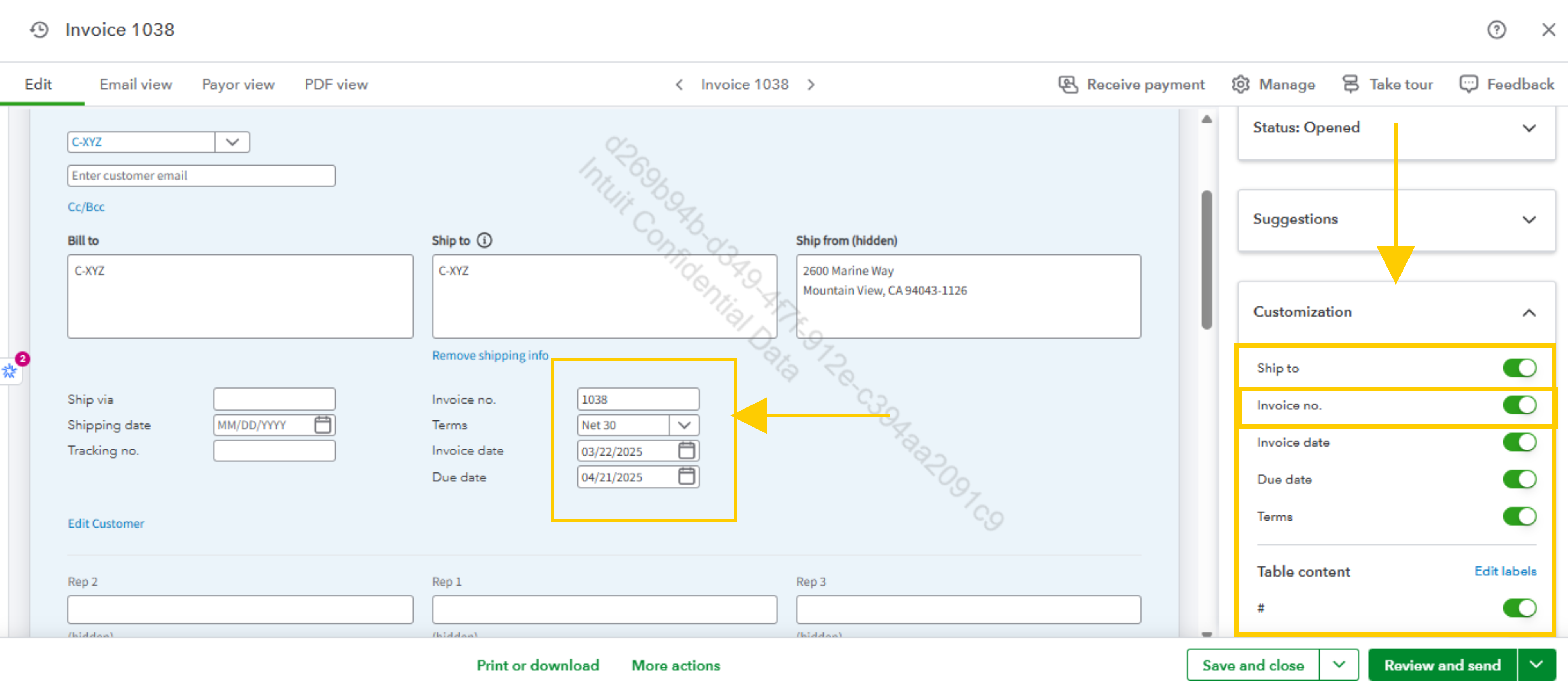
- Click Customize at the top right of the invoice screen.
- In the customization options, look for the toggle or checkbox labeled Invoice number and ensure it is turned on or checked.
- Save your changes and close the invoice.
If, after doing this, the invoice number still does not appear in the emailed PDF, I recommend updating the PDF reader your customer uses to view the invoices. An outdated PDF viewer can sometimes prevent invoice numbers from displaying.
Let us know if you have further questions.


