I'd like to share some helpful information about converting estimates into invoices, Laura.
When you convert estimates into invoices with partial payments or percentage-based amounts, the system automatically locks certain fields on the invoice. This ensures that the amounts and calculations remain accurate during the billing process.
Once you save an invoice that’s generated from a percentage-based estimate, you won’t be able to edit the line items or adjust the percentages. This is because the system links the invoice’s percentage amounts to the original estimate. If any changes are made to the invoice, it could cause mismatches with the original estimate.
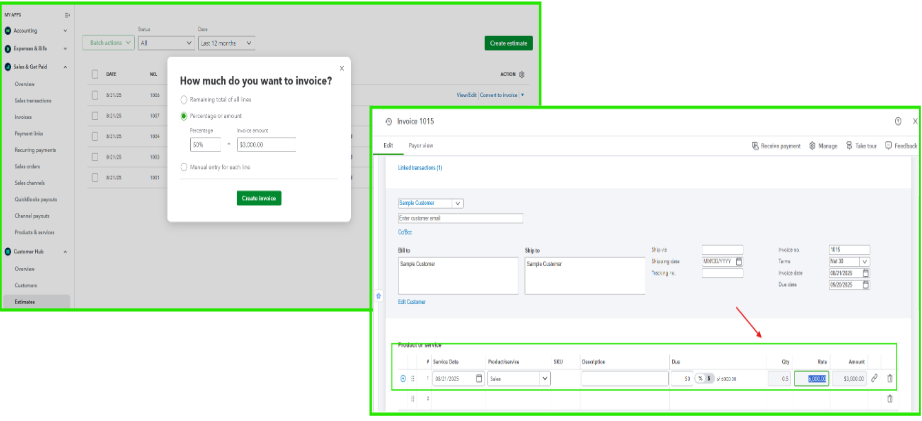
If you need to update or adjust details related to an estimate tied to a percentage-based invoice, we can delete the invoice and the estimate and recreate them. However, this can only be done if the invoice hasn’t been sent to your customer yet. To avoid having to redo this, we recommend double-checking your estimate details before converting them into an invoice.
On top of that, you can check this article to know more about enabling partial payments when invoicing you customers in QuickBooks Online (QBO): Set up and send progress invoices
If you have additional questions about QuickBooks, feel free to visit our Community Forum. You can click the reply button below, and we’d be happy to assist you further.


